AIStart · Explore by topic
GPT Image 2: The Next-Generation AI Image Generator for Professional Visual Creation
24 tools curated in this topic
Discover GPT Image 2 (gpt-image-2), OpenAI's latest AI image generator featuring perfect text rendering, photorealistic quality, and conversational editing. Learn how it transforms marketing, product photography, and UI design.
chatgpt.com/images
Tools in this topic
24
GPT Image 2
AI image generator and editor by GPT Image 2 that turns text prompts or photos into high-res 2K visuals (up to 4K with upscaling) in seconds, with no watermarks for free experimentation across styles.

GPT Image 2
GPT Image 2 is an AI image generator for photorealistic visuals, text rendering, UI screenshots, mockups, and rapid image editing.

GPT Image 2
GPT Image 2 is an AI image tool by GPT Image for creating, editing, and enhancing visuals. It offers text-to-image in 4K, accurate text rendering, and cinematic quality, requiring no skills.
GPT Image 2
GPT Image 2 by AIGPTImage is an advanced AI image generator. It creates photorealistic images, renders text perfectly, and offers smart editing tools for versatile visual content creation.

GPT Image 2
GPT Image 2 by OpenAI transforms text into stunning visuals instantly. It uses the advanced GPT-Image-2 Model, with a Pro tier available for higher limits and priority processing.

GPT Image 2
GPT Image 2 by GPT Image 2 is an AI tool for generating, editing, upscaling, and transforming images in seconds, supporting reference images and commercial-ready outputs.

GPT Image 2
Free AI image generator by OpenAI using the GPT-Image-2 model to create stunning visuals from simple text prompts.

GPT Image 2
AI image generator by GPT Image 2 for fast, realistic product images, ad creatives, posters, and marketing visuals. No design skills needed.

GPT Image 2
GPT Image 2 by GPTImager offers high-accuracy AI image generation with 99% text fidelity. Starting at $9.95/month with a 7-day money-back guarantee, it provides affordable ac

GPT Image 2
Experimental platform by JPT Imagine for testing GPT Image 2, featuring early evaluations of text rendering, multilingual typography, realistic visuals, and UI screenshots with prompt ideas.

GPT Image 2
PromptsRef's GPT Image 2 tool offers a curated collection of AI prompts for generating images and videos. It showcases community-created works to inspire users in crafting effective prompts for AI-dri

GPT Image 2
GPT Image 2 is an AI image generator and editor offering 4K output, over 95% accurate in-image text rendering, and instant image-to-image edits for high-quality visual creation.

GPT Image 2
GPT Image 2 by gpt-image2.me is a free AI image editor for removing backgrounds, upscaling photos, replacing objects, and generating new visuals from text.

GPT Image 2
GPT Image 2 by the Chinese GPT Image team specializes in next-gen AI image generation, turning simple Chinese prompts into 4K HD outputs. It covers product photos, posters, illustrations, and e-commer

GPT Image 2
A prompt library and generator by GPT Image 2 for browsing and copying ChatGPT image prompts, including examples and recipes, to create stunning AI images.

GPT Image 2
GPT Image 2 by GPTImage2 is an AI tool for generating, editing, and refining images from prompts or reference images, all in one place.

GPT Image 2
GPT Image 2 by Image Prompt Gallery lets you compare categorized, copyable prompts for GPT Image 2, view source attribution, and generate images via text-to-image or image-to-image with commercial use

GPT Image 2
GPT Image 2 by OpenAI offers official Image 2.0 examples, multilingual demos, and a production-ready workspace for creating product photos, posters, ads, and visual designs.

GPT Image 2
GPT Image 2 by image2.pro is an AI tool for generating and editing images, supporting reference-image editing and asset creation for ads, ecommerce, UI mockups, posters, and production-ready visuals.

GPT Image 2
AI image generation tool by OpenAI offering 4K output, accurate text rendering, and image-to-image edits for free.

GPT Image 2
GPT Image 2 by gpt-image2.cc is a free online AI image generator that creates sharp text, 4K-ready visuals, and prompt-accurate results with edits in seconds.

GPT Image 2.0
GPT Image 2.0 by its developer is an AI image generator for creating 4K visuals in seconds, offering text-to-image, reference edits, precise text rendering, and strong prompt control.

GPT Realtime 2
GPT Realtime 2 by GPT Realtime helps creators turn scripts into expressive realtime voiceovers, live translation drafts, captions, and publish-ready audio workflows.

ImageGPT
AI image generator and photo editor by ImageGPT for 4K output, 95%+ accurate in-image text rendering, and instant image-to-image edits.
Demos & gallery
Media & video
Deep dive
What Is GPT Image 2?
GPT Image 2 (also referred to as gpt-image-2, GPT Image v2, or GPT Image 2.0) represents a paradigm shift in AI image generation—from a creative novelty to a professional commercial tool. Built by OpenAI as the successor to GPT Image 1.5, this next-generation model addresses the most persistent limitations of AI-generated visuals: inaccurate text, artificial skin tones, and rigid editing workflows.
Whether you're a marketer creating ad banners, a developer integrating image generation into your SaaS product, or a content producer scaling visual output, GPT Image 2 delivers near-photorealistic results with zero-error text rendering across multiple languages including English, Chinese, Japanese, and Korean.
Six Breakthrough Capabilities of GPT Image 2
GPT Image 2 isn't just an incremental update. Here are the six core breakthroughs that make it the strongest AI image generator available today:
1. Zero-Error Text Rendering
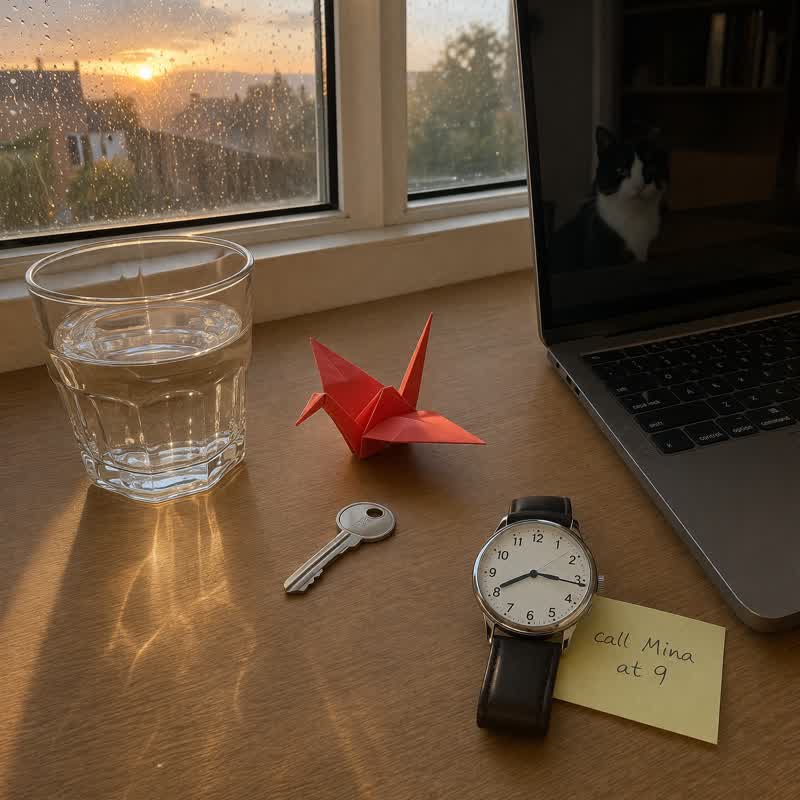
Dense text, UI labels, poster copy, and multilingual scripts—GPT Image 2 renders them with pixel-perfect accuracy. For the first time in AI image generation, you can generate complex infographics, app interfaces, and advertising materials without garbled characters or spelling mistakes.
2. Near-Photorealistic Realism
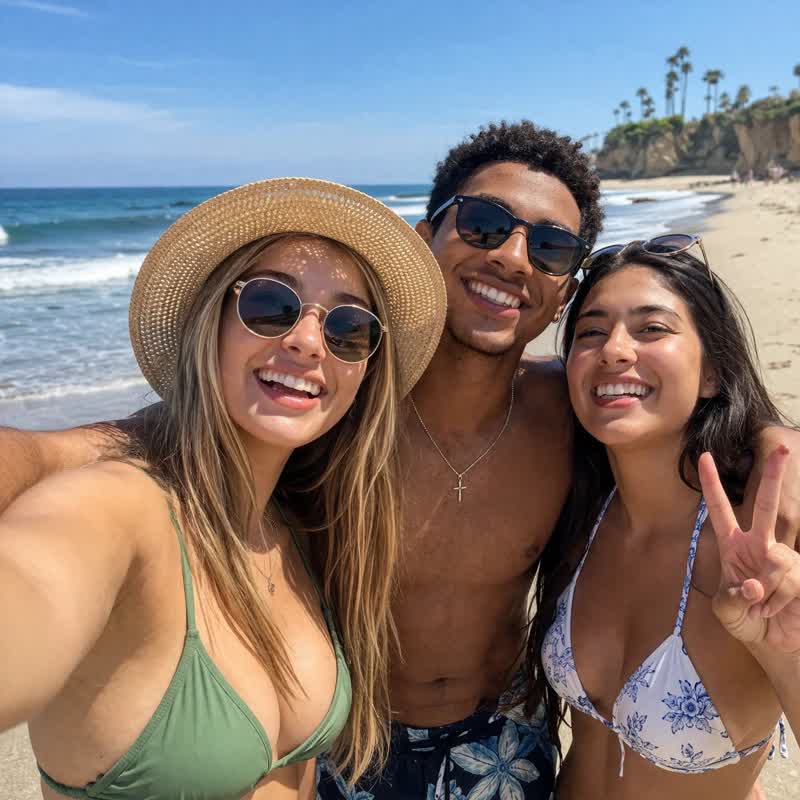
Natural skin tones, authentic lighting, and rich material textures. GPT Image 2 eliminates the yellowish tint and "AI-looking" artifacts common in previous models, producing images that are nearly indistinguishable from professional photography.
3. Conversational Image Editing
Describe your changes in plain language. Replace backgrounds, change clothing, remove objects—GPT Image 2 understands intent and modifies precisely while preserving the rest of the composition intact.
4. Real-World Knowledge Integration
Accurately generate product packaging, brand elements, and realistic interfaces. Say goodbye to generic "AI-style" visuals that lack contextual awareness.
5. Full-Format & Wide-Aspect Support
From square social media posts to 16:9 professional banners, GPT Image 2 supports the full range of commercial aspect ratios including transparent PNG and WebP outputs.
6. Developer-Friendly API
Integrate directly via the gpt-image-2 API into your product pipeline. Supports PNG/JPEG/WebP, transparent backgrounds, batch generation, and custom quality parameters—with full commercial licensing included.
What Can GPT Image 2 Create?
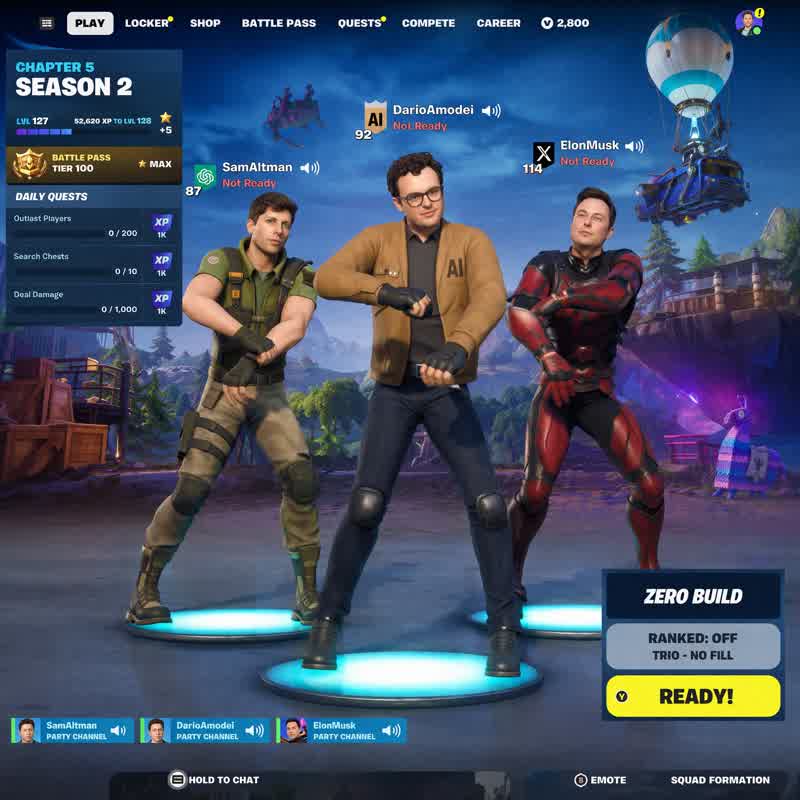
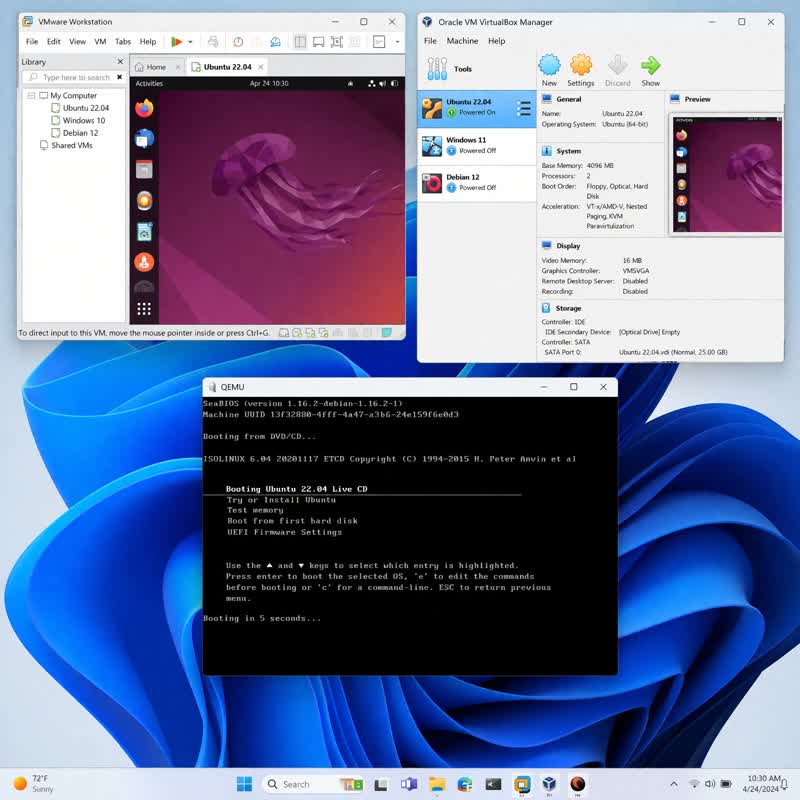
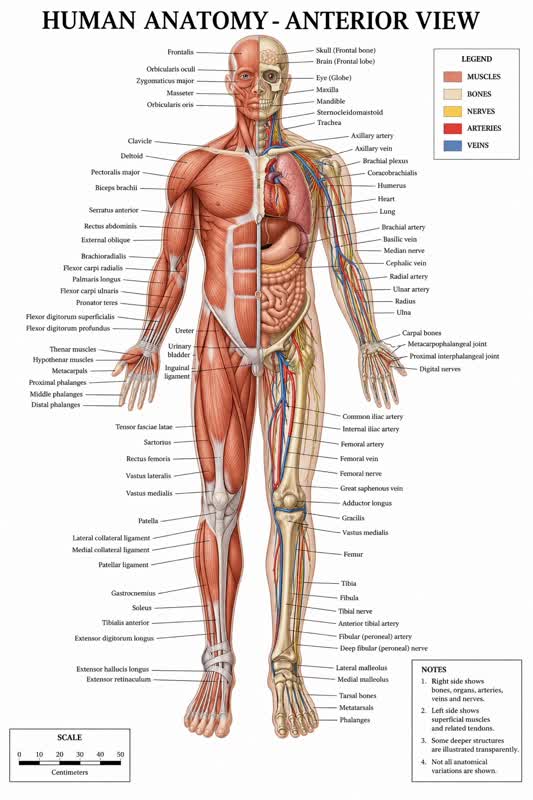
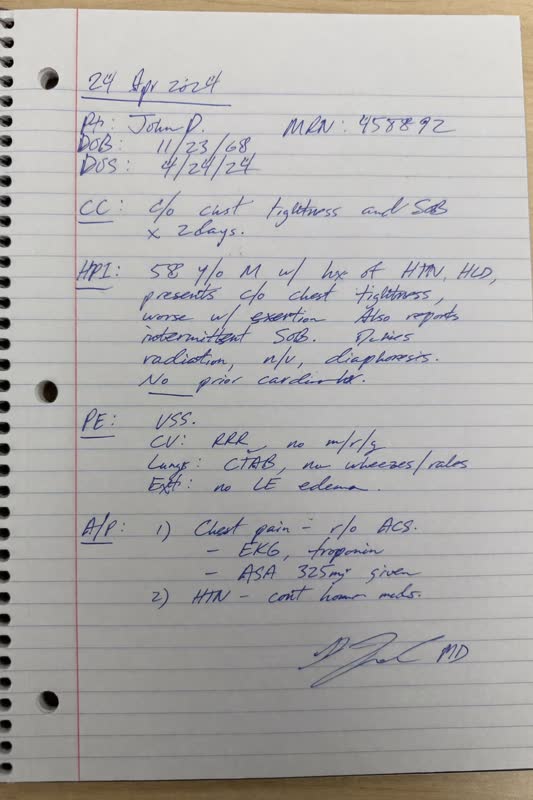
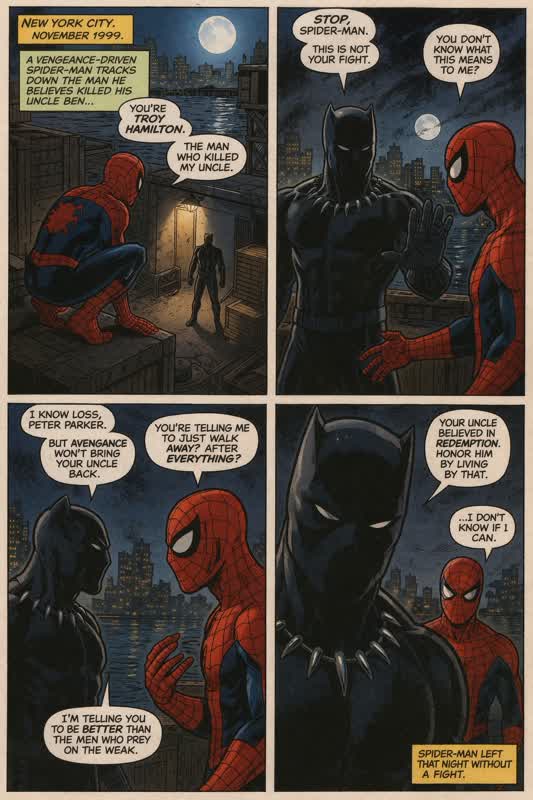
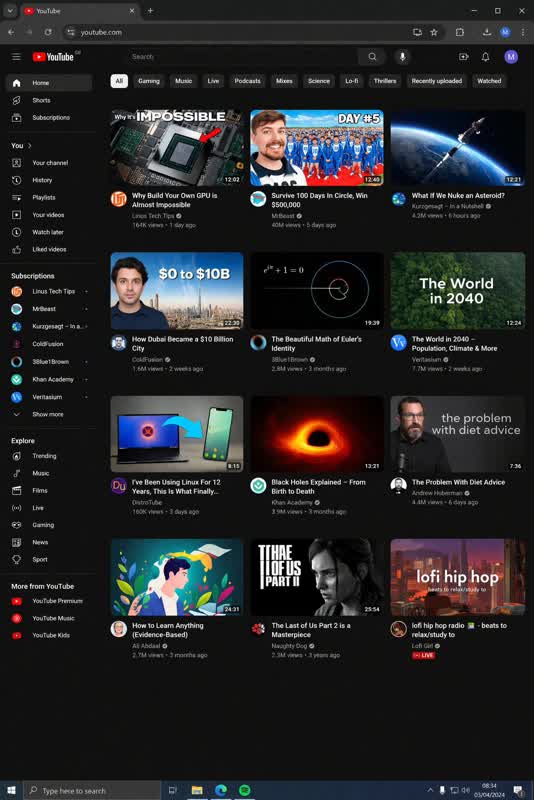
From lifelike portraits and game screenshots to complex UI mockups and anatomical diagrams, GPT Image 2 handles professional-grade visual tasks across diverse categories:
| Category | Example Output | Best For |
|---|---|---|
| Photorealistic Portraits | Beach selfies, lifestyle photography | Social media, influencer content |
| Comic & Illustration | Multi-panel manga layouts | Publishing, storytelling |
| Gaming Assets | Minecraft-style terrain, RPG character stats, HUD interfaces | Game dev, streaming thumbnails |
| UI/UX Mockups | YouTube pages, Steam stores, Windows desktops, e-commerce layouts | Product demos, investor pitches |
| Educational Graphics | Human anatomy charts, world maps | E-learning, medical training |
| Commercial Photography | Product shots, packaging prototypes | Amazon listings, DTC brands |
| Handwritten Notes | Realistic paper textures with ink | Stationery mockups, personalized marketing |
GPT Image 2 Use Cases by Industry
GPT Image 2 powers real workflows—from solo creators to enterprise teams. Here's how different professionals leverage it:
Marketing & Advertising Creatives
Generate batches of ad banners, social media graphics, email headers, and event visuals. GPT Image 2 follows brand guidelines precisely, eliminating bottlenecks caused by designer availability.
E-Commerce Product Photography
Create studio-quality product hero images, packaging prototypes, and marketplace main images—without a photography studio. Perfect for Amazon, Shopify, and Taobao sellers scaling SKU visual production.
UI/UX Prototyping
Rapidly build app interface screenshots and website prototypes with real text, functional buttons, and accurate layouts. Ideal for client proposals, user testing, and pitch decks.
Content Creation & Blogging
Produce on-brand cover images, thumbnails, and editorial illustrations at 10x the speed of manual design. Maintain visual consistency across hundreds of articles.
Developer API Integration
Power your SaaS product, content platform, or automation workflow with the gpt-image-2 API. Includes complete commercial authorization for resale and redistribution.
Brand Asset Production
Generate logo variations, background patterns, and style-unified visual assets in bulk—no design agency required.
How to Use GPT Image 2: A 4-Step Workflow
Creating professional AI images with GPT Image 2 requires zero design skills. From idea to final asset in seconds:
Step 1: Describe Your Vision
Input your creative prompt in natural language. The more specific, the better. GPT Image 2 understands complex scene descriptions, stylistic requirements, and compositional instructions—no prompt engineering expertise required.
Step 2: Generate & Refine
GPT Image 2 generates images in seconds. Not satisfied with a detail? Simply describe the change conversationally:
- "Make the background darker"
- "Add a shadow under the bottle"
- "Move the product to the left side"
The model intelligently understands and applies precise adjustments.
Step 3: Export & Deploy
Download your work in PNG, JPEG, or WebP format. Use directly in ads, social posts, websites, presentations, or client deliverables.
Step 4: Scale via API
Developers and power users can leverage the gpt-image-2 API for automated batch generation, custom workflows, and deep SaaS integration.
GPT Image 2 vs GPT Image 1.5 vs GPT Image 1.0
| Feature | GPT Image 1.0 | GPT Image 1.5 | GPT Image 2 |
|---|---|---|---|
| Image Quality | Good | Excellent | ⭐⭐⭐⭐⭐ Near-photorealistic |
| Text Rendering | ⚠️ Limited | ✅ Good (dense text, UI) | ✅ Perfect (multilingual, zero error) |
| Prompt Adherence | Strong | Excellent | ✅ Excellent |
| Conversational Editing | ❌ Not supported | ✅ Multi-turn, context-aware | ✅ Multi-turn, high-fidelity |
| Aspect Ratios | Square + portrait/landscape | Standard ratios | ✅ Including 16:9 widescreen |
| Real-World Knowledge | Partial | Brand/scene accurate | ✅ Brand/scene accurate |
| Transparent Background | ❌ Not supported | ✅ Full PNG/WebP | ✅ Full PNG transparency |
| API Access | ✅ gpt-image-1 API | ✅ Full gpt-image-1.5 API | ✅ Full gpt-image-2 API |
| Commercial License | ✅ Included | ✅ Included | ✅ Included |
| Best For | Quick experiments | Professional content | Professional & commercial use |
Verdict: GPT Image 2 is the clear winner for professional and high-fidelity commercial applications. The combination of perfect text rendering, near-photographic quality, and intelligent multi-turn editing makes it the most capable AI image generator on the market.
Why Choose GPT Image 2 for Your Business?
- ⚡ No Design Skills Required — Natural language inputs replace complex design software
- 🎨 Near-Photographic Output — Professional results without studio costs
- 📝 Perfect Text Rendering — Multilingual scripts, UI labels, and dense copy rendered accurately
- 🔒 Commercial License Included — Use generated assets in client work and products without legal concerns
- 🔧 Developer-Ready — API integration for scalable, automated visual pipelines
Frequently Asked Questions (FAQ)
Q: What makes GPT Image 2 different from DALL·E or Midjourney? A: While DALL·E and Midjourney excel at artistic generation, GPT Image 2 specializes in text accuracy and photorealism. Its ability to render dense multilingual text and edit images conversationally makes it superior for commercial and professional workflows.
Q: Can I use GPT Image 2 for client projects? A: Yes. GPT Image 2 includes full commercial licensing, allowing you to use generated images in client deliverables, products, and marketing materials.
Q: Does GPT Image 2 support API integration? A: Absolutely. The gpt-image-2 API supports batch generation, custom quality parameters, PNG/JPEG/WebP outputs, and transparent backgrounds—designed specifically for SaaS and automation workflows.
Q: What languages does GPT Image 2 support for text rendering? A: GPT Image 2 accurately renders text in English, Chinese, Japanese, Korean, and other major scripts—making it ideal for global brands and multilingual campaigns.
Q: Is GPT Image 2 suitable for e-commerce product images? A: Yes. It generates studio-quality product photography and packaging mockups without requiring physical photoshoots, significantly reducing time-to-market for new SKUs.
Get Started with GPT Image 2 Today
Whether you're generating a single social post or building an automated image pipeline for thousands of products, GPT Image 2 provides the quality, accuracy, and flexibility that professional workflows demand.
Start creating with GPT Image 2 now and transform your visual production process from days to seconds.