
GPT Image 2
GPT Image 2 by image2.pro is an AI tool for generating and editing images, supporting reference-image editing and asset creation for ads, ecommerce, UI mockups, posters, and production-ready visuals.
What is GPT Image 2?
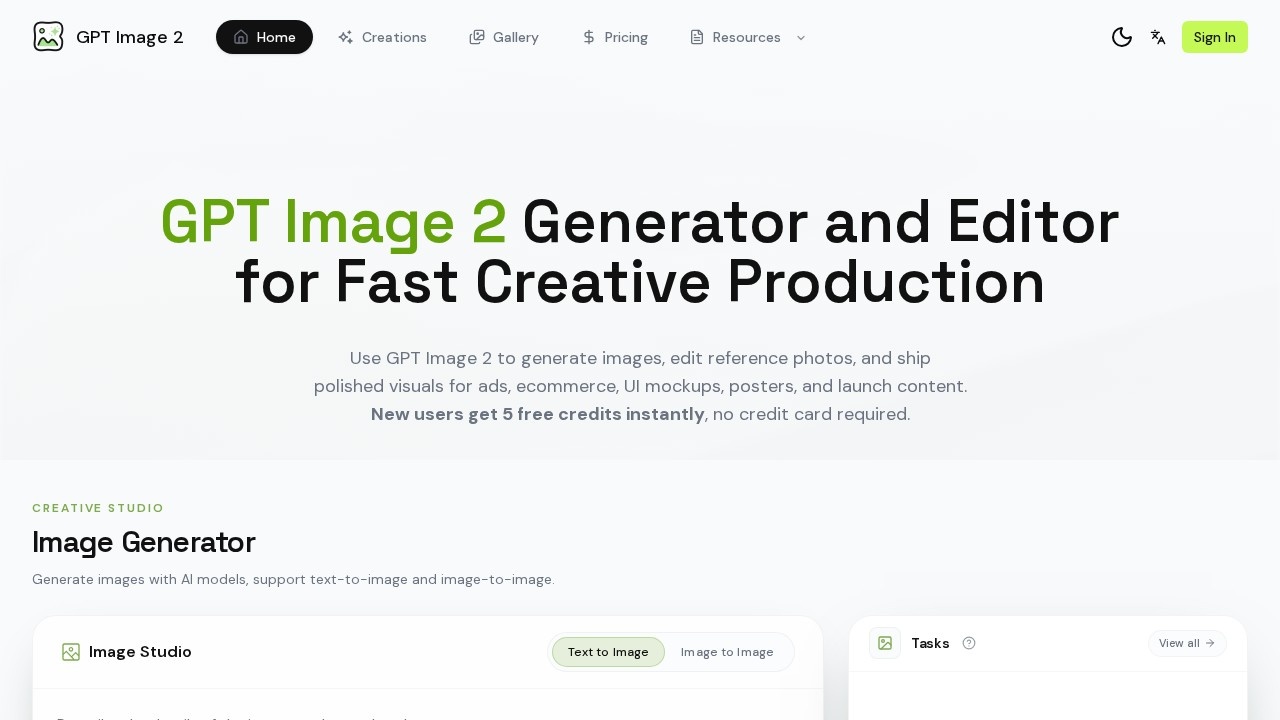
GPT Image 2 by image2.pro is an AI-powered tool for generating and editing images, designed to accelerate creative production. Users can create visuals from text prompts, edit reference photos, and export polished assets for ads, ecommerce, UI mockups, posters, and launch content. The platform supports both text-to-image and image-to-image workflows, with a focus on fast iteration and production-ready output. It offers a Creative Studio where users can compare results and refine visuals in one workspace.Application scenarios
Product ads
Build polished hero images for ecommerce, SaaS, and consumer brands with commercial-ready lighting and clean surfaces.
UI mockups
Create onboarding screens, dashboard visuals, device mockups, and landing-page assets with readable interface elements.
Posters and menus
Generate flyers, packaging, labels, and menu designs using prompt patterns for typography and layout.
Text-heavy visuals
Produce posters, menus, labels, and screenshot-style images with near-accurate text rendering and clear typographic hierarchy.
Reference image editing
Upload a product photo, draft layout, or existing creative to refine style, copy space, props, or background.
Launch content
Export campaign-ready assets for marketing, ecommerce, app launches, and branded content for print, web, and social.
Core Features
Image generation
Generate images by specifying subject, layout, lighting, typography, and aspect ratio, then compare results and iterate in one workspace.
Text-to-image
Create visuals from a text prompt with adjustable ratio and quality settings.
Image-to-image
Upload a reference image to guide the generated output, with support for editing style, background, and props.
Reference image editing
Upload a product photo or draft layout and refine style, copy space, props, or background using the editing workflow.
Production-ready output
Export high-resolution, campaign-ready assets for marketing, ecommerce, and branded content.
Multi-style showcase
Access a library of example outputs covering lifestyle photography, fashion portraits, editorial covers, fantasy illustration, social-style UI scenes, and launch-event visuals.
Creative iteration
Generate the first batch, adjust prompt details, swap references, and refine until the output matches your campaign or product goal.
Prompt saving
Download the winning version and save prompt patterns for reuse across ads, store imagery, social posts, and launch pages.
Target users
This tool is built for creative professionals and teams who need fast, controlled image production. It suits marketers, ecommerce managers, UI/UX designers, content creators, and brand teams working on ads, product imagery, mockups, and launch materials.How to use GPT Image 2?
Start by describing the subject, composition, lighting, materials, text, and format you need, or upload a reference image to guide the result. Generate the first batch of images, then adjust prompt details and swap references to refine the output. Once satisfied, download the winning version and reuse the workflow across ads, store imagery, social posts, and launch pages. New users get 5 free credits instantly with no credit card required.Pricing and free trial
New users receive 5 free credits instantly, with no credit card required. Each image generation costs 1 credit. The site does not list paid plans or additional pricing tiers.Effect review
GPT Image 2 offers a practical, streamlined workflow for generating and editing images, with strong support for text-heavy visuals and reference-based editing. The emphasis on production-ready output and reusable prompt patterns makes it useful for teams that need consistent, campaign-ready assets. While the free credits allow quick testing, the lack of detailed pricing or user testimonials limits a full evaluation of long-term value. For users who need fast iteration and controlled styling, the feature set appears solid and directly applicable to daily creative tasks.Frequently Asked Questions
What is GPT Image 2?
Can I edit an existing image with GPT Image 2?
What types of visuals can I create?
Is GPT Image 2 free to use?
How do I get started?
GPT Image 2 - AI Tool Detail
GPT Image 2 by image2.pro is an AI tool for generating and editing images, supporting reference-image editing and asset creation for ads, ecommerce, UI mockups, posters, and production-ready visuals.
Category:Image generation
Visit Link:https://image2.pro/
Tags:AI image generation、image editing、ad creative、ecommerce visuals、UI mockups