
GPT Image 2
Free AI image generator by OpenAI using the GPT-Image-2 model to create stunning visuals from simple text prompts.
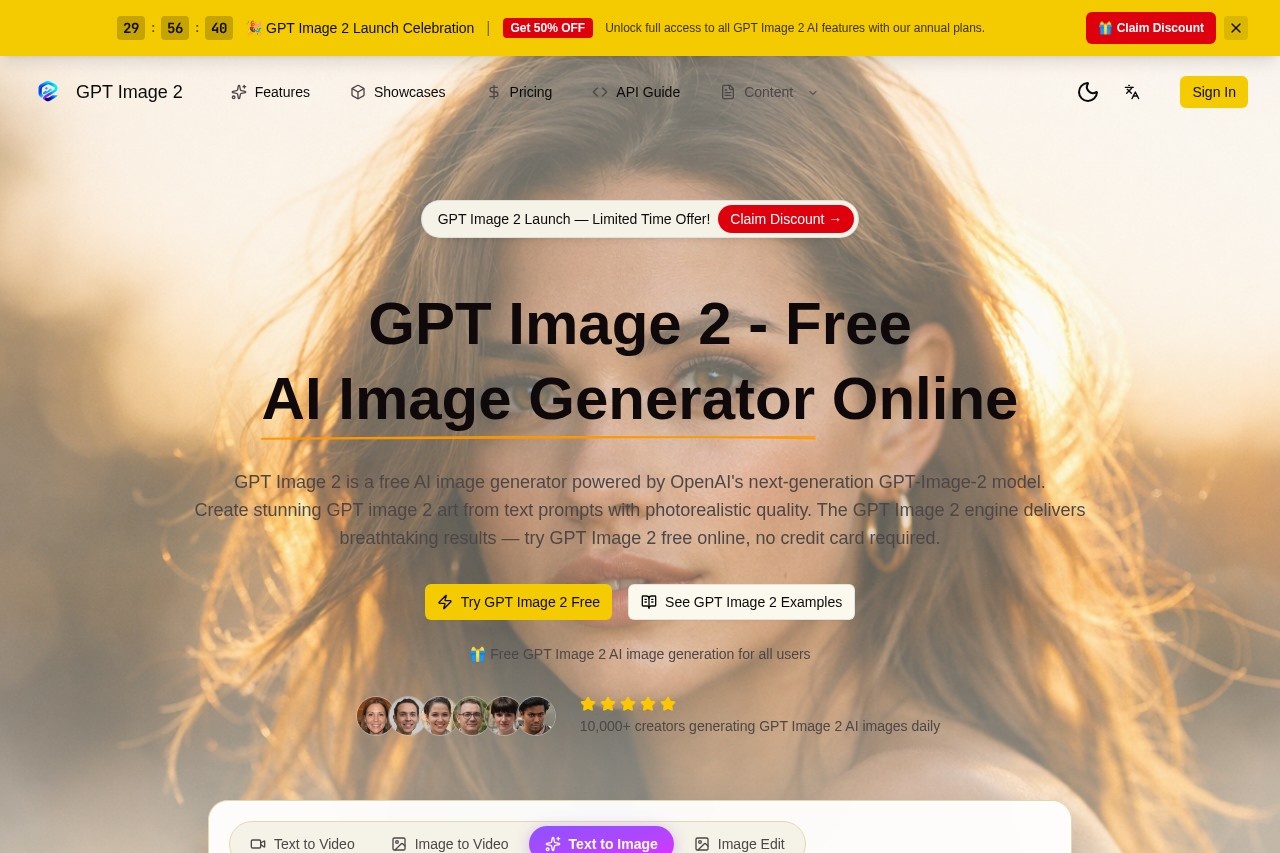
What is GPT Image 2?
GPT Image 2 is a free AI image generator powered by OpenAI's next-generation GPT-Image-2 model. It transforms text prompts into photorealistic visuals with exceptional detail, accurate text rendering, and natural human proportions. The tool is available online at gpt-image-2.art, requiring no credit card to start. Users create stunning AI images for social media, marketing, game design, or creative projects.Application scenarios
Social media content
Generate AI images optimized for platforms like YouTube, TikTok, Instagram, and LinkedIn.
Marketing materials
Create photorealistic visuals for campaigns, ads, and brand assets.
Game design
Produce concept art, environments, and character designs with accurate details.
Creative projects
Generate oil paintings, cyberpunk cityscapes, serene gardens, or other artistic styles.
Image editing
Upload existing images for style transfers, upscaling, or creative modifications.
Video production
Use text-to-video and image-to-video capabilities (mentioned in the interface tabs).
Developer integration
Access the GPT Image 2 API to embed image generation into apps or workflows.
Core Features
Text-to-image generation
Enter a natural language prompt, and the GPT-Image-2 engine produces photorealistic images with accurate text rendering and lifelike human features.
Image-to-image editing
Upload any image to apply intelligent enhancements, style transfers, and creative transformations while preserving the original composition.
Photorealistic output
The GPT-Image-2 diffusion model delivers industry-leading quality in text rendering, human anatomy, and scene composition.
Free for all users
No credit card required—anyone can generate GPT Image 2 AI images online at no cost.
Multiple aspect ratios and resolutions
Choose from 1:1, 2K, and other settings (110 credits per generation shown in the interface).
Cross-platform sharing
Export images directly for YouTube, TikTok, Instagram, Twitter (X), LinkedIn, Pinterest, Bilibili, Facebook, Snapchat, Reddit, Vimeo, and WhatsApp.
API for developers
Integrate GPT Image 2 into your own applications for automated image generation.
Daily active community
Over 10,000 creators generate GPT Image 2 AI images daily, as noted on the site.
Target users
Content creators, social media managers, marketers, game designers, artists, and developers. Anyone needing high-quality AI-generated images for professional or personal projects—without paying for a subscription.How to use GPT Image 2?
- Visit gpt-image-2.art in your browser.
- Select the "Text to Image" or "Image Edit" tab from the interface.
- Choose your aspect ratio (e.g., 1:1) and resolution (e.g., 2K). The default shows 110 credits per generation.
- Enter a text prompt describing the image you want (e.g., "A serene Japanese garden" or "Cyberpunk cityscape at night").
- Click the "Generate" button to create your image.
- Download or share the result directly to supported platforms like Instagram, TikTok, or YouTube.
Pricing and free trial
GPT Image 2 is completely free to use—no credit card required. The site states it is a "free AI image generator" and "free GPT Image 2 AI image generation for all users." There is no mention of paid tiers or trial limits in the provided text.Effect review
GPT Image 2 delivers on its promise of free, high-quality AI image generation. The GPT-Image-2 model produces photorealistic results with accurate text and human features, which is a significant step up from earlier OpenAI models like DALL-E 3. The interface is straightforward, with clear options for text-to-image, image editing, and video generation. The inclusion of an API and cross-platform sharing makes it practical for real-world workflows. For a free tool, the quality and feature set are impressive—especially for creators who need professional-grade visuals without upfront costs.Frequently Asked Questions
What is GPT Image 2?
Is GPT Image 2 free to use?
How do I generate an image with GPT Image 2?
What kind of images can GPT Image 2 create?
Do I need an account to use GPT Image 2?
Can I use the generated images for commercial purposes?
GPT Image 2 - AI Tool Detail
Free AI image generator by OpenAI using the GPT-Image-2 model to create stunning visuals from simple text prompts.
Category:Image generation
Visit Link:https://gpt-image-2.art/
Tags:AI image generator、text-to-image、GPT-Image-2、free AI tool、OpenAI