
GPT Image 2
PromptsRef's GPT Image 2 tool offers a curated collection of AI prompts for generating images and videos. It showcases community-created works to inspire users in crafting effective prompts for AI-dri
What is GPT Image 2?
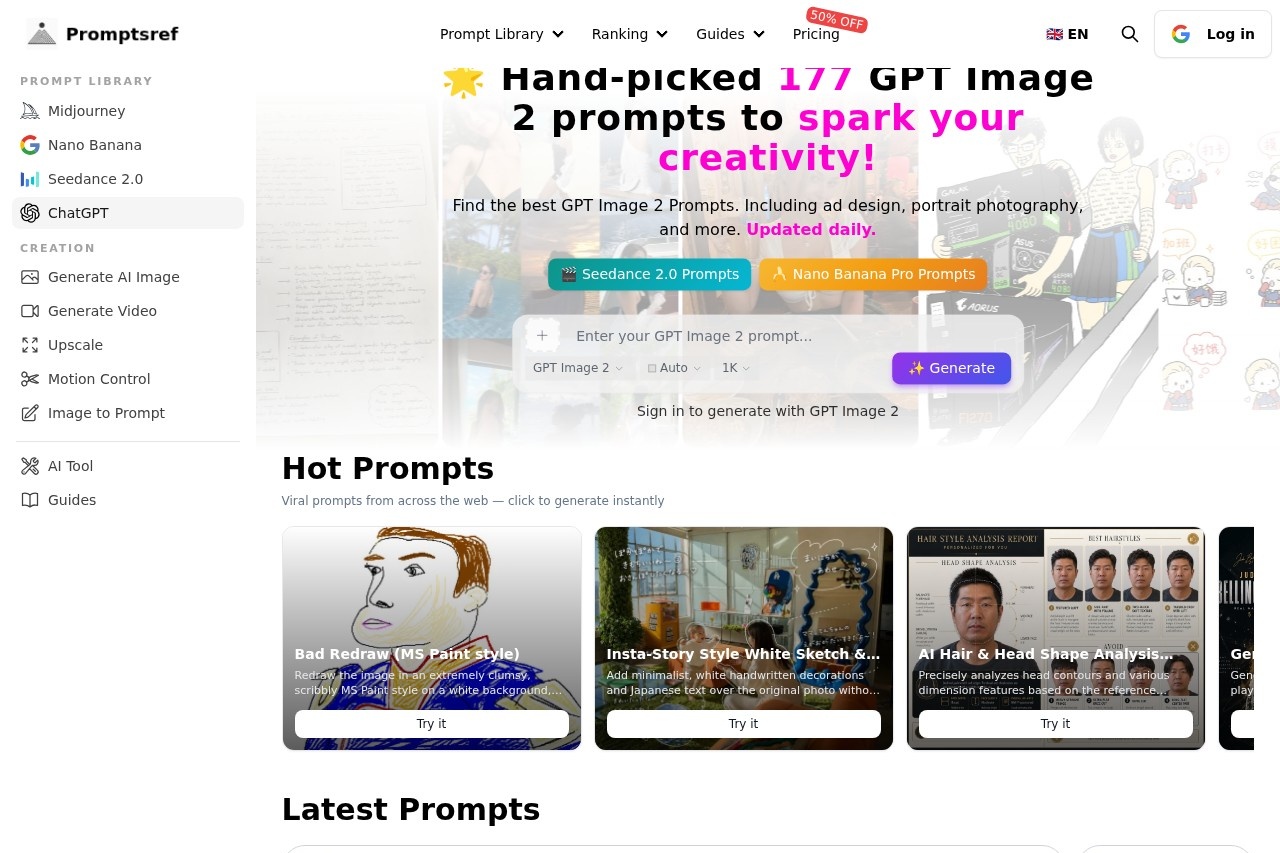
GPT Image 2 is a curated prompt library hosted on PromptsRef, offering 177 hand-picked prompts specifically designed for generating images and videos with AI tools. Users can browse, copy, and generate AI art directly from the platform, with prompts updated daily to keep the collection fresh. It serves as a creative springboard, showcasing community-created works to inspire effective prompt crafting for AI-driven visual content.Application scenarios
Ad design
Prompts for creating promotional posters and advertising visuals, like "Generate an advanced poster" for favorite players, stars, or bands.
Portrait photography
Precisely crafted prompts for realistic or stylized portraits, including "AI Hair & Head Shape Analysis Report" and high-fashion editorial shots.
Social media content
Ready-to-use prompts for Instagram-style stories with white sketch and text overlays, or candid selfies with a natural, voyeuristic feel.
Game asset creation
Prompts for generating gacha summon pages, character concept art sheets, and detailed 3D gaming scenes with cinematic aesthetics.
Meme and parody generation
Fun, low-effort redraws like "Bad Redraw (MS Paint style)" for humorous or intentionally terrible image edits.
Data visualization
Prompts for creating architectural diagrams, statistical charts, and infographics, such as "Shanghai World Financial Center structural anatomy diagram."
Food and product photography
Detailed prompts for food shots with specific textures and actions, like "Exploding [food item] with [filling]."
Core Features
Hand-picked prompt collection
177 curated prompts across categories like ad design, portrait photography, and more, updated daily.
Hot prompts section
A feed of viral prompts from across the web that users can click to generate instantly.
Latest prompts sorting
Sort prompts by newest, oldest, most likes, least likes, most views, or least views to find trending or niche content.
Structured JSON prompts
Advanced users can use JSON-formatted prompts for precise control over subject description, age, expression, and mirror rules.
Template-based generation
Pre-built prompt templates for specific outputs, such as "Create Your Own Gacha Summon Page" or "Cinematic Character Concept Art Sheet."
Direct generation integration
Prompts include a "Try it" button that lets users generate the AI output directly from the library page.
Community showcase
User-submitted prompts and generated works are displayed, with like and view counts to highlight popular creations.
Target users
Content creators, social media managers, and digital artists looking for ready-to-use AI prompts to speed up their workflow. Also useful for marketers needing ad visuals, game developers prototyping character art, and hobbyists exploring AI image generation for fun or parody.How to use GPT Image 2?
Visit the PromptsRef library page for GPT Image 2, browse or search the prompt collection, and click the "Try it" button on any prompt to generate the image or video directly. You can also copy the prompt text manually and paste it into your preferred AI image generation tool. Sort prompts by popularity or recency to discover trending ideas.Pricing and free trial
The website text does not mention any pricing, subscription tiers, or free trial options. Users can access the prompt library without any indicated cost.Effect review
The prompt library offers a solid mix of practical and creative templates, from professional ad posters to silly MS Paint redraws, making it versatile for different skill levels. The daily updates and community voting (likes/views) help surface trending prompts, though the quality of generated outputs depends on the user's AI tool. For beginners, the structured JSON prompts may feel overwhelming, but the "Try it" buttons simplify the process. Overall, it's a useful resource for anyone who wants to skip the trial-and-error of writing prompts from scratch.Frequently Asked Questions
What is GPT Image 2?
How can I use the prompts from GPT Image 2?
Are the prompts on GPT Image 2 free to use?
Can I submit my own prompts to GPT Image 2?
What types of media can I generate with these prompts?
Do I need an account to access GPT Image 2?
GPT Image 2 - AI Tool Detail
PromptsRef's GPT Image 2 tool offers a curated collection of AI prompts for generating images and videos. It showcases community-created works to inspire users in crafting effective prompts for AI-dri
Category:Image generation
Visit Link:https://promptsref.com/library/gpt-image
Tags:AI prompts、image generation、video generation、community creativity、prompt inspiration