
GPT Image 2
A prompt library and generator by GPT Image 2 for browsing and copying ChatGPT image prompts, including examples and recipes, to create stunning AI images.
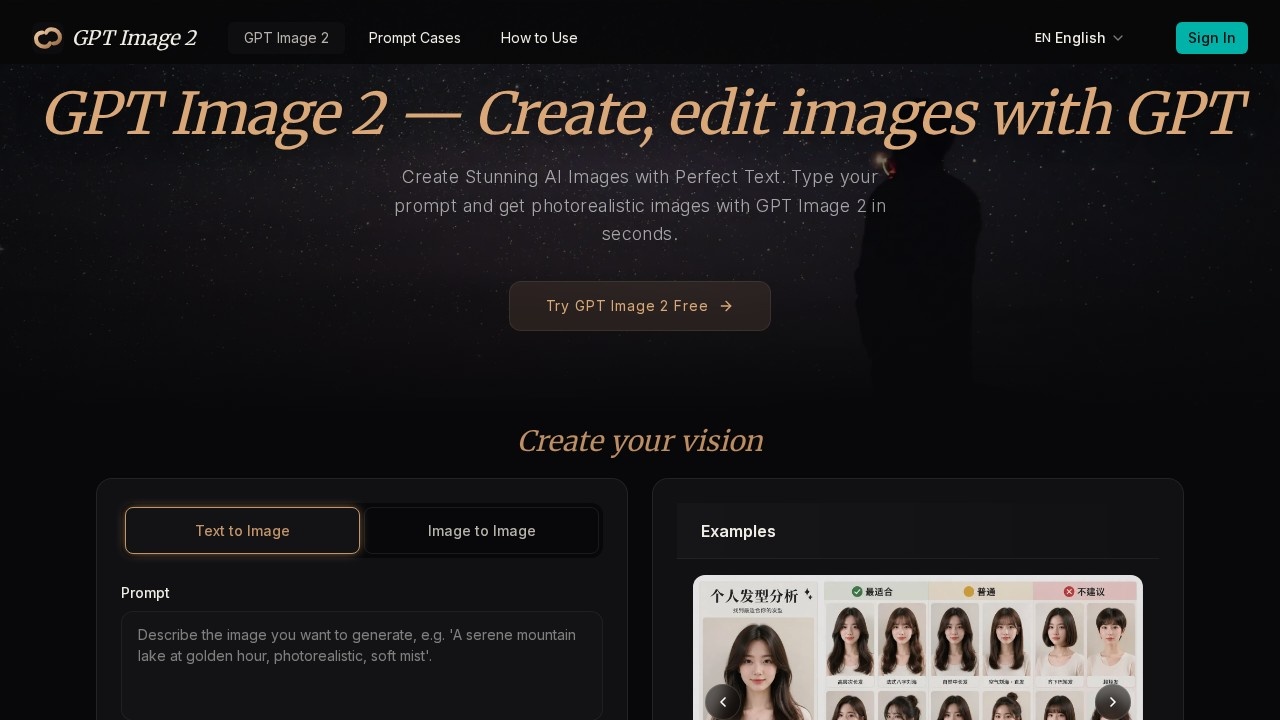
What is GPT Image 2?
GPT Image 2 is a unified AI image generation platform that creates photorealistic images with accurate embedded text. It offers text-to-image and image-to-image workflows, supports resolutions up to 4K (4096×4096px), and includes transparent background export. The platform also provides a prompt library with copy-ready ChatGPT image prompt examples and templates to help users craft effective prompts.Application scenarios
Marketing and advertising
Generate photorealistic product shots with embedded text for ads, posters, and infographics.
Graphic design
Create logos, stickers, and layered design assets with transparent background support.
Concept art
Produce illustrations, anime, oil paintings, and technical diagrams for creative projects.
Typography design
Render posters or infographics with 95%+ text accuracy when exact wording is specified in the prompt.
E-commerce
Generate product cutouts and high-resolution product images for online stores.
App development
Create visual assets for apps, including icons and UI mockups, with precise text rendering.
Core Features
Text-to-image generation
Describe an image in natural language, specifying composition, style, colors, and text, and receive a high-quality visual in seconds.
Image-to-image editing
Upload a reference image and describe changes, or use the image2prompt workflow to extract a reusable prompt template.
Unmatched text rendering
Achieve 95%+ accuracy for posters, infographics, product labels, and any image requiring precise embedded text.
Photorealistic & multi-style output
Generate images in photorealistic, illustration, anime, oil painting, flat design, and technical diagram styles—all from one model.
Transparent background support
Export PNG with alpha channel for logos, product cutouts, stickers, and layered design assets.
4K ultra-high resolution
Generate up to 4096×4096px output with presets at 1024×1024, 1536×1024, and 1024×1536 for various formats.
Prompt library and examples
Browse copy-ready ChatGPT image prompt examples and templates for inspiration and faster creation.
Iterative refinement
Regenerate images after adjusting prompts until the output matches the user’s vision.
Target users
Freelance designers, marketing teams, app developers, and any creator who needs production-ready AI images with accurate text rendering. The platform is designed for users who require both photorealistic quality and precise embedded text in a single tool.How to use GPT Image 2?
- Enter your prompt: Describe the image in natural language, being specific about composition, style, colors, and any text you need rendered.
- Customize settings: Choose resolution (up to 4K), output format (PNG/JPEG/WebP), transparent background support, and visual style.
- Generate and download: Receive your AI-generated image in seconds, then download in full resolution, share directly, or refine your prompt and regenerate iteratively.
Pricing and free trial
The website mentions "Try GPT Image 2 Free" and a "Generate (10 credits)" button, indicating a free tier with 10 credits. No further pricing details are provided on the page.Effect review
GPT Image 2 delivers on its core promise: combining high-quality image generation with reliable text rendering, which is a common pain point in other AI tools. The 95%+ text accuracy claim is practical for designers creating posters or infographics, and the 4K output ensures production-ready assets. The prompt library and image2image editing add flexibility for users who need inspiration or want to refine existing visuals. For a free tier with 10 credits, it’s a low-risk option to test before committing to paid usage. The platform appears well-suited for creators who need both creative range and precision in a single workflow.Frequently Asked Questions
What is GPT Image 2?
How do I use GPT Image 2?
Is GPT Image 2 free?
Can I create my own prompts in GPT Image 2?
What types of images can I create with GPT Image 2?
Do I need a ChatGPT subscription to use GPT Image 2?
GPT Image 2 - AI Tool Detail
A prompt library and generator by GPT Image 2 for browsing and copying ChatGPT image prompts, including examples and recipes, to create stunning AI images.
Category:Image generation
Visit Link:https://gptimage2prompts.net/
Tags:AI image prompts、prompt library、ChatGPT image generator、image prompt examples、AI art recipes