
Cotypist
Smart autocomplete tool for Mac by Cotypist, offering AI-powered text prediction across any app to speed up typing, reduce errors, and boost productivity.
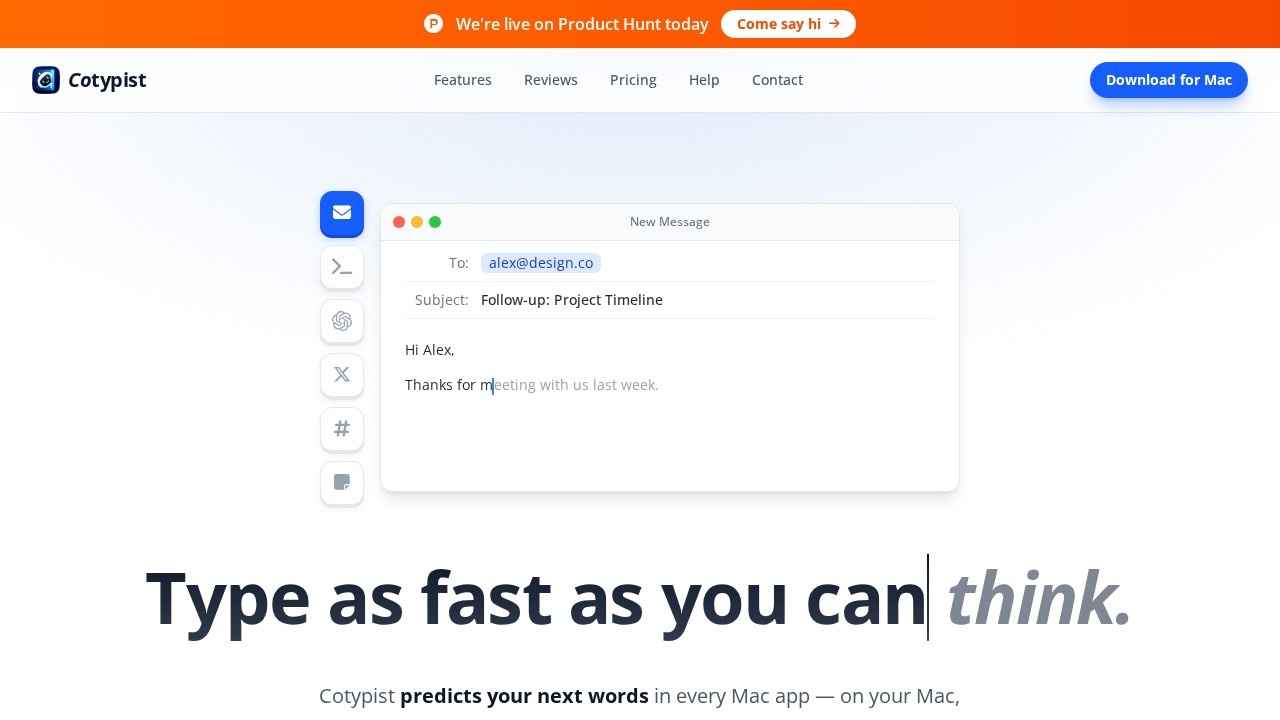
What is Cotypist?
Cotypist is a Mac-only app that predicts your next words as you type, running entirely on Apple Silicon. It works across every Mac app, offering AI-powered autocomplete to speed up writing and reduce errors. The app learns your vocabulary, names, and phrasing to match your personal style. It's free to download, with a 30-day Pro trial and a free plan afterward—no credit card required.Application scenarios
Email writing
Cotypist predicts sentences in your email client, letting you complete messages faster with Tab.
Document editing
Use it in any text editor or word processor to finish sentences without breaking flow.
Note-taking
Quickly capture thoughts in notes apps, with suggestions that adapt to your phrasing.
Coding or technical writing
The app picks up domain-specific names and terms as you type.
Social media posts
Compose posts or replies without switching to a chatbot or prompt window.
General productivity
Speed up any typing task across macOS, from forms to messaging apps.
Core Features
AI text prediction
Cotypist suggests the rest of each sentence as you type, in any Mac app.
Local on-device processing
The app runs entirely on your Apple Silicon Mac, not in the cloud, ensuring privacy.
Tab to accept
Press Tab to take the next word or the whole line of a suggestion.
Adaptive learning
The more you write, the better Cotypist gets at sounding like you—it picks up your vocabulary, names, and phrasing.
Instant correction
If you don't like a suggestion, just keep typing; it snaps to the word you meant within a letter or two.
No account required for setup
Installation involves dragging the app into Applications, with no account needed to start.
Target users
Cotypist is built for anyone who types regularly on a Mac—writers, professionals, students, and creators who want to write faster without leaving their flow. It's especially useful for people who find chatbot-style AI writing tools disruptive, preferring a seamless autocomplete that stays in the background.How to use Cotypist?
- Download the app from the Cotypist website (free, no credit card required).
- Open the
.dmgfile and drag Cotypist into your Applications folder. - Launch Cotypist from Applications and follow the on-screen setup instructions.
- Open any Mac app and start typing. Press Tab to accept a prediction, or keep typing to override it.
Pricing and free trial
Cotypist is free to download for Apple Silicon Macs. It includes a 30-day Pro trial, after which a free plan is available. No credit card is required to start.Effect review
Cotypist aims to solve a common frustration with AI writing tools—the need to stop, prompt, and edit robotic output. By predicting your next words as you type, it keeps you in the flow rather than forcing you to delegate writing to a chatbot. The app's local processing is a strong privacy advantage, and its adaptive learning promises to make suggestions feel personal over time. While the website doesn't include user testimonials or performance benchmarks, the core concept is straightforward and practical for Mac users who type frequently. For those who dislike interrupting their writing to use AI, Cotypist offers a friction-free alternative.Frequently Asked Questions
What is Cotypist?
Which apps does Cotypist work with?
Does Cotypist learn my writing style?
Is Cotypist safe and private?
Can I customize Cotypist's suggestions?
Is there a free trial available?
Cotypist - AI Tool Detail
Smart autocomplete tool for Mac by Cotypist, offering AI-powered text prediction across any app to speed up typing, reduce errors, and boost productivity.
Category:Personal Assistant
Visit Link:https://cotypist.app/
Tags:AI writing assistant、text prediction、Mac productivity、autocomplete tool