
Mutter
Voice-to-text writing tool by Mutter that converts rough speech into polished writing 3x faster than typing, with 100% on-device processing for privacy.
What is Mutter?
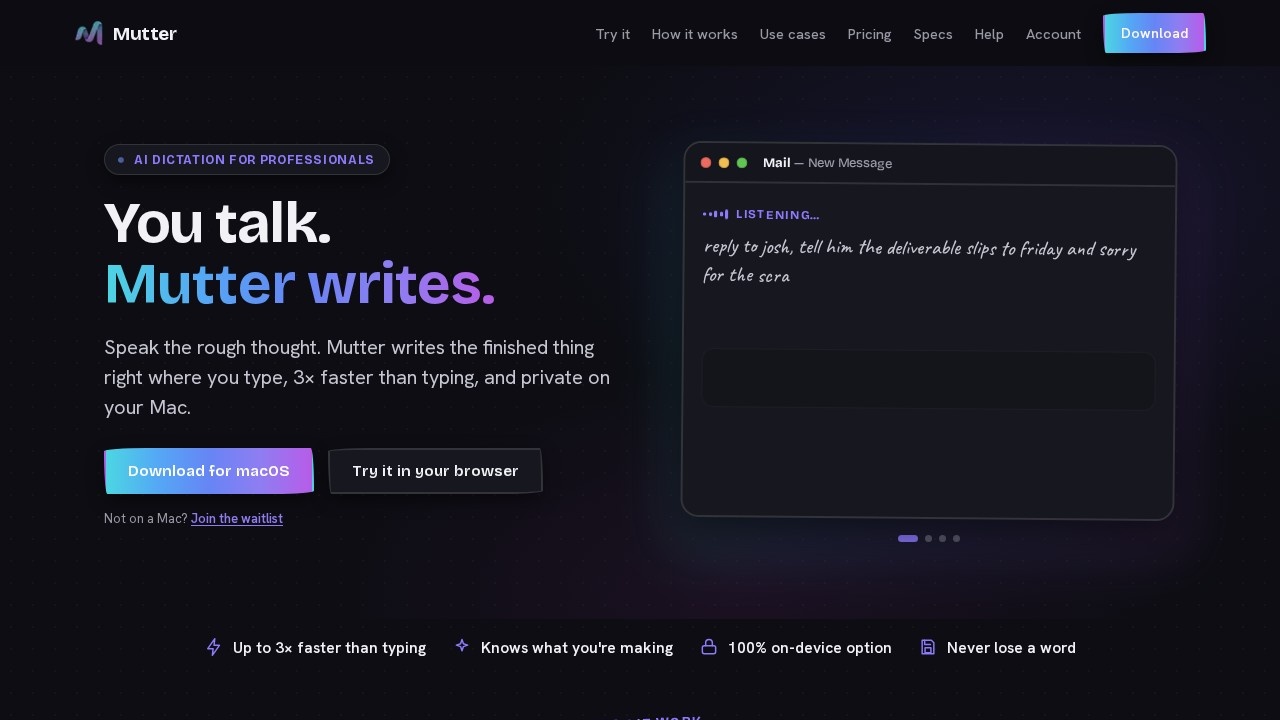
Mutter is a voice-to-text writing tool for macOS that converts rough, spoken thoughts into polished writing up to three times faster than typing. It works directly inside any application where you type—email, docs, chat, or code editors—by pressing a hotkey, speaking, and releasing to paste clean text. A key differentiator is "Intent Mode," which detects what you're creating (email, bug report, Slack message) without requiring you to pick a format or write a prompt. For privacy-sensitive work, Mutter offers a 100% on-device transcription option that processes every word locally, with no audio leaving your machine.Application scenarios
Email drafting
Speak a rough reply like "reply to Josh…" and Mutter auto-formats it as a ready-to-send email.
Bug reporting
Say "there's a bug…" and the tool recognizes the intent and generates a structured bug report.
Slack messaging
Mutter transcribes and cleans up your spoken message, pasting it directly into a Slack channel.
Task management
Dictate task lists or to-dos, and Mutter formats them as actionable items.
Document writing
Compose longer documents or memos by speaking naturally, with filler words removed and text polished.
Private clinical or legal notes
With Private mode on, sensitive dictation stays entirely on your Mac, suitable for lawyers and clinicians.
Core Features
Intent Mode
Automatically detects what you're creating (email, Slack message, task list) from your spoken words, eliminating the need to select a format or write a prompt.
On-device transcription (Private mode)
Processes all speech locally on your Mac, with no audio sent to servers or used for training—works even with Wi-Fi off.
3× faster than typing
Leverages natural speaking speed (~150 words per minute) versus average typing speed (~40 wpm) to produce finished text quickly.
Compose key
Hold a hotkey from any app, speak your thought, then release to paste polished text instantly.
Searchable history
Every transcription is saved to a searchable history, so you never lose a word.
Styles and Dictionary
Apply custom Styles and manage a personal Dictionary to control tone, formatting, and terminology.
Cross-app integration
Works inside any application—email clients, document editors, chat apps, code editors—without switching windows.
Cloud-based transcription (standard mode)
Uses Whisper-class cloud AI for faster, lighter transcription on any Mac, including Intel models.
Target users
Mutter is built for professionals who need to write fast and accurately while maintaining privacy. The site specifically mentions lawyers, clinicians, and founders as ideal users, but anyone who types regularly—writers, managers, developers, customer support agents—can benefit from converting spoken rambles into clean text without interrupting their workflow.How to use Mutter?
- Download the macOS app from the official site (muttervoice.com) or try it free in your browser.
- Set a hotkey (the "Compose key") to activate Mutter from any application.
- Press and hold the hotkey, then speak naturally—ums, false starts, and all.
- Release the hotkey to have polished text paste instantly at your cursor location.
- For formatted output, hold the Compose key and Mutter's Intent Mode will detect what you're creating (email, bug report, etc.) and draft it for review before insertion.
Pricing and free trial
Mutter offers two tiers: Cloud-based at $12/month or $10/month billed annually (2 months free). Both tiers include Styles, Dictionary, and private searchable history. The cloud tier works on any Mac, including Intel models, and uses Whisper-class cloud transcription. A free browser-based trial is available on the website.Effect review
Mutter's core value proposition—turning messy spoken drafts into clean, formatted text without manual cleanup—is directly supported by its Intent Mode and on-device privacy options. The 3× speed claim aligns with the documented gap between speaking and typing speeds, making it a practical tool for high-volume writers. The privacy mode is a genuine differentiator for regulated industries, though it's unclear how well the on-device model handles complex accents or technical jargon compared to the cloud version. Overall, Mutter appears to deliver on its promise of faster, cleaner dictation with minimal setup friction, especially for users who already work on a Mac.Frequently Asked Questions
What is Mutter?
How does Mutter ensure privacy?
Is Mutter faster than typing?
What languages does Mutter support?
Can I edit the text after dictation?
Mutter - AI Tool Detail
Voice-to-text writing tool by Mutter that converts rough speech into polished writing 3x faster than typing, with 100% on-device processing for privacy.
Category:AI Writing
Visit Link:https://www.muttervoice.com/
Tags:voice-to-text、writing assistant、on-device AI、privacy-focused、speech-to-text