
PromptSense
PromptSense by ntwind is a cross-platform tool for managing, testing, and optimizing AI prompts, enabling users to streamline prompt workflows and improve model response quality.
What is PromptSense?
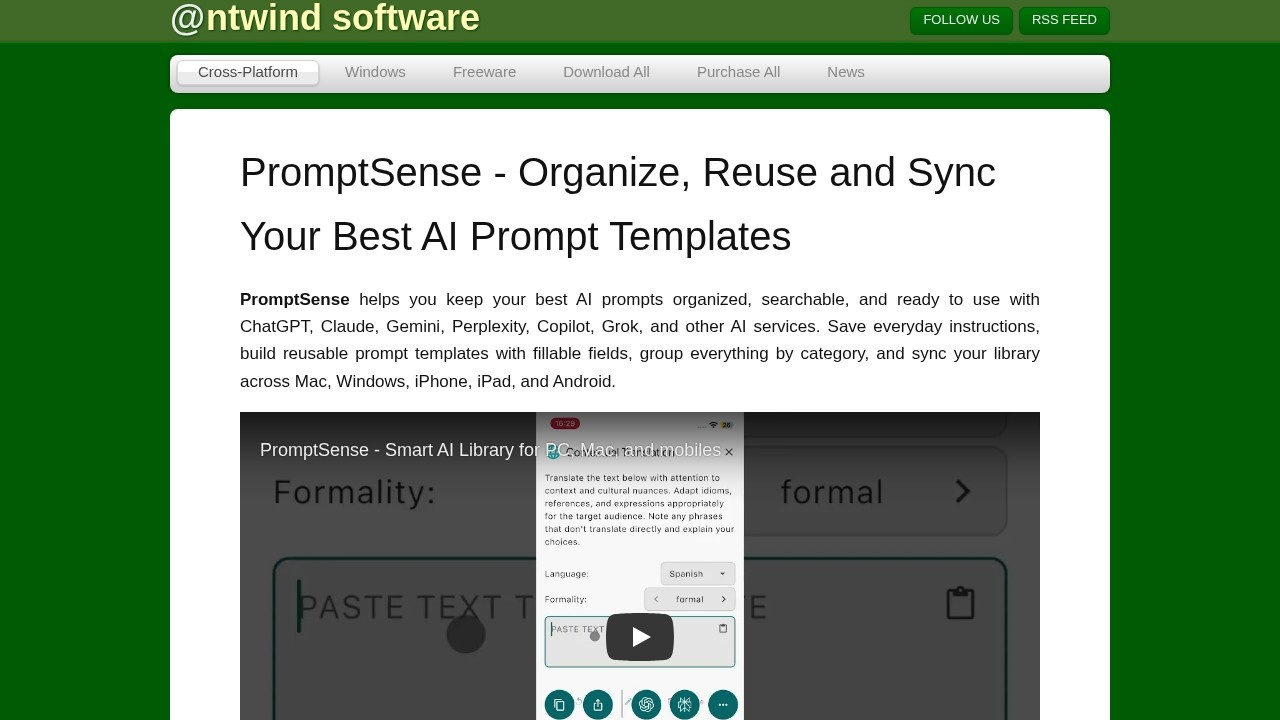
PromptSense by ntwind is a cross-platform tool for managing, testing, and optimizing AI prompts. It helps you keep your best prompts organized, searchable, and ready to use with ChatGPT, Claude, Gemini, Perplexity, Copilot, Grok, and other AI services. You can save everyday instructions, build reusable prompt templates with fillable fields, group everything by category, and sync your library across Mac, Windows, iPhone, iPad, and Android. It’s built for anyone who reuses AI prompts daily—writers, developers, marketers, researchers, students, and founders.Application scenarios
Writing and editing
Use reusable templates to rewrite text, adjust tone, or polish content with fillable fields like [Topic] or [Tone|dropdown:Professional|Friendly|Direct].
Coding and development
Store and reuse prompts for code generation, debugging, or documentation, organized by project or category.
Marketing and social media
Save polished instructions for ad copy, social posts, or image generation, and quickly adapt them with dropdowns or switches.
Research and analysis
Keep prompts for summarizing articles, extracting insights, or generating reports, all searchable and color-coded.
Image and video generation
Use templates with advanced fields (colors, sliders, dates) to craft prompts for image generators and video generators.
Education and learning
Organize prompts for study guides, quiz creation, or tutoring, and reuse them across different AI tools.
Core Features
Cross-platform sync
Install PromptSense on PC, Mac, iPhone, iPad, or Android and sync your prompt library across all devices.
Reusable prompt templates
Turn prompt structures into simple forms with fields like [Topic], dropdowns, radio buttons, switches, sliders, steppers, colors, dates, and optional inputs.
Category organization
Group prompts by work, coding, writing, image generation, video, research, social media, or custom projects, with color-coded labels for quick scanning.
Multi-AI service compatibility
Save prompts once and use them with ChatGPT, Claude, Gemini, Perplexity, Copilot, Grok, image generators, video generators, and other tools.
Searchable library
Keep all prompts in one clean, searchable library instead of scattered notes, chat history, or documents.
No ads or interruptions
The free version has no ads, so you can organize prompts locally on one device without distractions.
Target users
PromptSense is designed for writers, developers, marketers, researchers, students, founders, and anyone who reuses AI prompts every day. It’s ideal for people who want better results from AI tools and need a centralized way to store, organize, and reuse their best instructions across multiple services.How to use PromptSense?
- Install the app: Download PromptSense for Windows (64-bit, 14 MB) or Mac (DMG, 26 MB) from the official site, or get it on iPhone, iPad, or Android.
- Create your library: Start organizing prompts locally on one device for free—add categories, color-code them, and save your everyday instructions.
- Build reusable templates: Create prompt templates with fillable fields like dropdowns, radio buttons, or text inputs to quickly adapt prompts for different tasks.
- Use with AI services: Copy or open your saved prompts in ChatGPT, Claude, Gemini, or other supported tools directly from the library.
- Sync across devices (Pro): Upgrade to Pro to sync your library across all your devices—Mac, Windows, iPhone, iPad, and Android.
Pricing and free trial
PromptSense is free to start—you can organize prompts locally on one device with no ads or interruptions. Upgrade to Pro for cloud sync and premium features when you’re ready. No specific pricing numbers are listed on the site.Effect review
PromptSense delivers a practical solution for anyone juggling multiple AI tools and prompts. The ability to create reusable templates with advanced fields like dropdowns and sliders is a standout feature, saving time and reducing errors when crafting prompts. The cross-platform sync (Pro) and color-coded categories make it easy to keep a clean, searchable library. While the free version is limited to one device, it’s ad-free and functional for personal use. For power users who work across ChatGPT, Claude, Gemini, and others, PromptSense fills a clear gap in prompt management.Frequently Asked Questions
What platforms does PromptSense support?
Can I test multiple prompts simultaneously?
Does PromptSense integrate with popular AI models?
Is my prompt data secure?
Can I collaborate with my team using PromptSense?
Is there a free trial available?
PromptSense - AI Tool Detail
PromptSense by ntwind is a cross-platform tool for managing, testing, and optimizing AI prompts, enabling users to streamline prompt workflows and improve model response quality.
Category:Prompt tool
Visit Link:https://www.ntwind.com/cross-platform/promptsense.html
Tags:prompt management、prompt testing、prompt optimization、AI workflow、cross-platform