
Premation
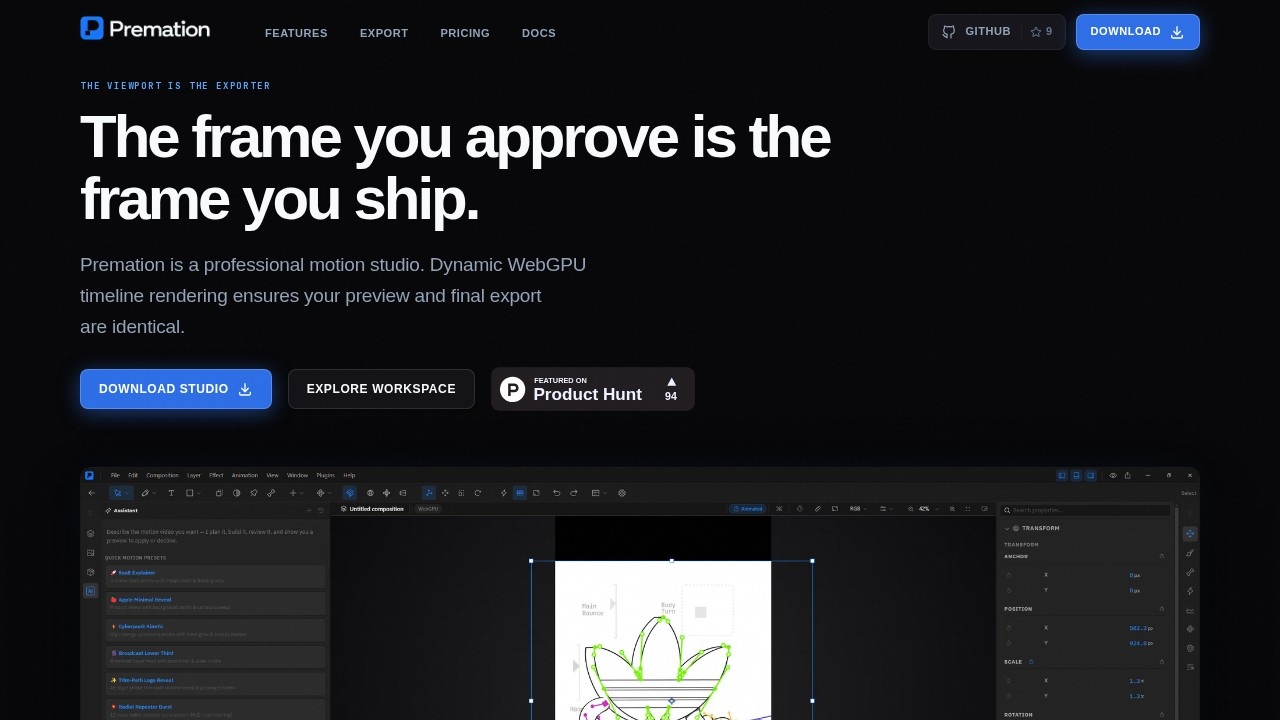
Premation is a motion design tool by an independent developer, offering composition, keyframes, graph editor, 2.5D cameras, lights, rigging, and a deterministic GPU-powered export pipeline via WebGPU
Premation Review
What is Premation?
Premation is a professional motion design studio built by an independent developer. It combines composition, keyframe animation, graph editing, 2.5D cameras, lights, rigging, and a deterministic GPU-powered export pipeline—all in a single document. Users create motion graphics, title cards, and animated sequences without switching between multiple applications. The tool uses WebGPU for timeline rendering, ensuring preview and final export are identical.Application scenarios
Motion graphics
Create animated title cards, lower thirds, and product plates with precise keyframe control.
2.5D animation
Build depth with cameras, lights, and 3D layers for parallax or cinematic effects.
Type animation
Animate text per glyph using selectors for position, rotation, opacity, tracking, and color across characters, words, or lines.
Rigging and character animation
Use bones and puppet pins to deform flat artwork with forward kinematics and FABRIK IK.
Vector illustration
Draw with pen, pencil, pressure-sensitive brush, and curvature tools, then apply boolean merges, trim paths, and deformers.
Export for web and video
Output to SVG, Lottie, MP4 (H.264), WebM (VP9 + alpha), MOV (ProRes 4444), PNG sequences, GIF, and WAV audio.
Core Features
Keyframe animation
Animate any numeric property with linear, ease, ease-in, ease-out, hold, or custom bezier curves. The graph editor edits value and velocity curves directly, and position keeps X and Y as independent tracks for separate easing.
2.5D cameras and lights
Make any layer 3D to gain Z position and X/Y rotation. Use one- or two-node cameras with depth of field, lights with cone angle and shadows, and extrusion/bevels for shapes and text.
Per-glyph text animators
Animate position, scale, rotation, opacity, tracking, or color across characters, words, or lines using range and wiggly selectors. Text on a path is also supported.
Rigging with bones and puppet pins
Build skeletons with forward kinematics, linear blend skinning, and FABRIK IK. The puppet tool deforms a triangulated mesh from pins using an as-rigid-as-possible solver.
Vector path tools
Draw with pen, pencil, pressure-sensitive brush, and curvature tools. Apply boolean merges, trim paths, pucker/bloat, twist, zig-zag, repeaters, and dashed or tapered strokes.
Deterministic WebGPU rendering
The viewport acts as the exporter—preview and final export are identical, with no frame discrepancies.
Single-document workflow
Layers, curves, depth, rigging, and rendering all live in one project file, eliminating round-trips between separate applications.
Multiple export formats
Export to SVG, Lottie, MP4 (H.264), WebM (VP9 + alpha), MOV (ProRes 4444), PNG sequences, GIF, and WAV audio.
Target users
Motion designers, animators, video editors, and independent creators who need a standalone tool for 2D/2.5D animation without relying on multiple software packages. It suits professionals working on title sequences, explainer videos, social media content, and broadcast graphics.How to use Premation?
Download the Studio from the official website and open the workspace. Create a composition, add layers (shapes, text, images), and animate properties using keyframes and the graph editor. For 3D depth, enable 3D on layers and add cameras or lights. Use the bone or puppet tools for rigging. Preview in real time via WebGPU, then export to your desired format (e.g., MP4, Lottie, GIF).Effect review
Premation’s feature set is ambitious for an independent tool, covering keyframe animation, 2.5D cameras, text animators, rigging, and vector drawing—all in one document. The deterministic WebGPU rendering is a standout, eliminating the common “preview vs. export” mismatch. While the website doesn’t provide user testimonials or awards, the included tools (graph editor, FABRIK IK, per-glyph selectors) suggest a serious motion design workflow. For creators tired of juggling After Effects, Illustrator, and a render farm, Premation offers a streamlined alternative. Its single-file approach and wide export support make it practical for both quick social clips and polished broadcast work.Frequently Asked Questions
What is Premation?
What are the system requirements for Premation?
Does Premation support 3D features?
Can I export my animations deterministically?
Is Premation free or paid?
Premation - AI Tool Detail
Premation is a motion design tool by an independent developer, offering composition, keyframes, graph editor, 2.5D cameras, lights, rigging, and a deterministic GPU-powered export pipeline via WebGPU
Category:3D Modelling/Rendering
Visit Link:https://www.premation.com/
Tags:motion design、WebGPU、2.5D animation、keyframe editor、GPU rendering