
Happy Horse AI
Happy Horse AI is a video creation tool that transforms text, images, and audio into cinematic videos with native sound and lifelike motion.
What is Happy Horse AI?
Happy Horse AI is a video creation tool that transforms text, images, and audio into cinematic videos. It generates multi-shot, beat-synced videos with lifelike motion and consistent characters in a single generation pass. Users feed it any combination of text, images, clips, and music to produce videos complete with native audio.Application scenarios
Ads & Brand Content
Create polished promotional videos by referencing proven ad formats and recreating them with your own products.
Education & Training
Turn lesson plans into animated walkthroughs, historical recreations, and visual explainers for learners.
Narrative & Short Film
Produce multi-shot cinematic stories by combining reference clips, character images, and a script.
Social Media
Remix trending templates to generate scroll-stopping content for platforms like Instagram Reels, TikTok, and YouTube Shorts.
Dance & Motion
Apply uploaded reference choreography to any character in any setting for dance covers, fitness demos, or action scenes.
E-Commerce & Product
Transform flat product photos into dynamic showcase videos that highlight textures and demonstrate features.
Core Features
Multimodal Input Pipeline
Combine images, video clips, audio tracks, and text prompts freely in a single generation.
Realistic Physics & Motion
Generate videos where objects interact with real weight, fabric drapes naturally, and fast motion stays sharp without smearing.
Rock-Solid Consistency
Maintain locked faces, outfits, on-screen text, and scene aesthetics across every frame to prevent character drift.
Cinematic Camera & Motion
Replicate specific camera work like dolly zooms or tracking shots by uploading a reference clip.
Multi-Shot Storyboarding
Generate videos with natural cuts, transitions, and shot changes in a single pass, resulting in an edited sequence.
Native Audio Generation
Produce sound effects, background music, and dialogue synced to the video's action and lip movements without post-production layering.
Image-to-Video Generation
Create videos directly from uploaded image files.
Text-to-Video Generation
Generate videos from written prompts.
Aspect Ratio Control
Output videos in specific ratios including 16:9, 9:16, 4:3, 3:2, 21:9, and 1:1.
Duration & Resolution Settings
Control video length and output resolution, with options like 480p and 720p.
Target users
This tool is built for creative professionals and teams across various fields. It directly serves marketers creating ad content, educators and trainers developing instructional material, filmmakers and artists crafting narrative pieces, social media managers and content creators, choreographers and fitness instructors, and e-commerce managers looking to enhance product presentations.How to use Happy Horse AI?
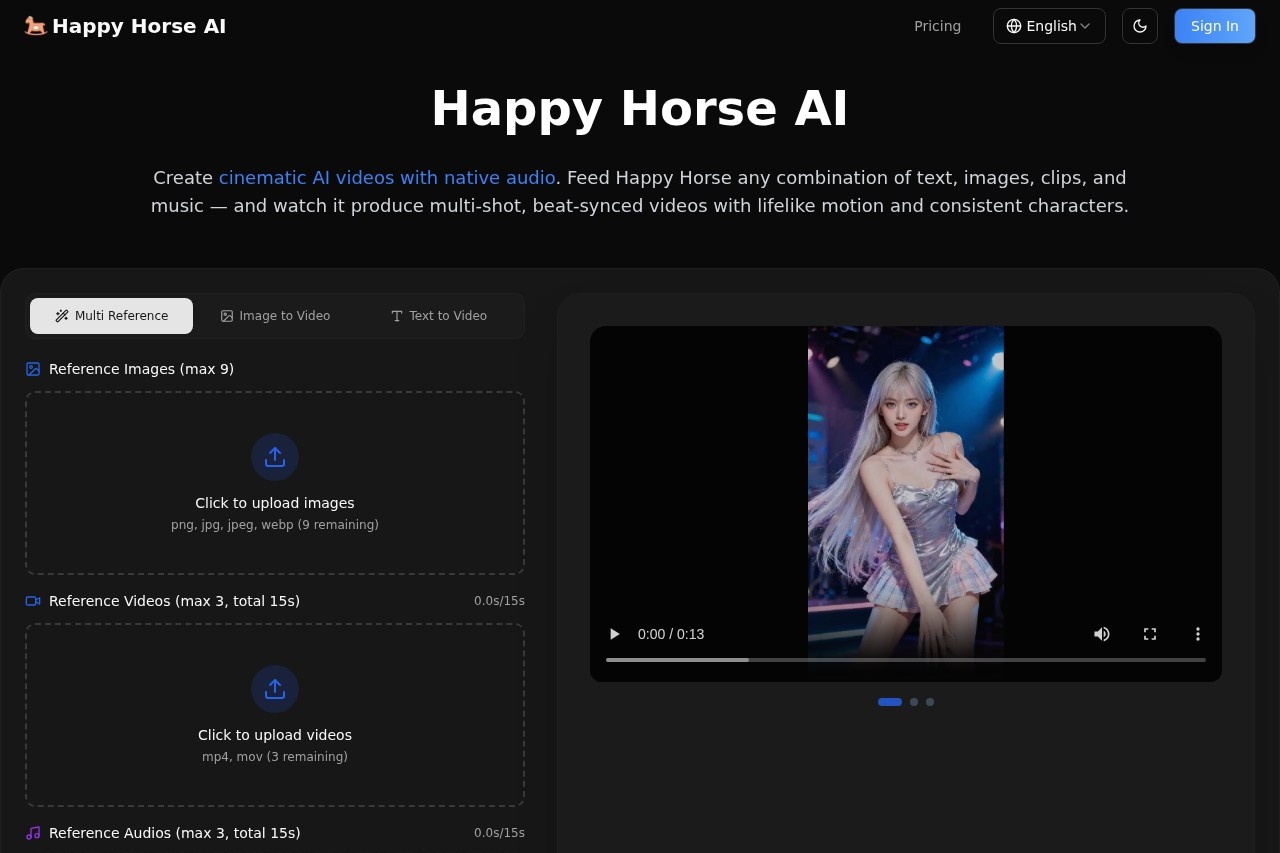
You start by visiting the official website. The interface allows you to upload or drag and drop image files (PNG, JPG, JPEG, WEBP) or generate images with AI via a text prompt. You can combine these images with other inputs like video clips, audio tracks, and text. Before generation, you set parameters such as video duration, resolution, and aspect ratio. After configuring these settings, you initiate the generation to produce a complete, multi-shot video with synchronized audio.Effect review
Based on its stated capabilities, Happy Horse AI positions itself as a comprehensive solution for automating complex video production. The promise of handling sound, story, and visuals in one pass addresses a significant pain point in traditional editing workflows. Features like consistent character rendering and physics-aware motion suggest a focus on overcoming common AI video flaws such as flicker and unnatural movement. For a typical user, this feature set implies the potential to rapidly produce polished, cinematic-style video content without needing separate tools for editing, sound design, and visual effects, which could significantly streamline creative production.Frequently Asked Questions
What is Happy Horse AI?
What types of content can I use with Happy Horse AI?
Does Happy Horse AI generate sound for videos?
What kind of video motion does Happy Horse AI create?
Is Happy Horse AI suitable for beginners?
Can I customize the videos created by Happy Horse AI?
Happy Horse AI - AI Tool Detail
Happy Horse AI is a video creation tool that transforms text, images, and audio into cinematic videos with native sound and lifelike motion.
Category:Text to Video
Visit Link:https://happyhorseai.ai/
Tags:video creation、AI video generator、cinematic video、text-to-video、motion graphics