Image to Image AI
Image transformation tool by Image to Image AI for style transfer, enhancement, and creative variations, enabling users to generate stunning AI art for free.
What is Image to Image AI?
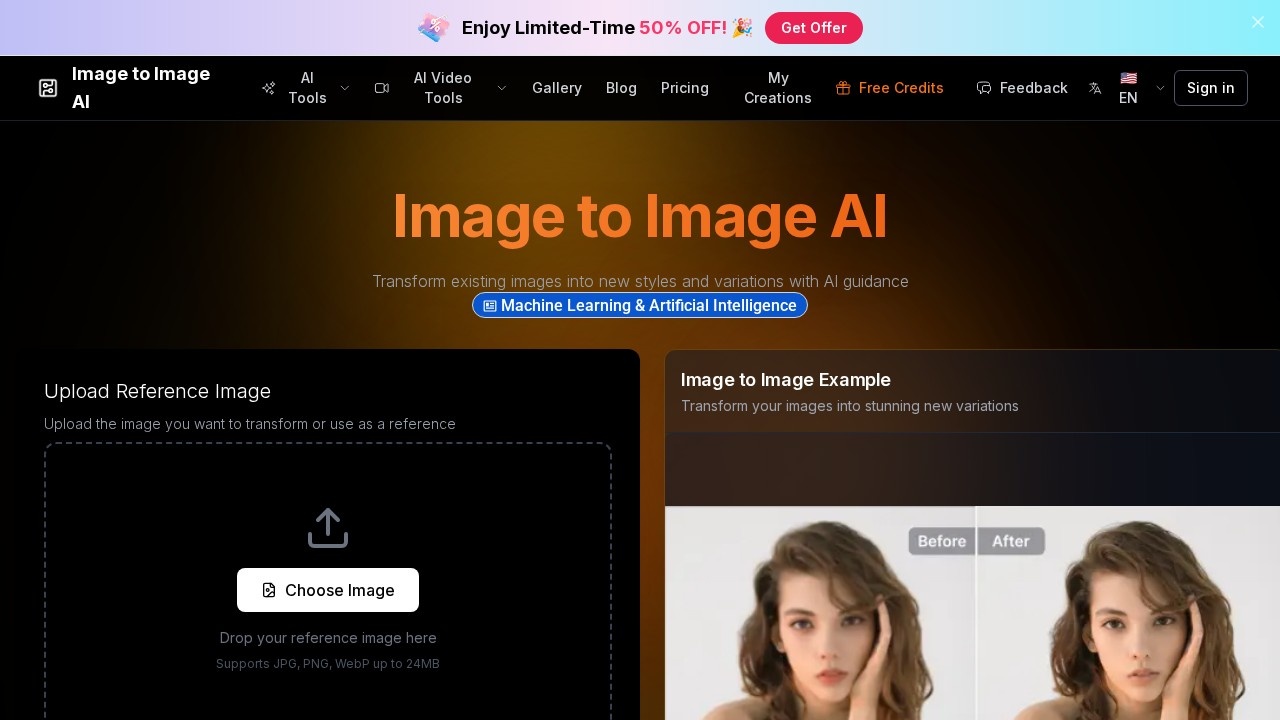
Image to Image AI is a free AI-powered image transformation tool that lets you upload a reference image and generate new variations based on a text prompt. It uses advanced neural networks and diffusion models to intelligently analyze and transform photos, preserving the original image's essence while applying style changes, enhancements, or creative edits. Users can adjust aspect ratios, choose between different AI models, and generate multiple outputs in one go. The tool is designed for quick, high-quality results without traditional manual editing.
Application scenarios
Landscape enhancement
Improve details and colors in nature photos for a more professional look.
3D render upscaling
Upscale 3D artwork with enhanced textures and clarity.
Illustration refinement
Clean up digital illustrations and boost clarity.
Photography enhancement
Apply professional-grade AI enhancements to portraits and general photography.
Digital art restoration
Restore and add vivid details to digital artwork.
Vintage photo revival
Restore old, faded images using modern AI technology.
Creative style transfers
Transform portraits into different art styles or reimagine entire scenes.
Core Features
Reference image upload
Upload images in JPG, PNG, or WebP format up to 24MB.
Transformation prompt
Describe how you want to transform the image using a text prompt (up to 2000 characters), with an option to translate the prompt to English.
Aspect ratio selection
Choose from multiple aspect ratios including 1:1, 16:9, 3:2, 2:3, 3:4, 4:3, and 9:16.
AI model choice
Pick between "Nano Banana" for fast transformation (2 credits per image) or "GPT Image 2" for higher fidelity edits (3 credits per image).
Multiple outputs
Generate 1 to 4 variations of the transformed image in a single run.
Privacy settings
Share creations publicly with the community (may be featured in the gallery) or keep them private (VIP users only).
Intelligent processing
AI algorithms understand context and preserve important details while applying transformations.
Advanced diffusion models
Uses state-of-the-art models trained on millions of images to break down visual elements and apply sophisticated algorithms.
Target users
Artists, designers, content creators, and photographers who want to quickly generate creative variations, enhance images, or restore old photos without manual editing. The tool is also useful for hobbyists exploring AI art and professionals needing fast, high-quality transformations.
How to use Image to Image AI?
- Go to the Image to Image AI website.
- Upload your reference image (JPG, PNG, or WebP, up to 24MB).
- Enter a transformation prompt describing the desired change.
- Choose the aspect ratio, AI model, number of outputs, and privacy setting.
- Click "Transform Image" (costs 2 or 3 credits depending on the model).
- Download or share your generated variations.
Pricing and free trial
The website mentions a credit system: "Nano Banana" costs 2 credits per image, and "GPT Image 2" costs 3 credits per image. No specific free trial or subscription pricing is listed.
Effect review
Based on the featured transformations shown on the site—such as AI-enhanced landscapes, upscaled 3D renders, and restored vintage photos—the tool delivers noticeable improvements in detail, color, and clarity. The ability to choose between a fast model and a higher-fidelity model gives users flexibility depending on their quality needs. While no user reviews or awards are cited, the before-and-after examples suggest reliable results for common enhancement and style-transfer tasks. For a free tool, it offers a solid balance of speed, creative control, and output variety.
Frequently Asked Questions
What is Image to Image AI?
Is Image to Image AI free to use?
What can I do with Image to Image AI?
Do I need to create an account to use Image to Image AI?
What image formats does Image to Image AI support?
How long does it take to process an image?
Image to Image AI - AI Tool Detail
Image transformation tool by Image to Image AI for style transfer, enhancement, and creative variations, enabling users to generate stunning AI art for free.
Category:Image editing
Visit Link:https://image-to-image-ai.net/
Tags:image transformation、style transfer、AI art generator、creative variations、image enhancement