
AI Photo Editor
AI Photo Editor by aiphotoeditor.io is a free online tool for fast image editing. Remove, replace, enhance, and restyle photos in seconds using simple AI features.
What is AI Photo Editor?
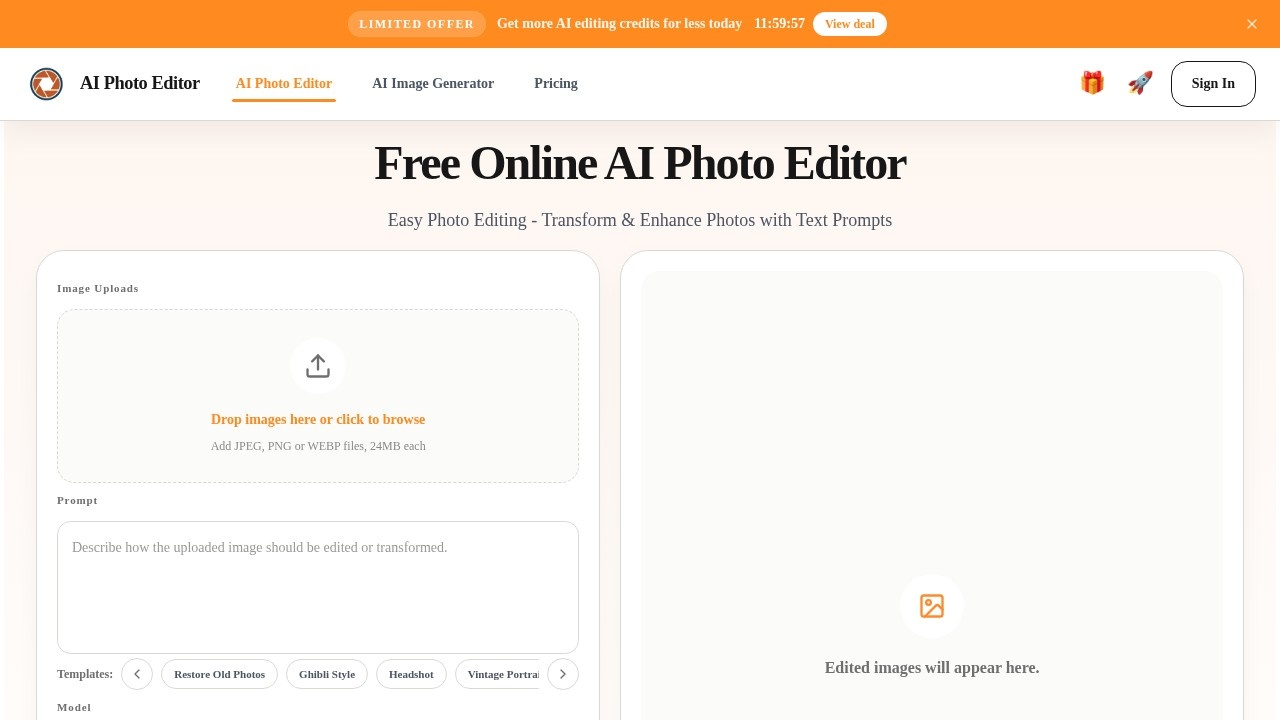
AI Photo Editor by aiphotoeditor.io is a free online tool that uses AI to transform and enhance photos through text prompts. Users can remove, replace, enhance, and restyle images in seconds without needing manual editing skills. It supports common file formats like JPEG, PNG, and WEBP, with a 24MB file size limit per upload. The tool offers multiple AI models, including GPT Image 2 and Nano Banana Pro, for different creative needs.
Application scenarios
E-commerce product photos
Replace backgrounds and improve product details to create cleaner, brand-aligned visuals for stores and social media.
Portrait enhancement
Refine skin texture, adjust lighting, and improve overall image clarity for profile photos, skincare images, and close detail shots.
Social media content
Quickly apply stylization effects like Ghibli-inspired, Polaroid, film texture, or vintage photo aesthetics to create distinctive visuals.
Brand visual testing
Use multiple reference images to unify style, borrow composition ideas, or merge elements for consistent brand presentation.
Creative refresh work
Transform original photos into defined visual looks for quick style experiments and creative projects.
Image restoration
Restore old photos using the template feature, which is available as a prompt option.
Core Features
Text prompt editing
Use natural language prompts to transform and enhance photos, with templates for specific styles like Restore Old Photos, Ghibli Style, Headshot, Vintage Portrait, and Cinematic Portrait.
Image-to-image editing
Upload images and apply AI-driven changes to people, objects, areas, and small details for precise content control.
Background replacement
Replace backgrounds with prompts while keeping subject edges and overall image feel natural, useful for e-commerce and brand visuals.
Portrait and product detail improvement
Enhance lighting, refine skin texture, strengthen product detail, and increase overall image clarity for professional-looking results.
Multi-reference image support
Use multiple reference images to unify style, borrow composition ideas, or merge useful elements into a more directed final image.
Fast stylization
Transform photos into defined visual looks such as Ghibli-inspired, Polaroid, film texture, illustration, or vintage photo aesthetics.
Multiple AI models
Choose between GPT Image 2 for flexible image creation and editing with natural language prompts, or Nano Banana Pro for premium commercial output.
Output resolution control
Adjust output resolution with options like 1K, and set size to Auto for automatic optimization.
Target users
E-commerce teams, brand designers, social media managers, portrait photographers, and creative professionals who need fast, AI-powered photo editing without manual skills. The tool is also useful for individuals wanting quick style experiments or product photo polish.
How to use AI Photo Editor?
- Open the website at https://aiphotoeditor.io.
- Drop images or click to browse and upload JPEG, PNG, or WEBP files (max 24MB each).
- Choose an AI model (GPT Image 2 or Nano Banana Pro).
- Enter a text prompt or select a template (e.g., Restore Old Photos, Ghibli Style, Headshot).
- Adjust output resolution (1K or Auto) and size settings.
- Click "Generate" to process the image (uses 5 credits per generation).
- Download or further edit the result from the edited images area.
Effect review
The tool delivers on its promise of fast, text-driven photo editing with a clean interface and useful prompt templates. The ability to switch between GPT Image 2 and Nano Banana Pro gives users flexibility for different quality and commercial needs. Multi-reference support and precise content control make it practical for brand teams and e-commerce workflows. While the credit system (5 credits per generation) limits free usage, the range of stylization options and background replacement features provide solid value for quick visual experiments and polish.
Frequently Asked Questions
Is AI Photo Editor free to use?
What can I do with AI Photo Editor?
Do I need to download any software?
How long does it take to edit a photo?
Can I use AI Photo Editor on mobile devices?
AI Photo Editor - AI Tool Detail
AI Photo Editor by aiphotoeditor.io is a free online tool for fast image editing. Remove, replace, enhance, and restyle photos in seconds using simple AI features.
Category:Image editing
Visit Link:https://aiphotoeditor.io/
Tags:AI photo editor、free image editing、online photo enhancer、AI image restyle、background removal