
Veo 4
AI video generation tool by Veo 4 for creating cinematic multi-shot stories with native audio and consistent characters using text, images, video, and audio inputs.
What is Veo 4?
Veo 4 is a multi-modal AI video generation tool that lets you combine images, videos, audio, and text prompts to create cinematic content. It produces videos with native lip-synced dialogue, multi-shot storytelling, and natural language control. Users can reference motion, effects, camera movements, characters, and sounds from uploaded content to guide the output. The tool is designed for creating production-grade videos in both landscape and portrait formats.Application scenarios
Advertising & Marketing
Create promotional content by referencing successful ad templates and replicating proven creative formats with your own branding.
Education & Training
Produce animated explanations, historical reconstructions, and interactive learning materials for courses and tutorials.
Creative Storytelling
Craft short films, art projects, music videos, and visual poetry using multi-modal inputs and seamless multi-shot scenes.
Social Media Content
Generate scroll-stopping Instagram Reels and other short-form content by referencing trending templates and effects.
Product Videos
Build compelling product demos and commercial ads with consistent characters and native audio.
Template Replication
Replicate viral formats or cinematic styles with your own twist for brand content or creative projects.
Core Features
Multi-Modal Input
Combine images, video clips, audio files, and text in a single generation to express your creative vision.
Reference Anything
Reference motion, effects, camera movements, characters, scenes, and sounds from uploaded content using natural language descriptions.
Native Audio Generation
Generate lip-synced dialogue, Foley effects, and background music alongside your video without extra tools or manual sync.
Multi-Shot Storytelling
Compose logical scene sequences from a single prompt, with consistent characters, outfits, and lighting across 4–15 second shots.
Superior Consistency
Maintain perfect consistency for faces, clothing, text, scenes, and visual styles across the entire video, eliminating character drift or style breaks.
Precise Motion & Camera Replication
Upload a reference video to replicate complex choreography, cinematic camera moves, and action sequences without detailed prompts.
Video Extension & Editing
Smoothly extend existing videos, merge multiple clips, or edit specific segments—replace characters, add elements, or modify actions while preserving the rest.
Cinematic Quality
Deliver client-ready output with synchronized audio at production-grade cinematic quality, ready for both landscape and portrait formats.
Target users
Veo 4 is built for creators across industries: advertising and marketing professionals who need branded video content, educators and trainers creating visual lessons, filmmakers and artists working on short films or music videos, and social media content creators producing scroll-stopping Reels. Anyone looking to generate consistent, multi-shot video stories with native audio will find it useful.How to use Veo 4?
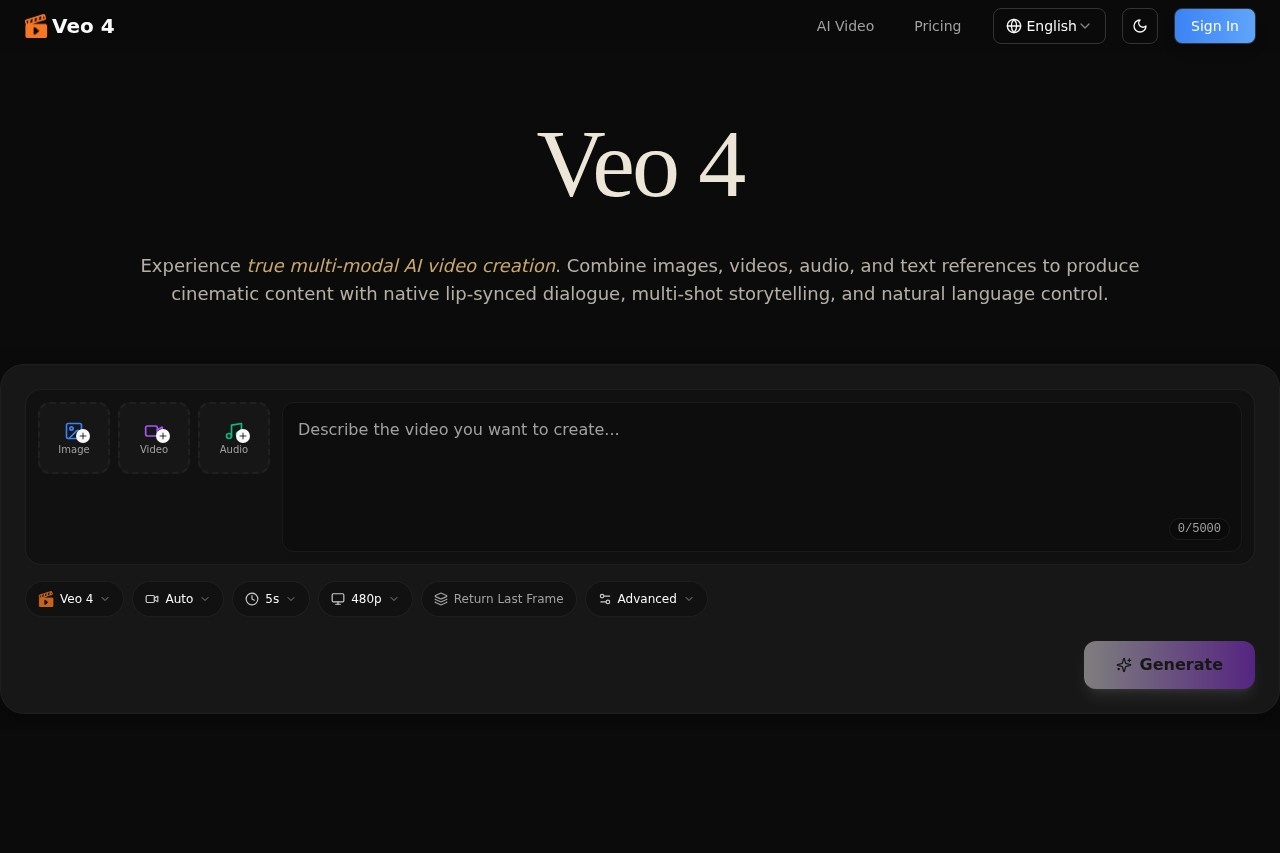
Open the Veo 4 interface, then select your input sources (image, video, audio, or text). Describe the video you want to create in the text box (up to 5000 characters). Choose your aspect ratio (16:9 shown), duration (5 seconds shown), and resolution (480p shown). Use the "Return Last Frame" or "Advanced" options to refine your generation, then click "Generate" to produce your video. Export the final output for your project.Effect review
Veo 4’s feature set suggests a powerful, all-in-one solution for AI video creation, especially with native audio generation and multi-modal input. The emphasis on consistency across shots and scenes is a clear step up from earlier tools that often struggle with character drift. For creators who need to replicate specific motions or camera moves from reference videos, the motion replication feature could save significant time. However, the output resolution shown (480p) may limit professional use cases that require higher quality. Overall, Veo 4 appears well-suited for rapid prototyping and social media content, though its real-world cinematic quality will depend on the final output settings available.Frequently Asked Questions
What types of inputs does Veo 4 accept for video generation?
Can Veo 4 generate videos with consistent characters across multiple scenes?
Does Veo 4 support native audio in generated videos?
Is Veo 4 suitable for creating professional-grade cinematic content?
Can I use my own video or audio clips as inputs for Veo 4?
How long does it take Veo 4 to generate a video?
Veo 4 - AI Tool Detail
AI video generation tool by Veo 4 for creating cinematic multi-shot stories with native audio and consistent characters using text, images, video, and audio inputs.
Category:Video generation
Visit Link:https://aiveo4.ai/
Tags:AI video generation、cinematic storytelling、consistent characters、multi-shot video、native audio