
AgentManager
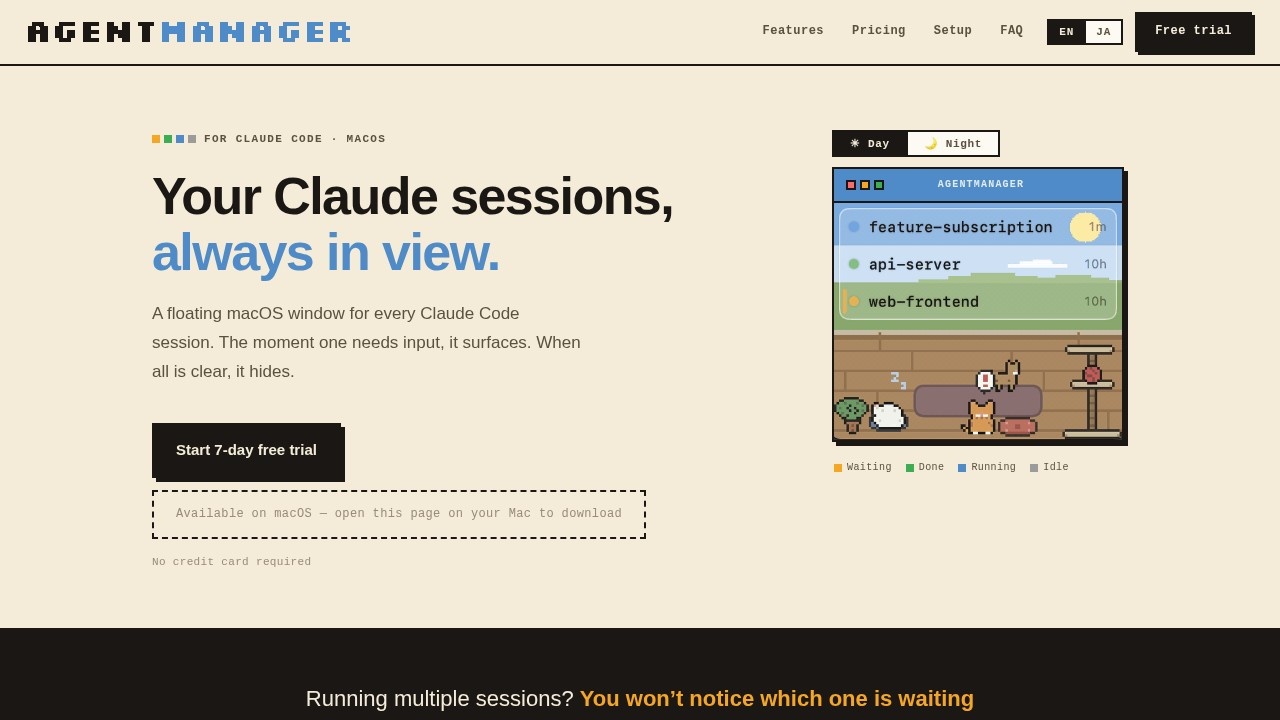
A floating macOS window by AgentManager for Claude Code sessions. It surfaces in real-time when Claude needs your input, keeping your workflow seamless and responsive.
What is AgentManager?
AgentManager is a floating macOS window that keeps every Claude Code session visible and manageable. It automatically surfaces when a session needs your input and hides when everything is clear, ensuring you never miss a prompt. Designed for developers running multiple Claude Code sessions, it provides real-time status visibility and quick access to the right terminal or IDE window. The app runs on macOS 13 Ventura or later (Apple Silicon or Intel) and requires Claude Code (claude CLI) to be installed.Application scenarios
Multi-session development
Run several Claude Code sessions simultaneously without losing track of which one is waiting for input.
Terminal workflow management
Quickly jump to the exact pane in iTerm2, the right tab in Terminal or Ghostty, or the project window in your IDE.
IDE-integrated coding
Use Claude Code from the integrated terminal of Android Studio, VS Code, or Cursor, and have sessions appear in AgentManager's list.
Distraction-free coding
Let AgentManager hide when no input is needed, keeping your screen clean and focused.
Keyboard-driven navigation
Toggle the window and navigate sessions entirely without the mouse, ideal for power users.
Remote or background work
Hear a cat meow alert when a session needs you, even when you're not looking at the screen.
Core Features
Session status overview
See at a glance which sessions are running, waiting, or done, along with how long each has been in that state.
Auto-show/hide window
The window appears the moment any session needs input and hides when all sessions are clear.
Jump-to-terminal
Click any session row to jump straight to that session's exact pane in iTerm2, the right tab in Terminal and Ghostty, or the project window in your IDE.
Keyboard-first navigation
Toggle the window with ⌥ Space (customizable) and navigate sessions and jump to terminals without the mouse.
IDE integration
Sessions launched from the integrated terminal of Android Studio, VS Code, Cursor, and more show up in the list—click to jump to that project's window.
Menu bar status
The menu-bar icon shows colored dots indicating counts of waiting, running, and done sessions without opening the window.
Cat sound alerts
A cat meow plays when a session needs input; mute it anytime in Settings without Notification Center spam.
Pixel-art cat room
A cat wanders the room in sync with your sessions, with the scene shifting between day and night.
Simple mode
Hide the cat and room decorations for a minimal, list-only view while keeping keyboard navigation and jump-to-terminal functionality.
Target users
Developers and engineers who run multiple Claude Code sessions simultaneously and need a seamless way to monitor and switch between them. Ideal for power users of Claude Code on macOS who value keyboard-driven workflows, terminal precision, and minimal distraction—especially those working in IDEs like VS Code, Android Studio, or Cursor.How to use AgentManager?
- Start trial & install: Click the 7-day free trial (no credit card needed), download the app, open it, and drag AgentManager to your Applications folder. Your license key arrives by email.
- Activate your license: Open AgentManager, go to Settings → License, paste your key, and click Activate.
- Run Claude Code: Start any Claude Code session. AgentManager detects it automatically and begins tracking it.
Pricing and free trial
- Free Trial: $0 for 7 days, no credit card required, all features unlocked, unlimited sessions.
- Monthly Plan: $4.99 per month, billed monthly, all features unlocked, unlimited sessions, cancel anytime.
- Annual Plan: $4.00 per month ($48 billed annually), all features unlocked, unlimited sessions, cancel anytime, ~20% off vs monthly.
Effect review
AgentManager delivers exactly what it promises: a floating, context-aware window that eliminates the friction of juggling multiple Claude Code sessions. The auto-show/hide behavior and keyboard-first design feel natural for developers who already live in the terminal. The cat-themed alerts and pixel-art room add a touch of personality without getting in the way, and the simple mode keeps things professional when needed. While the feature set is focused and polished, the app's utility depends entirely on how heavily you use Claude Code—it's a specialized tool for a specific workflow, not a general-purpose utility. For developers running multiple Claude sessions daily, the $4–5/month pricing is reasonable for the time saved.Frequently Asked Questions
What is AgentManager?
How does AgentManager improve my workflow?
Is AgentManager compatible with all macOS versions?
Does AgentManager work with other AI tools besides Claude Code?
Is AgentManager free to use?
How do I install AgentManager?
AgentManager - AI Tool Detail
A floating macOS window by AgentManager for Claude Code sessions. It surfaces in real-time when Claude needs your input, keeping your workflow seamless and responsive.
Category:Agents
Visit Link:https://agentmgr.app/
Tags:macOS、Claude Code、AI assistant、workflow automation、floating window