
Creative AI Studio
Creative AI Studio by a France Num certified agency offers custom AI development, consulting, and support to transform your business with tailored artificial intelligence solutions.
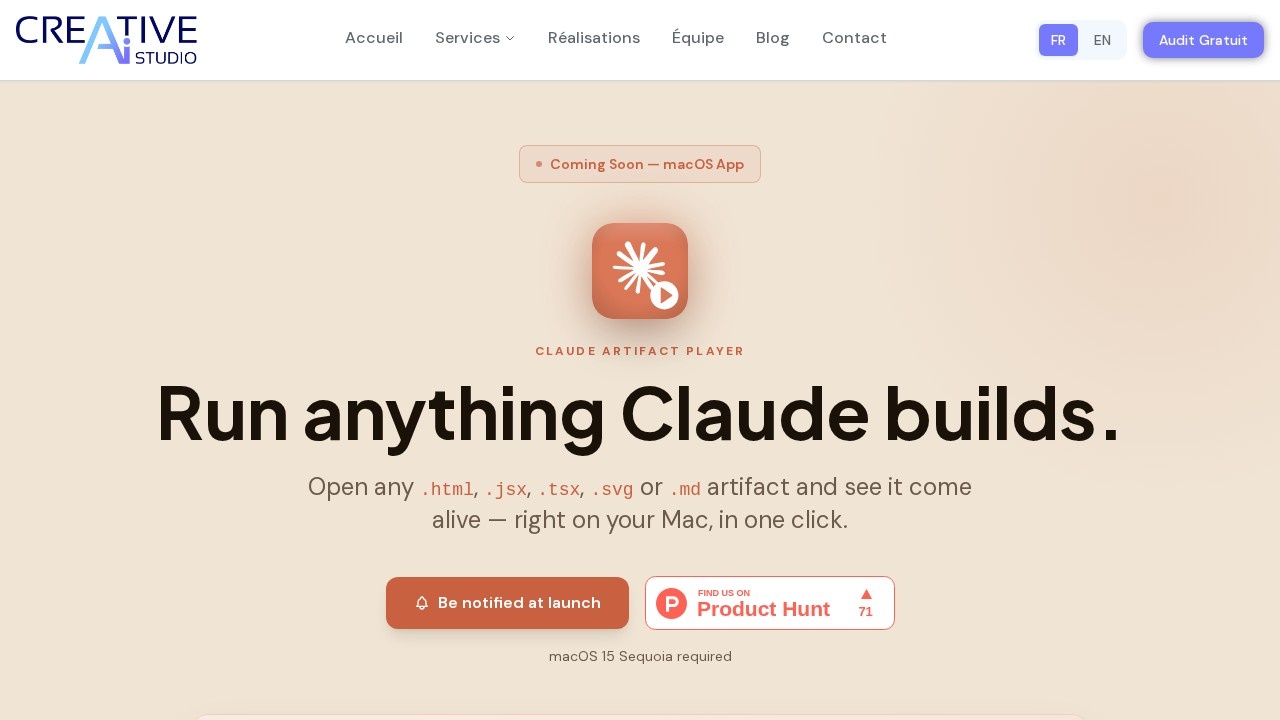
What is Creative AI Studio?
Creative AI Studio is a small, independent development studio founded by Mazen ALSAREM that builds thoughtful tools at the intersection of AI and everyday workflows. Their current product, Claude Artifact Player, is a native macOS application that lets you open and run artifacts created by Claude—including HTML, JSX, TSX, SVG, and Markdown files—directly on your Mac. The tool focuses on making Claude-generated content immediately viewable and interactive without needing a browser or internet connection for rendering.
Application scenarios
Developer workflow testing
Run Claude-generated React components (JSX/TSX) or HTML files instantly to verify behavior and layout.
Responsive design preview
Test artifacts at Desktop, Tablet, and Phone viewport sizes to check responsive breakpoints.
Offline artifact management
Browse and run Claude artifacts without an internet connection—all file transpilation happens locally in a sandboxed WebView.
File organization
Keep a live, organized library of artifacts by pointing the Player at a folder where Claude saves your work.
External editing workflow
Edit artifact files externally and reload with ⌘R to see changes immediately.
Secure sandbox testing
Launch artifacts in an isolated environment to avoid exposing your system to untrusted code.
Core Features
Live artifact preview
Open .html, .jsx, .tsx, .svg, or .md files and see them rendered in one click.
Responsive viewport testing
Flip between Desktop (full-width), Tablet (mid-range), and Phone (mobile breakpoints) to test how artifacts feel at different sizes.
Watched folders
Point the Player at any folder where Claude saves work; the app auto-discovers new artifacts and organizes them in a sidebar with Library, Recents, and Favorites views.
Persistent folder memory
The folder you set is remembered across relaunches, so you don’t need to reconfigure each time.
Native macOS design
A focused, beautifully native tool built specifically for macOS 15 Sequoia or later.
Offline rendering
All JSX/TSX transpilation happens inside a sandboxed WebView—your files never leave your machine, and no internet connection is required for rendering.
Keyboard shortcut
Reload artifacts with ⌘R while editing files externally.
Target users
This tool is built for developers, designers, and power users who work with Claude’s AI-generated code and need a fast, native way to preview and test artifacts locally. It’s especially useful for anyone building React components, HTML prototypes, or SVG assets with Claude and wanting to check responsive behavior without leaving their Mac.
How to use Creative AI Studio?
The Claude Artifact Player is a macOS app launching soon on the Mac App Store. To use it, you’ll need macOS 15 Sequoia or later. Once installed, you point the Player at the folder where Claude saves your artifacts—the app automatically discovers new files and organizes them in a sidebar. Open any .html, .jsx, .tsx, .svg, or .md file to see it rendered live. You can switch between Desktop, Tablet, and Phone viewports, and reload with ⌘R while editing files externally. Visit the official website to sign up for launch notifications.
Pricing and free trial
The website text does not mention any pricing or free trial information. This section is omitted.
Effect review
Claude Artifact Player solves a real pain point for anyone who regularly generates code with Claude and wants to test it locally without switching to a browser. The focus on native macOS design, offline rendering, and responsive viewport testing shows thoughtful attention to developer workflows. The watched-folder feature and persistent memory make it easy to stay in flow, while the sandboxed WebView adds a layer of security. For a small studio tool, it delivers a clean, focused experience—ideal for Mac users who want a dedicated player for Claude’s artifacts rather than generic file previewers.
Frequently Asked Questions
What is Creative AI Studio?
What services does Creative AI Studio offer?
What does 'France Num certified' mean?
How can Creative AI Studio transform my business?
Do I need technical expertise to use Creative AI Studio?
How do I get started with Creative AI Studio?
Creative AI Studio - AI Tool Detail
Creative AI Studio by a France Num certified agency offers custom AI development, consulting, and support to transform your business with tailored artificial intelligence solutions.
Category:Personal Assistant
Visit Link:https://creative-ai.studio/claude-artifact-player
Tags:custom AI development、AI consulting、business AI solutions、France Num certified、AI transformation