
PictTools
PictTools is a free online photo editor by an independent developer for removing backgrounds, resizing, converting, compressing, and changing colors. All processing occurs in your browser with no uplo
What is PictTools?
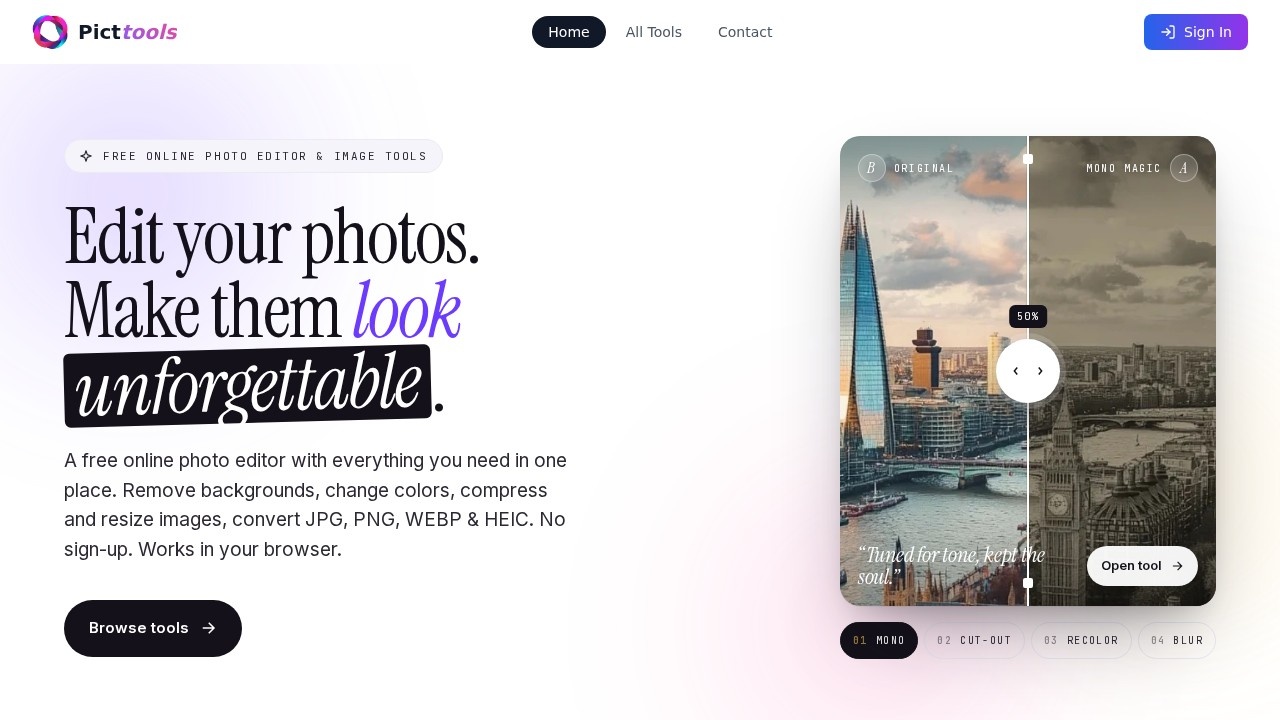
PictTools is a free online photo editor developed by an independent developer that handles background removal, resizing, format conversion, compression, and color changes. All processing happens directly in your browser with no uploads to external servers, and no sign-up is required. It provides a suite of focused tools—each designed for a single task—so you can edit photos quickly without installing software. The platform is accessible on Mac, Windows, iOS, and Android, making it a versatile option for on-the-go editing.
Application scenarios
E-commerce
Remove backgrounds from product shots to create clean, transparent PNGs for listings or social graphics.
Social media
Crop and resize images to platform presets (Instagram, X, LinkedIn) and apply monochrome or blur effects for engaging posts.
Portrait photography
Use the color changer to refresh eye colors or convert portraits to cinematic black-and-white tones.
Marketing materials
Compress images without visible quality loss for faster web load times, or change colors to match brand guidelines.
Personal projects
Blur backgrounds or faces in photos for privacy, or rotate and flip images for creative mirror effects.
Web development
Convert images between JPG, PNG, WebP, and HEIC formats with no quality loss, optimizing for different devices.
Core Features
AI Background Remover
Auto-detect the subject and remove the background in one click, working on portraits, products, and busy scenes.
Transparency tool
Instantly remove the background from any photo to get a clean transparent PNG, ideal for product shots, logos, and social graphics.
Color Changer
Replace any color in a photo with a single click, no design skills required—useful for product variants and brand materials.
Monochrome
Convert photos to stunning black-and-white or custom color tones, great for portraits, fashion photography, and cinematic social content.
Blur
Apply tilt-shift, radial, or full-image blur to backgrounds, faces, or any area online without downloading an app.
Cropper
Crop photos to any ratio, using free-form or built-in presets for Instagram, X, LinkedIn, and more.
Rotate & Flip
Rotate images to any angle and flip them horizontally or vertically to straighten shots or create mirror effects.
Resizer
Resize images to any dimension for web, social media, or print—set exact pixels, scale by percentage, or pick from platform presets.
Format Converter
Convert between JPG, PNG, WebP, and HEIC in one click with no quality loss, working on any device.
Compressor
Reduce image file size without visible quality loss, optimizing photos for web, email, or social media with faster load times.
Target users
PictTools is designed for anyone who needs quick, no-fuss photo editing without a learning curve. This includes e-commerce sellers, social media managers, marketers, photographers, web developers, and casual users who want to edit photos on any device without signing up or installing software.
How to use PictTools?
Open the PictTools website in your browser—no download or sign-up required. Browse the tool list (e.g., Background Remover, Color Changer, Cropper) and click the one you need. Upload your photo directly from your device, apply the desired edit (like removing a background or resizing), and export the result as PNG, JPG, WebP, or HEIC at full resolution. The process is straightforward: one tool, one job, no extra steps.
Pricing and free trial
PictTools is completely free with no watermarks, no paywalls, and no "premium" gates. All photo editing tools are 100% free to use, and your photos stay yours. There is no mention of a paid tier or trial.
Effect review
PictTools delivers exactly what it promises: a set of focused, free photo editing tools that work entirely in your browser. The absence of sign-ups and watermarks is a genuine advantage for quick edits, and the range of features—from AI background removal to format conversion—covers most common needs. While the site doesn't provide user reviews or quality benchmarks, the tool descriptions suggest reliable output for typical tasks like resizing, compressing, and color changes. For anyone needing a lightweight, no-commitment photo editor, PictTools is a solid, practical choice.
Frequently Asked Questions
What is PictTools?
Is PictTools free to use?
Does PictTools upload my images to a server?
What features does PictTools offer?
Can I use PictTools on my mobile device?
PictTools - AI Tool Detail
PictTools is a free online photo editor by an independent developer for removing backgrounds, resizing, converting, compressing, and changing colors. All processing occurs in your browser with no uplo
Category:Image editing
Visit Link:https://www.picttools.com/
Tags:free photo editor、background removal、image resizer、online image converter、browser-based processing