
Otter
Otter.ai provides an AI-powered transcription service that converts speech to text in real-time, ideal for meeting notes, interviews, and lectures with features like speaker identification and searcha
What is Otter?
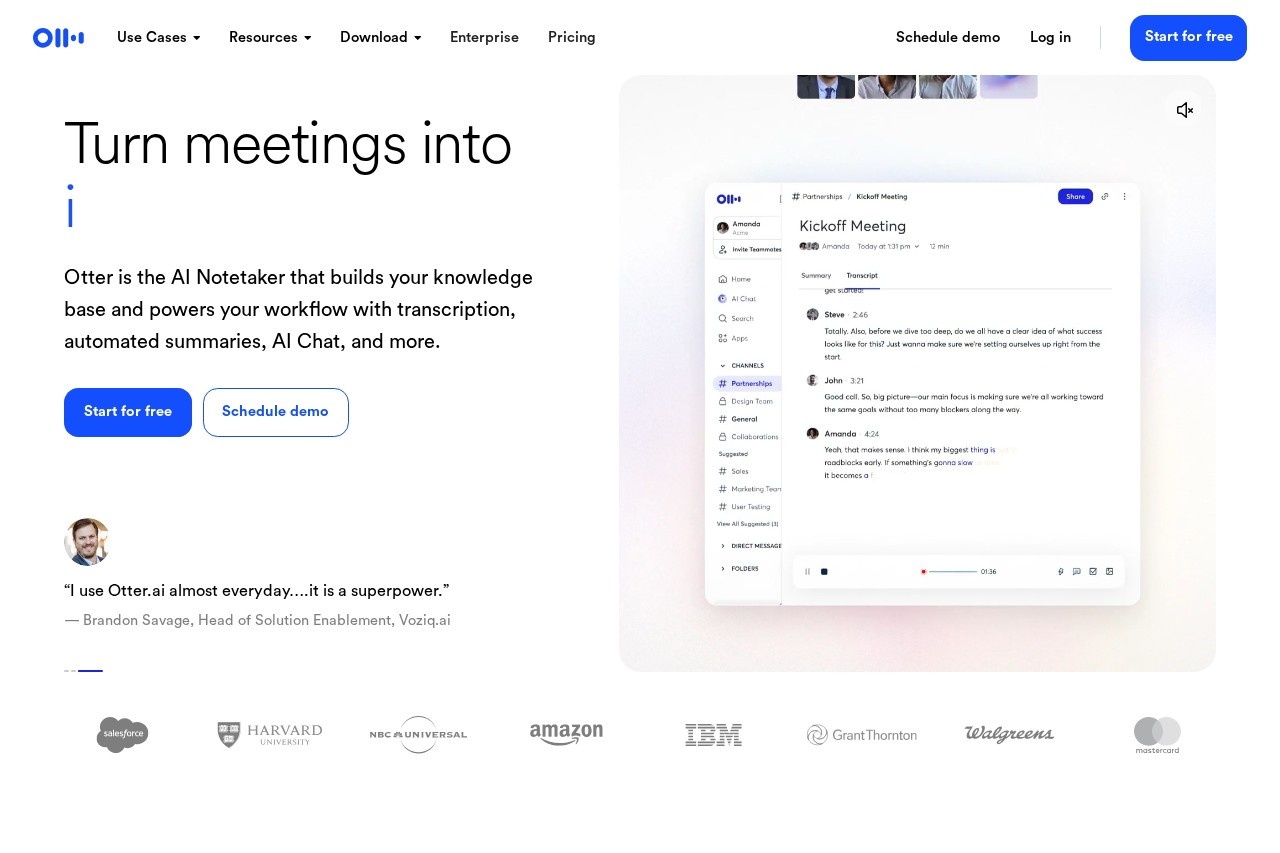
Otter is an AI-powered transcription and notetaking service. It converts speech to text in real-time for meetings, interviews, and lectures. The service builds a searchable knowledge base from conversations and automates workflow tasks like generating summaries and action items.Application scenarios
Sales Meetings
Automating follow-ups, capturing notes, and syncing deal details to a CRM.
Education
Automating lecture notes by connecting to Google or Microsoft Calendar.
Media & Content Creation
Capturing thoughts, organizing outlines, and extracting key quotes or insights for drafts.
Sales Development
Using an SDR Agent to handle live demos and booking meetings directly from a website.
Recruiting
Getting real-time answers during interviews, extracting candidate insights, and writing follow-ups.
General Business Meetings
Transcribing team or project meetings to track decisions and action items.
Core Features
Live Transcription
Provides real-time transcription in multiple languages with speaker recognition.
Automated Summaries
Turns every meeting into a clear summary with decisions, action items, and insights.
Otter AI Chat
Searches across your meetings and connected apps to answer questions and help create follow-ups, reports, and content.
Voice-Activated Assistant
You can say "Hey Otter" to ask questions about any past conversation.
Automated Action Items
Clearly identifies and assigns next steps captured automatically from meetings.
CRM Integration
Pushes key sales insights, deal details, notes, and next steps automatically to your CRM.
Channels
Organizes conversations by team, project, or topic in shared spaces for collaboration.
Flexible Recording
Captures meetings by automatically sending an AI Notetaker, recording on desktop or Chrome, or using a mobile device.
Enterprise Controls
Built with security, governance, and compliance controls for scaling companies.
Integration with AI Chat Tools
Allows pulling meeting knowledge into external AI chat tools like ChatGPT and Claude.
Target users
Otter serves a broad range of professional roles and teams. It is directly targeted at sales teams, educators and students, media professionals, sales development representatives (SDRs), and recruiting or HR teams. Its general meeting transcription and knowledge base features also make it valuable for any business team or company looking to automate notetaking and improve meeting efficiency.How to use Otter?
You can start by signing up for a free account on the Otter website. The service can be used by downloading applications for Mac or Windows. To capture a meeting, you can either schedule your AI Notetaker to join automatically, record directly from your desktop or Chrome browser, or use the mobile app. Once a conversation is transcribed, you can use Otter AI Chat to ask questions, review automated summaries, and manage action items from the centralized platform.Effect Review
User testimonials highlighted on the site suggest strong adoption and perceived utility. A venture capitalist notes using it for almost every meeting, while a sales VP claims it gives her team "33% time back," indicating significant efficiency gains. Another user describes the tool as a "superpower" for daily use. These endorsements point to a product that reliably integrates into daily workflows, automating the administrative burden of notetaking and follow-up to allow professionals to focus on higher-value tasks. The breadth of specialized "Agents" for sales, recruiting, and education suggests the platform is designed to deliver tangible, role-specific outcomes.Frequently Asked Questions
What is Otter.ai?
What features does Otter.ai offer?
Is Otter.ai free to use?
How accurate is Otter.ai's transcription?
Can Otter.ai identify different speakers?
What types of audio can Otter.ai transcribe?
Otter - AI Tool Detail
Otter.ai provides an AI-powered transcription service that converts speech to text in real-time, ideal for meeting notes, interviews, and lectures with features like speaker identification and searcha
Category:Meeting Minutes
Visit Link:https://otter.ai/
Tags:transcription、speech-to-text、meeting notes、real-time、AI assistant