
Atter AI
AI transcription tool by Atter for accurate transcripts with speaker labels, AI summaries, action items, and mind maps in 90+ languages.
What is Atter AI?
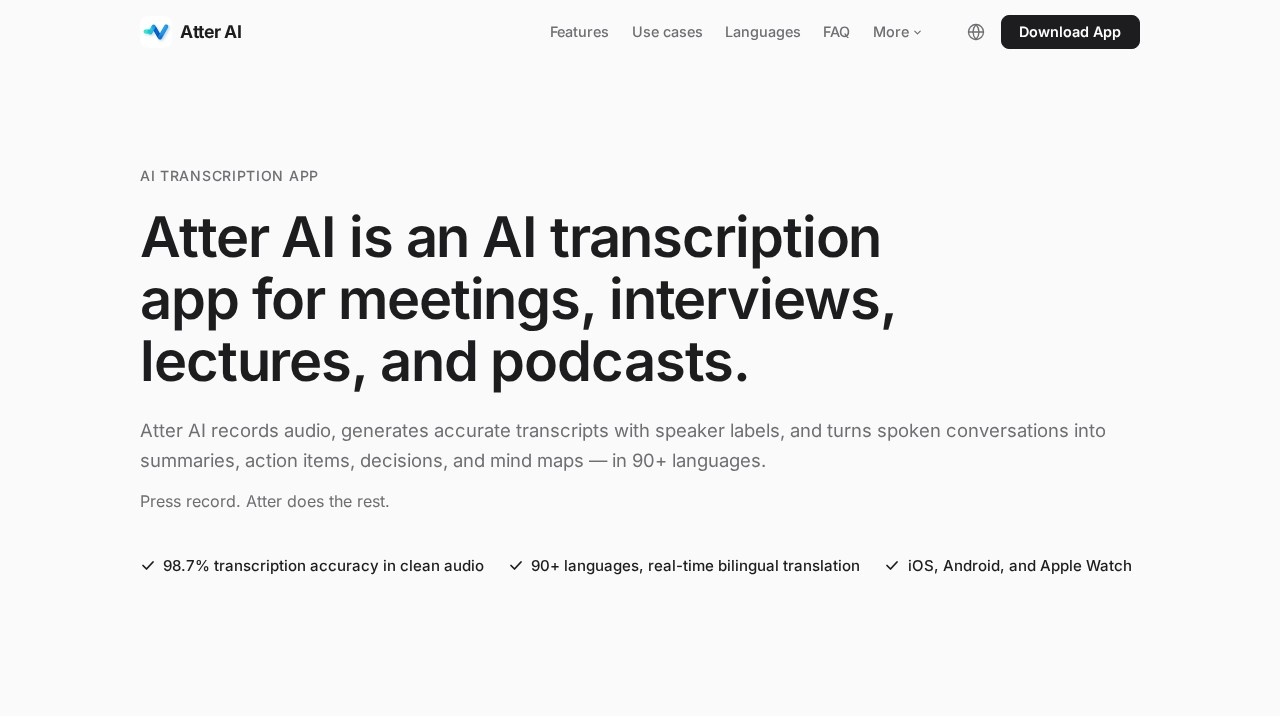
Atter AI is an artificial intelligence transcription app that converts speech into text in real time and automatically organizes spoken content into structured meeting notes. It combines a next-generation speech recognition engine with a large language model layer to transcribe audio verbatim and produce summaries, action items, key decisions, and mind maps. Users record meetings, interviews, lectures, or podcasts, and Atter AI handles the rest—delivering accurate transcripts with speaker labels in 90+ languages. It is available on iOS, Android, and Apple Watch, with file import, online link transcription, and export to Word and PDF.Application scenarios
Meetings
Record and transcribe team discussions, client calls, or board meetings with automatic speaker labels and timestamps.
Interviews
Capture verbatim transcripts of one-on-one or multi-speaker interviews for journalism, research, or hiring.
Lectures
Transcribe academic lectures in real time, allowing students to focus on listening rather than note-taking.
Podcasts
Generate transcripts, summaries, and mind maps from podcast recordings for show notes or content repurposing.
Multilingual meetings
Use real-time bilingual translation to bridge language gaps in international teams or client conversations.
Remote work
Import audio files or transcribe online links for asynchronous review of recordings from any source.
Core Features
Real-time transcription in 90+ languages
Transcribes speech as it happens with automatic language detection and mixed-language recognition within a single recording.
Speaker labels and timestamps
Distinguishes multiple speakers, color-codes them throughout the transcript, and adds timestamps for easy navigation.
AI-generated summaries
Produces concise summaries of the conversation after every recording.
Action items with owners
Extracts actionable tasks and assigns them to specific people mentioned in the discussion.
Key decisions identification
Automatically identifies and highlights important decisions made during the conversation.
Auto-generated mind maps
Visualizes the discussion structure as a mind map for quick comprehension.
Conversational AI assistant
Allows users to ask questions about the recording (e.g., "What did the client actually want?") and get answers in seconds.
Real-time bilingual translation
Supports translation during multilingual meetings for seamless cross-language communication.
Export to Word and PDF
Enables users to save transcripts and notes in standard document formats.
Target users
Atter AI is designed for professionals who regularly participate in meetings, interviews, lectures, or podcasts and need accurate, organized notes without manual effort. This includes business executives, project managers, journalists, researchers, students, podcasters, and remote team members. It is also valuable for multilingual teams and individuals who work across language barriers.How to use Atter AI?
To use Atter AI, download the app from iOS, Android, or Apple Watch, or access it via the web platform. Press the record button to start capturing audio—the app transcribes speech in real time with automatic language detection. After recording, you receive a verbatim transcript with speaker labels, an AI-generated summary, action items with owners, key decisions, and an auto-generated mind map. You can also import audio files, transcribe online links, or export results to Word and PDF. For specific usage steps, refer to the official website at https://transcription.atter-ai.com/en/.Effect review
Atter AI delivers a comprehensive transcription experience that goes beyond raw text output, offering structured notes, action items, and visual mind maps. The claimed 98.7% accuracy in clean audio environments is competitive, and the ability to handle 90+ languages with real-time bilingual translation makes it a strong choice for multilingual teams. The inclusion of a conversational AI assistant for querying recordings adds practical value for post-meeting analysis. While the website does not provide user testimonials or independent quality benchmarks, the feature set suggests a solid tool for professionals who need to capture and organize spoken content efficiently. For most users, the main limitation is reliance on clean audio for peak accuracy, but the range of export options and platform availability (iOS, Android, Apple Watch) ensures broad accessibility.Frequently Asked Questions
What is Atter AI?
How accurate are the transcripts?
What languages does Atter AI support?
Can I get summaries and action items from my recordings?
Does Atter AI offer mind maps?
Atter AI - AI Tool Detail
AI transcription tool by Atter for accurate transcripts with speaker labels, AI summaries, action items, and mind maps in 90+ languages.
Category:Personal Assistant
Visit Link:https://transcription.atter-ai.com/en/
Tags:AI transcription、speaker diarization、AI meeting summary、multilingual transcription、action item extraction