
Clearminutes
Clearminutes offers local-first AI meeting transcription and summaries, ensuring your audio never leaves your machine. It provides action items, auto-summaries, and TickTick sync, all without requirin
What is Clearminutes?
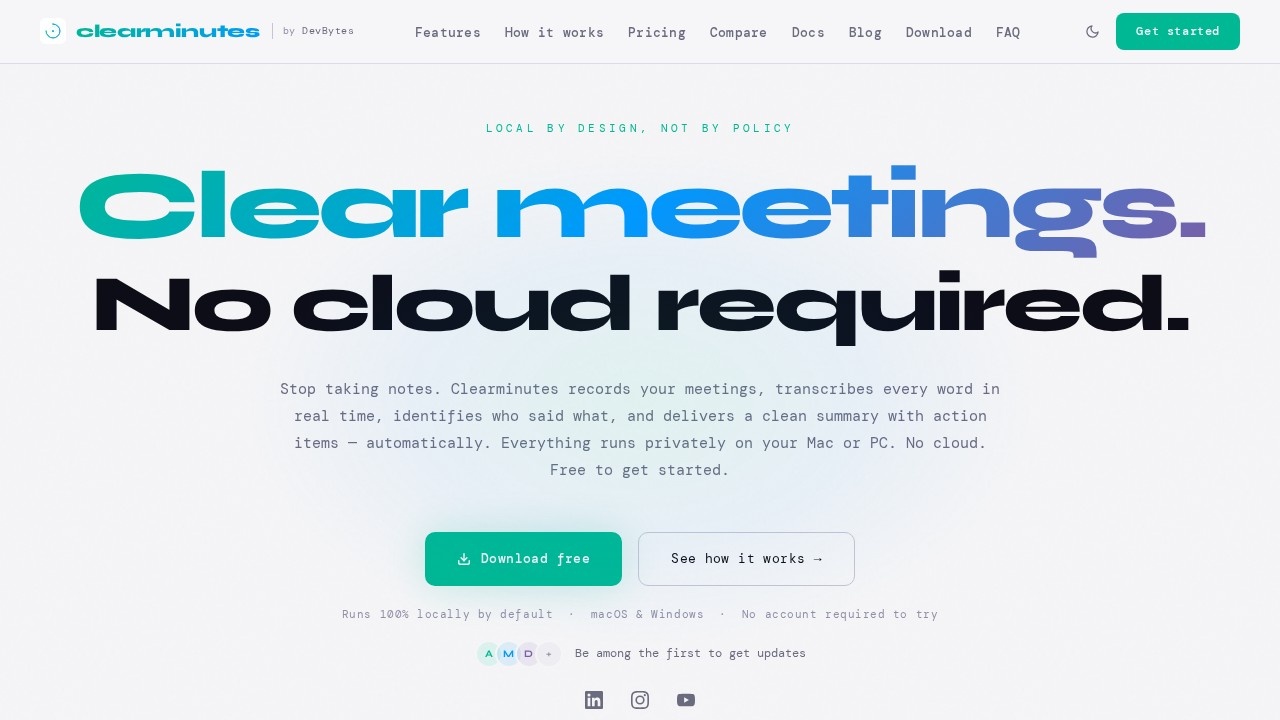
Clearminutes is a local-first AI meeting transcription and summarization tool that runs entirely on your Mac or PC. It records meetings, transcribes every word in real time with speaker attribution, and automatically generates clean summaries and action items—all without sending your audio to the cloud. No account is required to try it, and it works fully offline by default. Users get structured, private meeting outputs without needing a meeting bot or internet connection.Application scenarios
Real-time meeting transcription
Capture every word live during team calls or one-on-ones with automatic speaker labels.
Instant meeting summaries
Get structured summaries and action items the moment a meeting ends, no manual note-taking needed.
Private, offline note-taking
Record and transcribe sensitive conversations on a local machine with no cloud dependency.
Task management integration
Export action items directly to TickTick for follow-up tracking.
Meeting history retrieval
Browse and filter past meetings by title from a local archive for quick reference.
Cross-platform workflow
Use on macOS or Windows with dark and light mode support.
Core Features
Real-time transcription
Accurate, speaker-attributed transcription powered by an on-device model that works fully offline with no internet required.
Instant AI summaries
Choose from 20 built-in local models (Gemma, Qwen, Llama, Mistral, Phi, and more) or connect your own Ollama instance; cloud AI (OpenAI, Anthropic, Groq, OpenRouter) is opt-in and text-only, never audio.
Action item extraction
AI identifies commitments, tasks, and owners from conversation and organizes them into a trackable checklist.
Meeting history
Browse and filter past meetings by title from a local archive; full-text transcript search is coming soon.
One-click export
Export summaries and action items as PDF or structured outline, with more formats coming soon.
Local-first privacy
All AI runs on your device by default; no audio ever transmitted, and your data is never used to train AI.
No bot required
Clearminutes does not require a meeting bot to join your calls—it works independently.
Free tier
Unlimited transcriptions with no monthly bill, unlike competitors that limit minutes or meetings.
Target users
Clearminutes is built for professionals who need private, offline meeting transcription and summaries—such as remote workers, freelancers, consultants, and small teams handling sensitive conversations. It also suits developers and power users who want to run open-source local models (Ollama, Gemma, Llama) or bring their own cloud API key for enhanced summaries. Anyone who wants to stop taking notes and avoid cloud dependency will benefit.How to use Clearminutes?
Download the free app from the official website for macOS or Windows—no account required to try. Once installed, launch the app and start recording a meeting; real-time transcription appears with speaker labels. When the meeting ends, an instant AI summary with action items is generated automatically. You can browse past meetings by title, export summaries as PDF or structured outline, and sync action items to TickTick for task management.Pricing and free trial
Clearminutes offers a free tier with unlimited transcriptions and no monthly bill. A one-time purchase option is available for users who want to own the software outright, unlike competitors that require ongoing subscriptions. No cloud fees or hidden costs are mentioned.Effect review
Clearminutes delivers exactly what it promises: private, local-first meeting transcription and summaries without cloud dependency. The on-device real-time transcription is accurate and works offline, while the 20 built-in local AI models provide instant summaries without sending data anywhere. The action item extraction and TickTick sync make it practical for task management, and the free tier with unlimited transcriptions is a strong value proposition. For users who prioritize privacy and control over their meeting data, Clearminutes is a reliable, no-nonsense tool that competes well against cloud-only alternatives like Otter.ai and Fireflies.Frequently Asked Questions
What is Clearminutes?
How does Clearminutes ensure privacy?
Does Clearminutes require an internet connection?
What features does Clearminutes offer?
Can I sync Clearminutes with TickTick?
Clearminutes - AI Tool Detail
Clearminutes offers local-first AI meeting transcription and summaries, ensuring your audio never leaves your machine. It provides action items, auto-summaries, and TickTick sync, all without requirin
Category:Meeting Minutes
Visit Link:https://clearminutes.app/
Tags:local-first AI、meeting transcription、private AI summaries、TickTick sync、action items