
Himedia
Himedia AI offers an AI video and image generator that creates professional-quality visuals from text or images in minutes, ideal for quick content production.
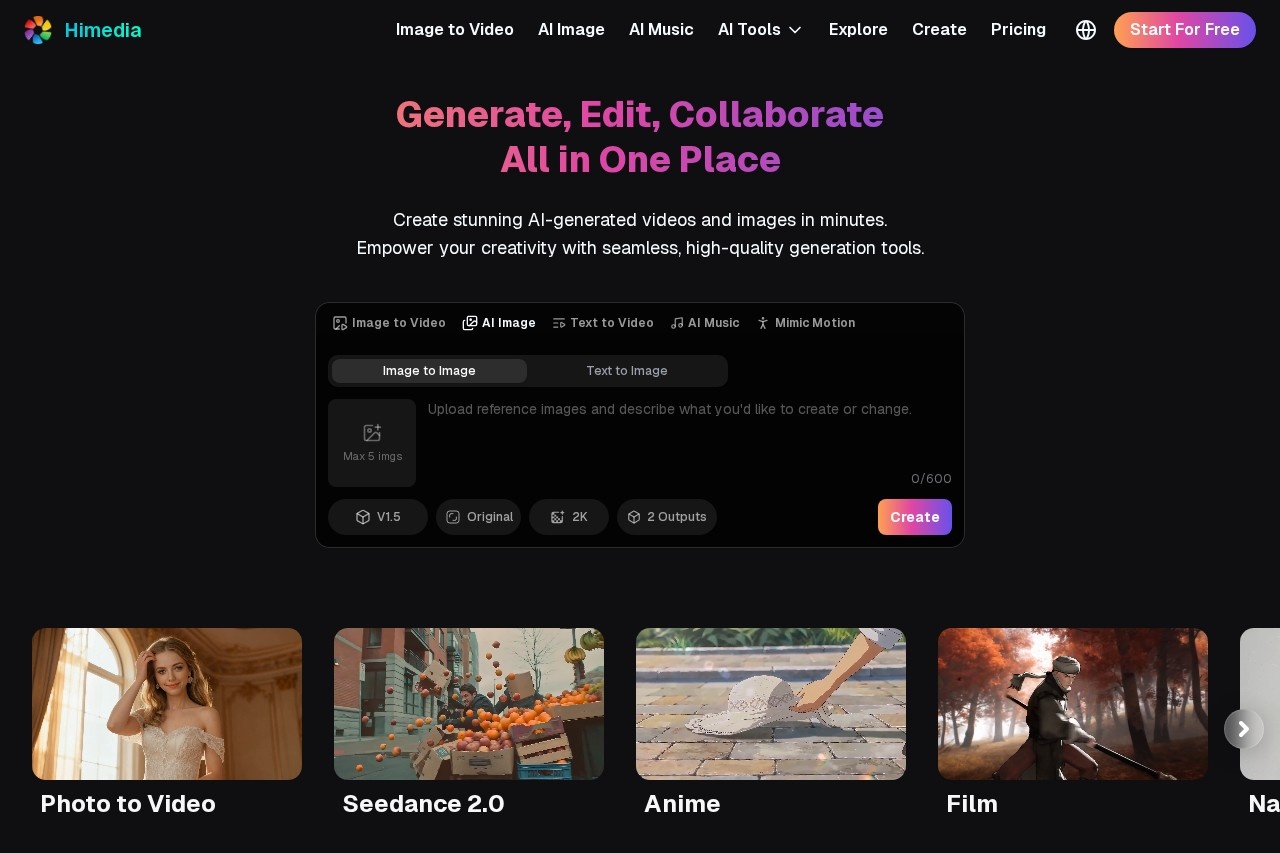
What is Himedia?
Himedia is an all-in-one AI platform for generating and editing videos, images, and music. It transforms text prompts or existing images into professional-quality visual content. The tool is designed to help creators produce commercial-grade material quickly and efficiently, from social media clips to brand assets.Application scenarios
Video Production
Create short-form videos for platforms like TikTok and Reels, as well as anime, cinematic projects, and short dramas.
Marketing & Advertising
Develop ad creatives, promotional content, and campaign materials for various marketing channels.
E-commerce Product Demo
Produce product showcase videos, feature highlights, and demo content for online stores and landing pages.
Brand Design
Generate brand identity elements, design materials, and assets for websites and brand-building campaigns.
Illustration & Comics
Create professional art in styles like Japanese Manga, Korean Manhwa, Western comics, or custom illustration.
Fashion & Product Design
Design clothing, hairstyles, and products with control over shape, texture, color, and styling details.
Scientific Visualization
Produce medical illustrations, architectural renderings, and engineering diagrams for clear presentation.
Core Features
Image to Video
Bring static images to life by adding smooth motion, depth, and storytelling effects.
Text to Video
Generate high-quality cinematic videos directly from a text description without filming or editing.
Video to Video
Transform existing videos into new styles or formats using AI.
Image to Image
Redesign, restyle, or improve an existing image by processing it with AI.
Text to Image
Generate images from written text prompts.
AI Short Generator
Instantly create engaging short-form videos optimized for social media and ads.
AI Music Generator
Create original music tracks for your projects.
Lip Sync
Synchronize audio with video content for realistic speaking characters.
Consistent Character
Maintain a consistent character appearance across different generated scenes.
High-Resolution Output
Export videos and images in 4K+ quality without watermarks.
Target users
This tool serves content creators, marketing and advertising teams, e-commerce sellers, brand designers, social media managers, illustrators, comic artists, and professionals in fashion, product design, and technical fields like architecture or medicine who need visual content.How to use Himedia?
The process is straightforward. Visit the Himedia website and you'll find tools like "Image to Video" or "Text to Video." For video creation, you can start with an uploaded image or a text prompt, select desired styles or effects, and generate your content. The platform provides sample videos and images for creative inspiration and prompt reference.Pricing and free trial
The website text states that Himedia is "Free to Use."Effect review
Based on its stated capabilities, Himedia positions itself as a comprehensive solution for rapid, professional content creation. The emphasis on commercial-quality output, 4K+ resolution, and no watermarks suggests a focus on production-ready results. The wide range of specialized generators—from AI Movies to product demos—indicates a tool built for versatility across creative and commercial workflows, aiming to reduce the technical barrier and time required for high-quality visual production.Frequently Asked Questions
What is Himedia AI?
How does Himedia AI work?
What types of content can I create with Himedia AI?
How long does it take to generate content with Himedia AI?
Do I need design skills to use Himedia AI?
Is Himedia AI suitable for professional use?
Himedia - AI Tool Detail
Himedia AI offers an AI video and image generator that creates professional-quality visuals from text or images in minutes, ideal for quick content production.
Category:Video generation
Visit Link:https://himedia.ai/
Tags:AI video generator、AI image generator、content creation、visual content、professional visuals