
Image to Video AI
Image to Video AI by AI Ease turns static photos into HD cinematic videos online. Upload an image, describe the motion, and generate clips for social media, ads, and product showcases.
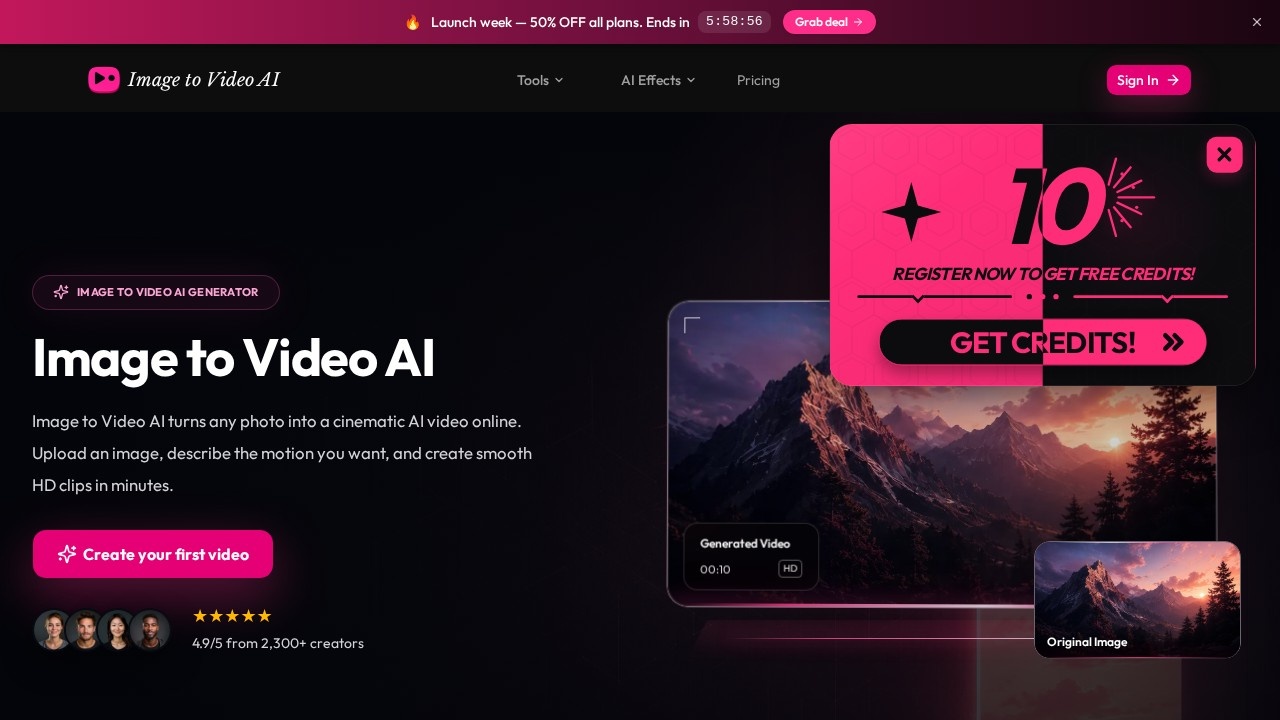
What is Image to Video AI?
Image to Video AI by AI Ease is an online tool that transforms static photos into cinematic AI-generated videos. You upload an image, describe the motion you want, and the platform produces smooth HD clips in minutes. It's designed for social media content, advertising, and product showcases—no editing skills or expensive software required. The service supports JPG, PNG, and WEBP files up to 20MB, and you can export videos in up to 4K resolution.
Application scenarios
Social media content
Turn product photos or lifestyle images into eye-catching video posts for platforms like Instagram, TikTok, or Facebook.
Marketing and advertising
Generate promotional video clips for campaigns without hiring a video editor or using complex editing tools.
Product showcases
Convert static product shots into dynamic, cinematic videos that highlight features with motion effects.
Business presentations
Add professional video elements to slideshows, pitches, or client materials directly from still images.
Creative projects
Experiment with different AI video models to produce realistic, cinematic, or stylized clips from personal photos.
Client work
Use the commercial license to create videos for paying clients without usage restrictions.
Core Features
Text-to-motion control
Describe the desired movement in a prompt—like "cinematic zoom with gentle wind effect"—and the AI animates your image accordingly.
Multiple AI video models
Choose from various models optimized for different styles, from fast clips to cinematic quality, or let auto mode pick the best one.
HD and 4K export
Generate videos in 720p, 1080p, or 4K resolution with smooth frame rates suitable for any platform.
No editing skills required
The AI handles all animation, transitions, and effects automatically—anyone can create professional-looking videos.
Commercial license included
All generated videos come with commercial usage rights for marketing, social media, advertising, and business content.
No signup required to try
Upload an image and generate a video without creating an account first.
Multiple file format support
Accepts JPG, PNG, and WEBP images up to 20MB for upload.
Aspect ratio and duration controls
Choose the aspect ratio, duration, and resolution before generating your video.
Target users
Image to Video AI suits social media managers, marketers, small business owners, content creators, and freelancers who need quick video content without learning complex editing software. It also works well for teams producing higher volumes of video for client campaigns or internal presentations. The commercial license makes it a practical option for agencies and professionals who need safe, unrestricted usage rights for business deliverables.
How to use Image to Video AI?
- Go to the official site and upload your image—drag and drop or select a JPG, PNG, or WEBP file (up to 20MB).
- Type a prompt describing the motion you want, such as "cinematic zoom with gentle wind effect."
- Choose your preferred aspect ratio, duration, and resolution (720p, 1080p, or 4K).
- Click Generate and wait a few seconds for the AI to produce your video.
- Preview the result and download the HD video for use in social media, marketing, presentations, or other creative projects.
Pricing and free trial
The site lists credit packs and subscription plans:
- Basic: $19.99 (or $39.98 yearly) — 500 video credits, credits expire after 365 days, HD video export.
- Pro: $49.99 (or $99.98 yearly) — 1,300 video credits, credits expire after 365 days, HD video export.
- Studio: $99.99 (or $199.98 yearly) — 2,750 video credits, credits expire after 365 days, HD video export.
- Starter subscription: $19.99/month (or $39.98 yearly) — 600 video credits per month, credits renew monthly.
The site doesn't explicitly mention a free trial, but it does state "No signup required to try," suggesting you can test the tool without creating an account.
Effect review
Image to Video AI earns a strong 4.9/5 rating from over 2,300 creators, which signals solid real-world performance. The core workflow—upload, describe motion, generate—is simple enough for beginners, while the multiple AI models and 4K export options give more demanding users flexibility. The commercial license is a standout feature for businesses and freelancers who need clear usage rights. For anyone who regularly turns static images into video content, this tool offers a fast, no-frills path from photo to polished clip.
Frequently Asked Questions
What is Image to Video AI?
How do I use Image to Video AI?
Is Image to Video AI free to use?
What video formats and resolutions are supported?
Can I use the generated videos for commercial purposes?
What types of images work best?
Image to Video AI - AI Tool Detail
Image to Video AI by AI Ease turns static photos into HD cinematic videos online. Upload an image, describe the motion, and generate clips for social media, ads, and product showcases.
Category:Video generation
Visit Link:https://image-to-video-ai.im/
Tags:image to video、ai video generator、cinematic video、photo animation、social media video