
HD Image Converter
HD Image Converter by its developers is a tool for upscaling blurry photos, enhancing image detail, and exporting high-definition assets for web, ecommerce, social media, and ads.
HD Image Converter Review
What is HD Image Converter?
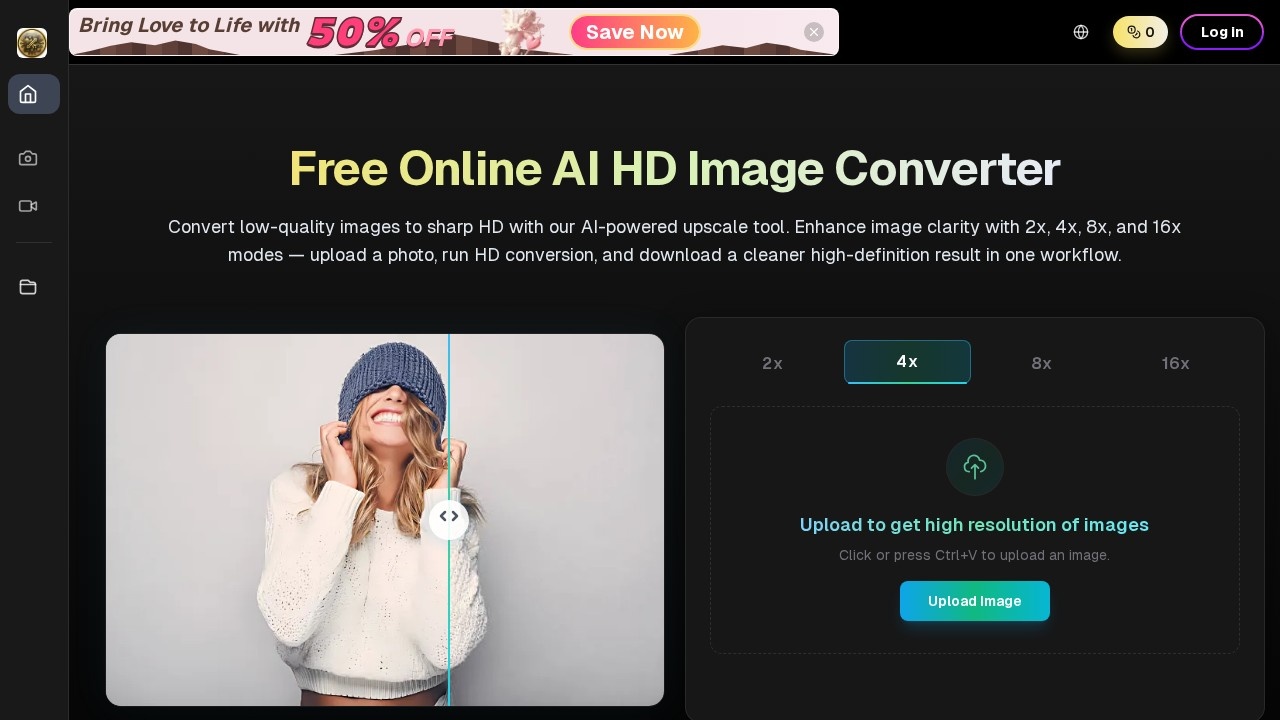
HD Image Converter is a free online AI-powered tool that upscales low-quality images to sharp high-definition results. It uses AI analysis to enhance image clarity, reconstructing edges, textures, color transitions, and compression artifacts at higher resolutions. Users upload a photo, run HD conversion with 2x, 4x, 8x, or 16x upscaling modes, and download a cleaner, high-definition output in a single workflow. The tool is designed for creators, ecommerce teams, marketers, agencies, and operators who need reliable image quality at production speed.
Application scenarios
Ecommerce product pages
Upload product photos and upscale them for crisp, high-resolution listings that look professional across desktop and mobile.
Social media posts
Enhance image quality for social cards, ads, and campaign visuals to maintain brand consistency across platforms.
Website hero graphics
Convert low-res images into sharp HD assets for blog banners, hero sections, and landing pages.
Print mockups
Improve image detail for print-ready designs where clarity and resolution matter.
Ad testing
Quickly upscale and refine images for ad creative testing without manual rework.
Mixed media projects
Tune settings for portraits, products, graphics, and mixed media to balance sharpness, texture, and noise cleanup.
Core Features
AI-powered upscaling
Upload a low-quality image and choose from 2x, 4x, 8x, or 16x upscaling modes to boost resolution.
Edge and texture analysis
The AI analyzes edges, textures, color transitions, and compression artifacts to reconstruct detail naturally, not just naive scaling.
Refinement controls
Adjust sharpness, natural texture, and noise cleanup to balance output quality for different image types like portraits, products, or graphics.
Goal-based enhancement
Define your target use case (product pages, social posts, print mockups, website hero graphics) so the converter applies better enhancement behavior.
Export and publish workflow
Download final files mapped to channel-specific placements like ads, ecommerce listings, blog banners, and social cards.
Quick upload and conversion
Click or press Ctrl+V to upload an image, then run HD conversion in one workflow without complex editing stacks.
Consistent output across campaigns
Tune settings to keep brand visuals aligned even when output volume increases across campaign variants.
Target users
- Creators who need to upscale and enhance images for digital projects.
- Ecommerce teams that require high-resolution product photos for listings.
- Marketers preparing social media posts, ads, and campaign visuals.
- Agencies handling multiple client assets with consistent quality.
- Operators managing production workflows who need reliable image quality at speed.
How to use HD Image Converter?
- Upload your image: Click the upload area or press Ctrl+V to paste an image from your clipboard.
- Define your goal: Choose your target use case (product pages, social posts, print mockups, or website hero graphics) to guide enhancement behavior.
- Run AI analysis and HD conversion: The tool analyzes edges, textures, color transitions, and compression artifacts, then reconstructs detail at higher resolution using 2x, 4x, 8x, or 16x modes.
- Refine quality: Adjust sharpness, natural texture, and noise cleanup settings to balance output for portraits, products, graphics, or mixed media.
- Export and publish: Download final files and map them to channel-specific placements like ads, ecommerce listings, blog banners, and social cards.
Effect review
HD Image Converter delivers a straightforward, no-fuss solution for upscaling and enhancing low-quality images. The AI-driven analysis of edges, textures, and compression artifacts produces results that look sharper and more natural than simple scaling. The ability to define a target use case before conversion helps tailor enhancement behavior, which is a practical touch for teams managing diverse asset types. While the tool focuses on core upscaling and refinement features without advanced editing capabilities, its simplicity and speed make it a reliable choice for production workflows. For users who need consistent HD output across ecommerce, social media, and ad campaigns, this converter offers a clean, efficient path from upload to publish.
Frequently Asked Questions
What file formats does HD Image Converter support?
How much can HD Image Converter upscale an image?
Is HD Image Converter free to use?
Can I use HD Image Converter for commercial projects?
Does HD Image Converter work offline?
HD Image Converter - AI Tool Detail
HD Image Converter by its developers is a tool for upscaling blurry photos, enhancing image detail, and exporting high-definition assets for web, ecommerce, social media, and ads.
Category:Image editing
Visit Link:https://hdimageconverter.app/
Tags:image upscaling、photo enhancement、HD image converter、AI upscaler、high-definition export