
ExtraBrain
ExtraBrain by an independent developer is a free Mac AI assistant and meeting copilot offering live transcription, local-first privacy, on-device AI via Gemma, and support for BYO providers.
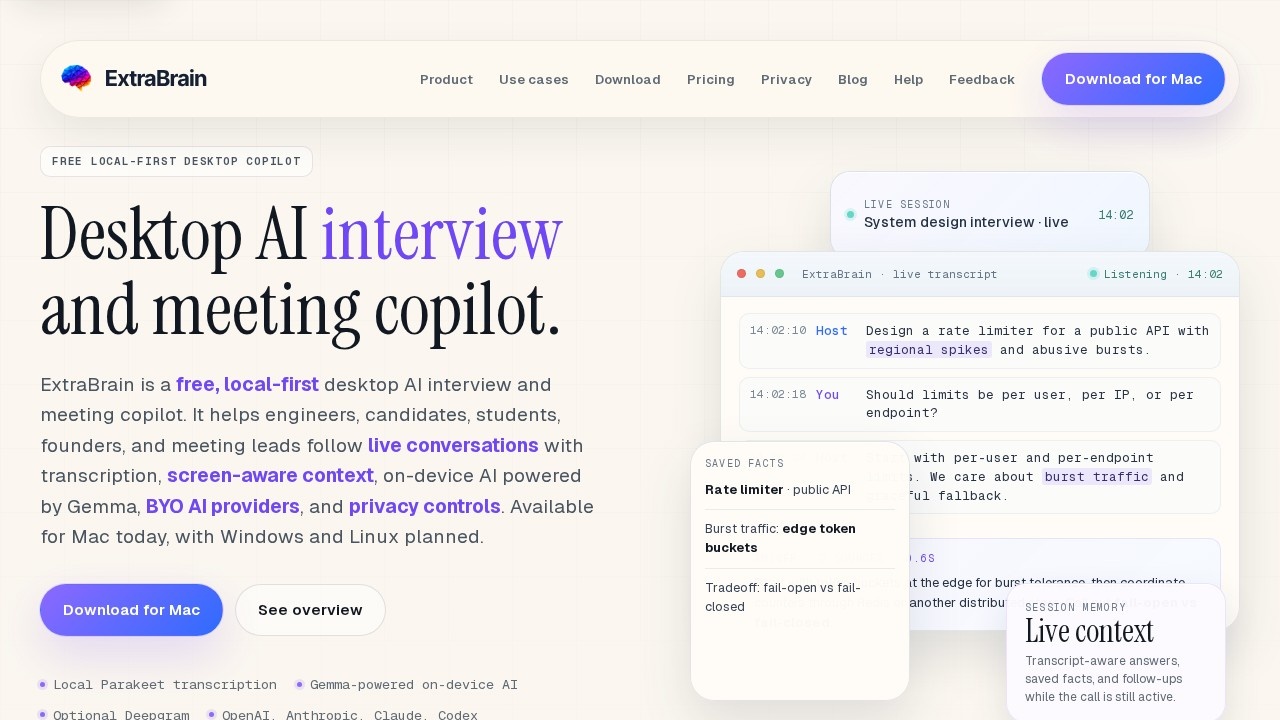
What is ExtraBrain?
ExtraBrain is a free, local-first desktop AI copilot designed for live interviews, meetings, and lectures. It provides real-time transcription, screen-aware context, and on-device AI powered by Gemma, with optional support for external AI providers like OpenAI, Anthropic, and Claude. The app runs on Mac today, with Windows and Linux planned, and keeps all data local by default unless you explicitly send content to a third-party provider.Application scenarios
Live interviews
Use ExtraBrain during system design or coding interviews to capture transcripts, generate structured answers, and track tradeoffs in real time.
Team meetings
Follow live conversations with transcription and saved facts, then ask follow-up questions while the call is still active.
Lectures and research
Turn live audio, screenshots, and selected context into organized prompts and session memory for later review.
High-stakes live thinking
Ideal for engineers, candidates, and students who need to process complex prompts and constraints under pressure.
Collaborative problem-solving
Share session memory and answer structures with team members during live discussions.
Core Features
Live transcription
Captures audio and transcript text in real time during calls, with local Parakeet transcription available.
Screen-aware context
Automatically includes screenshots and selected content from your screen to inform AI responses.
On-device AI (Gemma)
Run AI inference locally on your Mac using Gemma, keeping all data on your machine.
BYO AI providers
Connect OpenAI, Anthropic, Claude, Codex, or any OpenAI-compatible endpoint, with full control over which provider handles which task.
Session memory
Saves transcripts, prompts, screenshots, and notes locally, and allows follow-up questions while the call is still active.
Structured answer generation
Converts coding, system design, and behavioral prompts into clarifying questions, baselines, tradeoffs, and follow-up points.
Privacy controls
Keeps transcripts, prompts, screenshots, and notes on your Mac in a fully local setup, with explicit consent required before sending content to external providers.
Target users
ExtraBrain is built for engineers, product managers, founders, students, and research teams who need a real-time AI assistant during interviews, meetings, or lectures. It’s especially useful for anyone who wants to follow live conversations with transcription and context-aware answers while keeping their data private.How to use ExtraBrain?
- Download the latest Mac release from the official site and open the app before your interview, meeting, or lecture.
- Choose between local or cloud transcription and select on-device AI (Gemma) or a provider you control (OpenAI, Anthropic, etc.).
- Rehearse once with the app to confirm it works, then start a live session—ExtraBrain will capture audio, transcript, and screen context automatically.
- Use the live transcript and session memory to ask follow-up questions, generate structured answers, or save key facts during the call.
Pricing and free trial
ExtraBrain is completely free. There is no mention of paid tiers, subscriptions, or trial periods on the website.Effect review
ExtraBrain delivers a focused, privacy-first experience for live interviews and meetings, with real-time transcription and on-device AI that keeps your data local. The ability to bring your own AI providers gives flexibility, while the session memory feature ensures you can revisit key points after the call. For a free tool, the feature set is surprisingly robust—especially for engineers and students preparing for high-stakes interviews. The main limitation is Mac-only availability, but Windows and Linux support is planned. Overall, it’s a practical, no-nonsense copilot that does exactly what it promises without unnecessary complexity.Frequently Asked Questions
What is ExtraBrain?
Is ExtraBrain free to use?
How does ExtraBrain ensure privacy?
Can I use my own AI provider with ExtraBrain?
What features does ExtraBrain offer?
ExtraBrain - AI Tool Detail
ExtraBrain by an independent developer is a free Mac AI assistant and meeting copilot offering live transcription, local-first privacy, on-device AI via Gemma, and support for BYO providers.
Category:Personal Assistant
Visit Link:https://extrabrain.app/
Tags:mac ai assistant、meeting copilot、live transcription、local-first privacy、on-device ai