
ClipTrend
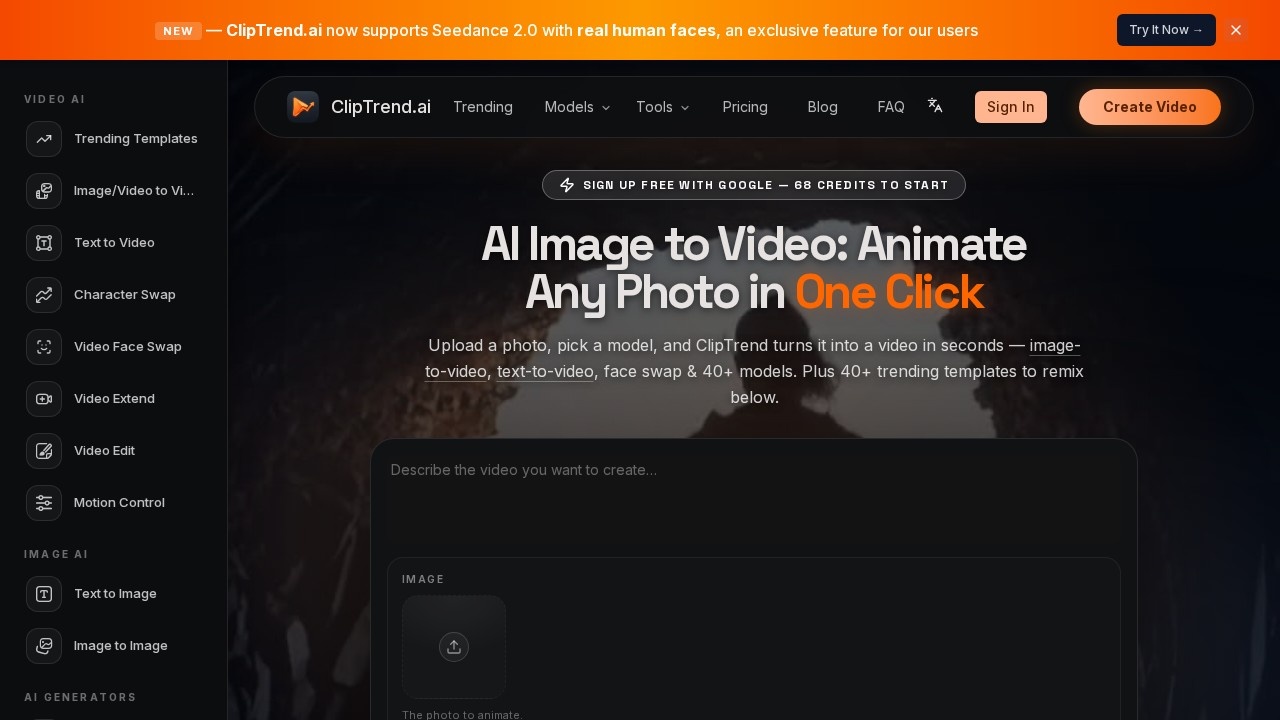
AI tool by ClipTrend that animates static photos into videos with a single click, also offering text-to-video, face swap, and 40+ AI models for versatile content creation.
What is ClipTrend?
ClipTrend is an AI-powered video workspace that animates static photos into videos with a single click. Users can upload a photo, pick a model, and get a finished video in seconds. It also supports text-to-video, face swap, character swap, and over 40 AI models for versatile content creation. The platform includes 40+ trending templates for remixing viral TikTok and YouTube clips.Application scenarios
Social media content creation
Remix trending AI video effects from TikTok and YouTube by uploading a selfie and generating watermark-free paid exports.
Character animation
Drop a new character into a clip while keeping the original action using Character Swap.
Video face swapping
Swap a face into any video while maintaining natural motion with Video Face Swap.
AI dance generation
Make a photo dance by picking a move or pasting a reference clip with the AI Dance Generator.
Video extension
Continue an existing clip with AI-matched extra seconds using Video Extend.
Image-to-image editing
Restyle, edit, or remix an existing picture with AI-powered Image to Image.
AI cartoon and anime generation
Turn a photo into a 3D Pixar-style cartoon or a believable anime portrait.
Core Features
Image to Video
Upload a photo, choose a model, and animate it into a short video in seconds.
Text to Video
Type a scene description and get a finished AI video without needing any footage.
Character Swap
Drop a new character into a clip while preserving the original motion.
Video Face Swap
Swap a face into any video while keeping the motion natural.
Video Extend
Continue an existing clip with AI-generated extra seconds that match the original.
Motion Control
Drive a character’s motion using a reference clip.
AI Dance Generator
Make a photo dance by selecting a move or pasting a clip.
AI Cartoon Generator
Turn a photo into a fun 3D Pixar-style cartoon image.
AI Anime Generator
Convert a photo into a believable anime portrait.
AI Statue Generator
Turn a photo into a classical white marble statue image.
Target users
Content creators, social media managers, video editors, and marketers who need quick, AI-generated short-form video content. The platform is also useful for anyone wanting to remix trending TikTok and YouTube effects without advanced video editing skills.How to use ClipTrend?
Sign up free with Google to receive 68 starting credits. Upload a photo (max 20MB) or type a prompt, then select an AI model from the 40+ available (e.g., Seedance 2.0, Kling 3, Veo 3.1). Choose a video effect template from the trending library, and generate the output. Paid exports are watermark-free and use a pay-as-you-go credit system.Pricing and free trial
The website states "Sign up free with Google — 68 credits to start." Paid exports are watermark-free and use a pay-as-you-go credit system. No specific pricing tiers or subscription costs are listed.Effect review
ClipTrend delivers a practical all-in-one workspace for turning photos and prompts into short-form video. The 40+ AI models and trending templates make it easy to replicate viral effects without manual editing. The free 68-credit start lets users test the core image-to-video and text-to-video features. However, the pay-as-you-go credits may add up for heavy users, and the quality of outputs depends on the specific model chosen. Overall, it’s a solid tool for quick, AI-driven video creation with a wide range of creative options.Frequently Asked Questions
What is ClipTrend?
How does ClipTrend animate photos?
Can I create videos from text with ClipTrend?
Does ClipTrend offer a face swap feature?
What AI models are available in ClipTrend?
Is ClipTrend free to use?
ClipTrend - AI Tool Detail
AI tool by ClipTrend that animates static photos into videos with a single click, also offering text-to-video, face swap, and 40+ AI models for versatile content creation.
Category:Video generation
Visit Link:https://cliptrend.ai/
Tags:AI animation、photo to video、text to video、face swap、content creation