
Image to Video AI
Image to Video AI by an online platform turns photos and product images into short AI video clips with motion prompts, previews, and free credits.
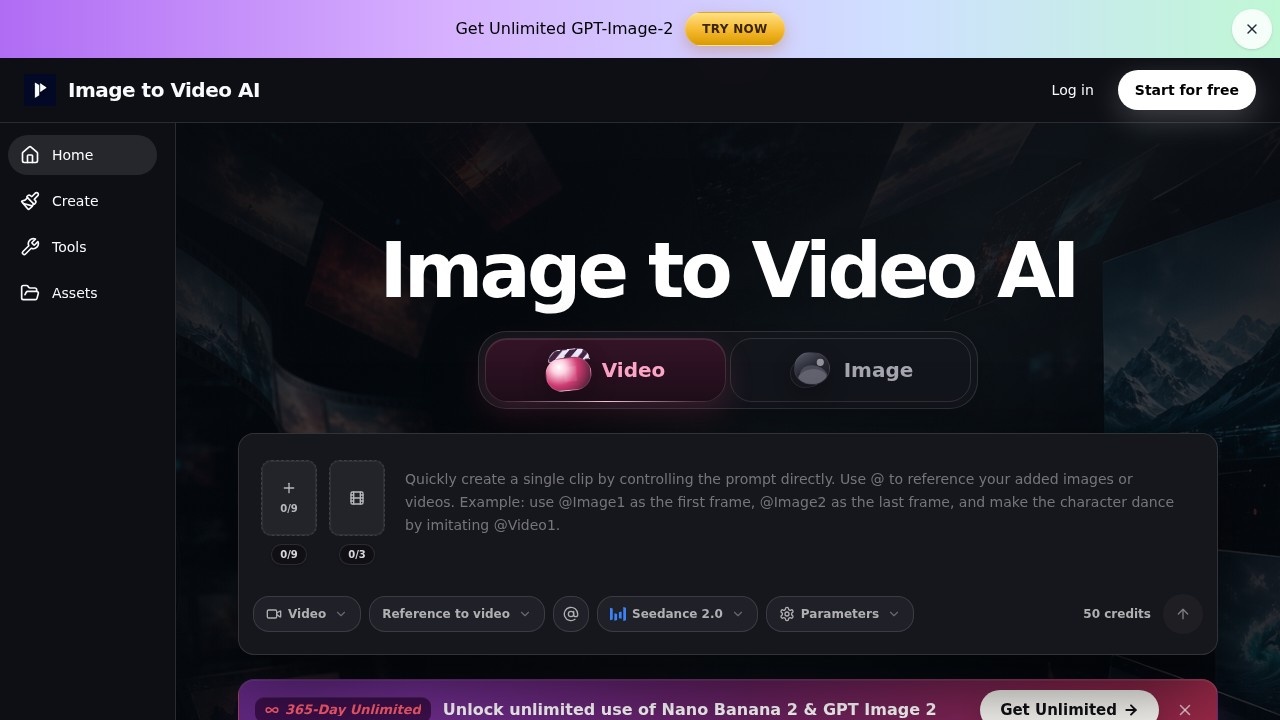
What is Image to Video AI?
Image to Video AI is a tool that transforms static photos and product images into short AI-generated video clips. Users upload an image, describe the desired motion in a sentence, and preview the result before exporting. It supports multiple input types, including product shots, portraits, posters, and AI-generated art. The platform is designed for quick, controlled motion generation without needing full video production skills.
Application scenarios
Product demos
Turn clean product shots into short clips with push-in, reveal, or gentle rotation for e-commerce pages and ads.
Portrait animation
Add subtle motion to eye-line, hair, fabric, or camera movement in portraits and character concepts.
Poster and thumbnail animation
Animate campaign visuals, posters, thumbnails, and AI-generated images for landing pages or social posts.
Social media clips
Create draft clips for Shorts, Reels, paid social, presentations, and creative testing before final editing.
Before-and-after transitions
Use frames-to-video for product reveals, packaging motion, or scene changes with clear start and end frames.
Reference-guided video
Upload images, video, or audio to guide style, product appearance, character direction, or timing.
Core Features
Text/Image to video
Generate a clip from a single strong image with one subject action and one camera move, such as slow push-in or light shift.
Frames to video
Create transitions between a clear start and end frame, ideal for product reveals and before-and-after sequences.
Reference to video
Upload reference images, video, or audio to guide style, product appearance, or character direction in the output.
One-sentence motion prompts
Describe the subject action and camera movement in a single sentence, with optional style and lighting keywords.
Preview before export
Check the result before downloading, and regenerate only the clip that needs another pass.
Aspect ratio matching
Use landscape for 16:9, vertical for 9:16, or square for 1:1 to reduce unwanted cropping.
Free credits after signup
New users receive free credits to start generating clips immediately.
Seedance 2.0 integration
The tool uses Seedance 2.0 as its underlying video generation engine.
Target users
Image to Video AI is built for marketers, social media managers, e-commerce sellers, content creators, and designers who need quick motion clips from static images. It also suits anyone creating short video drafts for ads, product pages, presentations, or creative testing without advanced video editing skills.
How to use Image to Video AI?
- Choose your input: Upload an existing product photo, portrait, poster, or AI image. If you don't have the right asset, generate an image first and continue.
- Describe the shot movement: Write one sentence explaining what the subject should do and how the camera should move. Add style and lighting as short keywords.
- Preview before export: Check the result before downloading. If consistency matters, compare workflow options and regenerate only the clip that needs another pass.
Pricing and free trial
The website mentions "Free credits after signup" and a "365-Day Unlimited" option that unlocks unlimited use of Nano Banana 2 & GPT Image 2. Specific pricing tiers or amounts are not provided in the text.
Effect review
Image to Video AI delivers on its promise of turning static images into short, controlled motion clips with minimal effort. The preview-before-export feature is practical for iterating on motion without wasting credits. The tool's strength lies in its simplicity—users can generate product demos, portrait animations, or social clips with a single sentence prompt. However, the platform explicitly warns against asking for multiple actions, costume changes, or long story beats in one generation, which limits its use for complex narratives. For quick hooks, product reveals, and social drafts, it serves as a reliable starting point before final editing.
Frequently Asked Questions
How does Image to Video AI work?
Is Image to Video AI free to use?
Can I preview the video before finalizing?
What types of images can I use?
What are motion prompts?
How long are the generated videos?
Image to Video AI - AI Tool Detail
Image to Video AI by an online platform turns photos and product images into short AI video clips with motion prompts, previews, and free credits.
Category:Video generation
Visit Link:https://image-to-video-ai.best/
Tags:AI video generator、image-to-video、motion prompts、product video maker、free credits