
Image to Video AI
Image to Video AI is a free tool by its developer for transforming photos into AI-powered animations. Upload an image, add a prompt, and generate stunning videos in seconds with no sign-up required.
What is Image to Video AI?
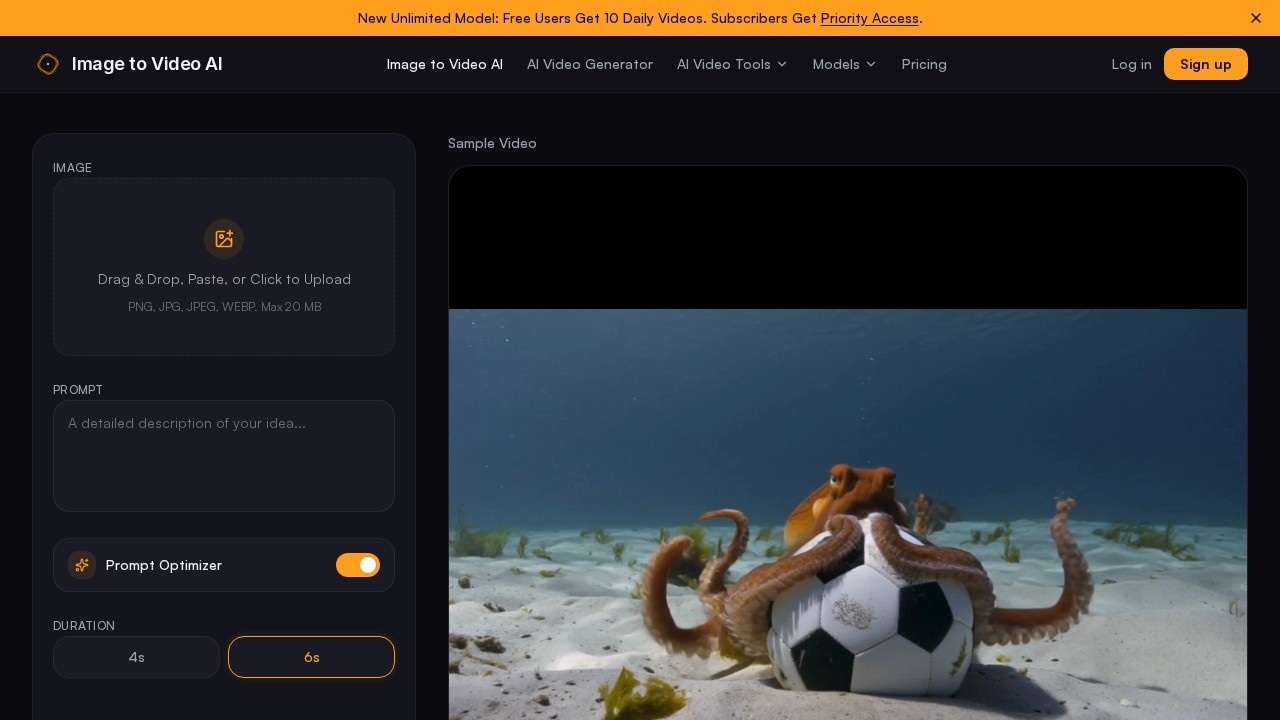
Image to Video AI is a free online tool that transforms static photos into AI-powered animated videos. Users upload an image (PNG, JPG, JPEG, or WEBP), add a text prompt describing the desired motion, and generate a video in seconds—no sign-up required. The platform delivers HD output at up to 1080p resolution without watermarks or hidden fees. It positions itself as a leading free alternative to paid AI video generators, offering cinema-quality results for creators and marketers.Application scenarios
Social media content
Create short clips for YouTube, Instagram, or TikTok from travel photos or product images.
Marketing campaigns
Turn product photos into video ads with custom motion effects like slow pans or wind effects.
Personal creative projects
Animate family pictures or artwork with stylized animations or cinematic reels.
Storytelling
Convert travel pictures into dynamic, narrative-driven videos with realistic motion.
Content repurposing
Quickly generate video versions of existing image assets without needing editing skills.
Prototyping
Test motion ideas for animations or video concepts using a simple image and prompt workflow.
Core Features
AI-powered video generation
Upload any supported image (PNG, JPG, JPEG, WEBP) and generate a video in seconds with AI-driven motion.
Prompt-guided animation
Combine an image with a descriptive text prompt to specify exact motion—like "slow camera zoom" or "wind blowing through trees."
Versatile motion styles
Choose from cinematic slow pans, realistic physics simulations, stylized animation, or artistic effects for full creative control.
High-quality output
Get professional-grade HD video at up to 1080p resolution without watermarks or quality caps.
No sign-up required
Start creating immediately without creating an account or providing a credit card.
Duration options
Select between 4-second and 6-second video lengths for your animations.
Prompt optimizer
Use the built-in prompt optimizer to refine your text descriptions for better AI interpretation.
Drag-and-drop upload
Easily upload images by dragging, dropping, pasting, or clicking—with a 20 MB file size limit.
Target users
Content creators producing social media clips, marketers crafting video ads from product photos, storytellers turning travel pictures into cinematic reels, and anyone needing quick, watermark-free video animations from static images. The tool is designed for both beginners and professionals who want to convert images into videos without technical expertise or paid subscriptions.How to use Image to Video AI?
- Go to the official website (https://imgtovideoai.net/).
- Upload an image by dragging, dropping, pasting, or clicking—supported formats are PNG, JPG, JPEG, and WEBP (max 20 MB).
- Enter a text prompt describing the motion you want (e.g., "slow camera zoom" or "wind blowing through trees").
- Optionally use the Prompt Optimizer to refine your text.
- Choose a video duration (4 seconds or 6 seconds).
- Click "Create for FREE" to generate the video. No sign-up or payment is required.
Effect review
Image to Video AI delivers on its promise of free, watermark-free video generation from static images, with HD output at up to 1080p. The combination of image upload and text prompts gives users precise control over motion, while the variety of motion styles—cinematic pans, physics simulations, or artistic effects—makes it versatile for different projects. The lack of sign-up and credit card requirements lowers the barrier to entry significantly, though the 20 MB file limit and short duration options (4–6 seconds) may constrain more ambitious projects. For quick social media clips or marketing assets, this tool offers a solid, no-cost alternative to paid AI video generators.Frequently Asked Questions
What is Image to Video AI?
Do I need to create an account to use it?
How do I use Image to Video AI?
Is Image to Video AI completely free?
What kind of videos can I create?
Are there any limits on usage?
Image to Video AI - AI Tool Detail
Image to Video AI is a free tool by its developer for transforming photos into AI-powered animations. Upload an image, add a prompt, and generate stunning videos in seconds with no sign-up required.
Category:Video generation
Visit Link:https://imgtovideoai.net/
Tags:free AI video generator、image to video、AI animation tool、no sign-up