
WOZCODE
WOZCODE is a high-performance AI coding plugin by WOZCODE for Claude Code, offering 80% accuracy on TerminalBench 2.0, 5–10× faster speeds, and 25–50% cost savings—with instant installation and no sig
What is WOZCODE?
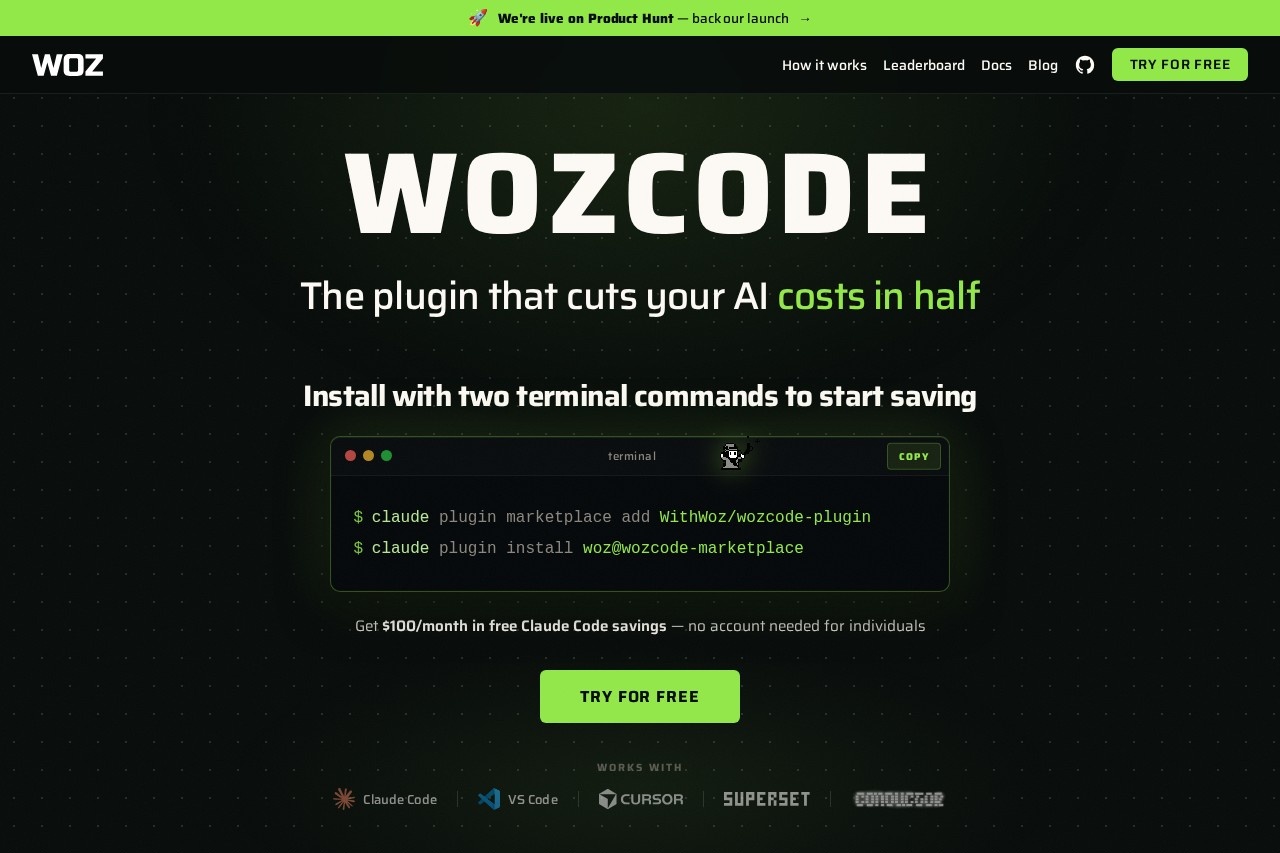
WOZCODE is a high-performance AI coding plugin designed for Claude Code. It integrates directly with Claude Code and VS Code to boost coding efficiency. The plugin claims 80% accuracy on TerminalBench 2.0, delivers 5–10× faster speeds on database tasks, and reduces costs by 25–50% compared to using Claude Code alone. Users install it with two terminal commands to start saving tokens and money immediately.Application scenarios
Database-heavy projects
WOZCODE speeds up complex database queries (e.g., analyzing a live clinical trials database with 68 tables) up to 10× faster than Claude Code alone.
App building from scratch
Developers can build full applications (like an art portfolio site) across 10 sequential prompts with higher efficiency and lower token usage.
Code editing and refactoring
The plugin handles sequential code edits (e.g., creating pages, styling, adding interactivity) with 30–40% faster performance.
Multi-terminal workflows
Users running 6–8 terminals in parallel can stay under session limits and avoid hitting Claude’s caps.
Cost-sensitive development
Teams or individuals looking to cut AI coding costs by 25–50% while maintaining output quality.
High-volume Claude Code usage
Power users with multiple subscriptions or parallel projects can extend their session limits and save real money.
Core Features
TerminalBench 2.0 accuracy
WOZCODE achieves an 80% score on TerminalBench 2.0, compared to 69% for Claude Code alone.
Speed boost
The plugin is 30–40% faster on most coding tasks and up to 10× faster on database-related work.
Cost savings
Users save 25–50% on costs and token usage versus running Claude Code without the plugin.
Token limit extension
Developers can get twice as much done before hitting their token limit.
Real-time savings dashboard
A live counter shows dollars saved, tool calls made, roundtrips avoided, time saved, and tokens saved across all sessions.
Session limit management
The plugin helps users stay under session limits for longer, keeping them focused on executing plans.
Plugin marketplace integration
Install via `$claude plugin marketplace add` and `$claude plugin install` commands directly from the terminal.
VS Code compatibility
Works seamlessly with both Claude Code and VS Code environments.
Target users
- Software engineers working on complex Claude Code plans who burn through session limits quickly.
- Claude Code power users with multiple subscriptions or parallel projects who need to reduce costs.
- App founders and solo developers who run multiple terminals and frequently hit plan limits.
- Cofounders and engineering leads managing teams on cost-sensitive AI coding workflows.
How to use WOZCODE?
- Open your terminal and run:
$claude plugin marketplace add WithWoz/wozcode-plugin - Then install the plugin:
$claude plugin install woz@wozcode-marketplace - Start coding with Claude Code as usual—WOZCODE automatically optimizes performance and reduces token usage.
- No account needed for individuals to get started; the free tier offers $100/month in Claude Code savings.
Pricing and free trial
WOZCODE offers a free tier that provides $100/month in Claude Code savings with no account required for individuals. The site does not list paid plan pricing or subscription details beyond this free savings offer.Effect review
User testimonials on the site confirm real-world value: software engineers report staying under session limits for longer, while power users with multiple subscriptions save real money. One founder running 6–8 parallel terminals says WOZCODE has become part of their core stack. The live savings dashboard adds transparency, showing aggregated dollars, time, and tokens saved across all sessions. Benchmark results demonstrate measurable improvements in accuracy, speed, and cost efficiency over Claude Code alone, making it a practical upgrade for heavy Claude Code users.Frequently Asked Questions
What is WOZCODE?
How does WOZCODE achieve faster speeds?
What is TerminalBench 2.0 accuracy?
How much cost savings can I expect?
Is WOZCODE easy to install?
Does WOZCODE work with any version of Claude Code?
WOZCODE - AI Tool Detail
WOZCODE is a high-performance AI coding plugin by WOZCODE for Claude Code, offering 80% accuracy on TerminalBench 2.0, 5–10× faster speeds, and 25–50% cost savings—with instant installation and no sig
Category:AI Plugin/Extension
Visit Link:https://www.wozcode.com/
Tags:AI coding、Claude Code plugin、TerminalBench 2.0、performance optimization、cost savings