
VidText AI
VidText AI is a free YouTube transcript tool by an independent developer. Instantly generate complete transcripts from any YouTube URL, plus AI-powered summaries, blog posts, and study notes—no sign-u
What is VidText AI?
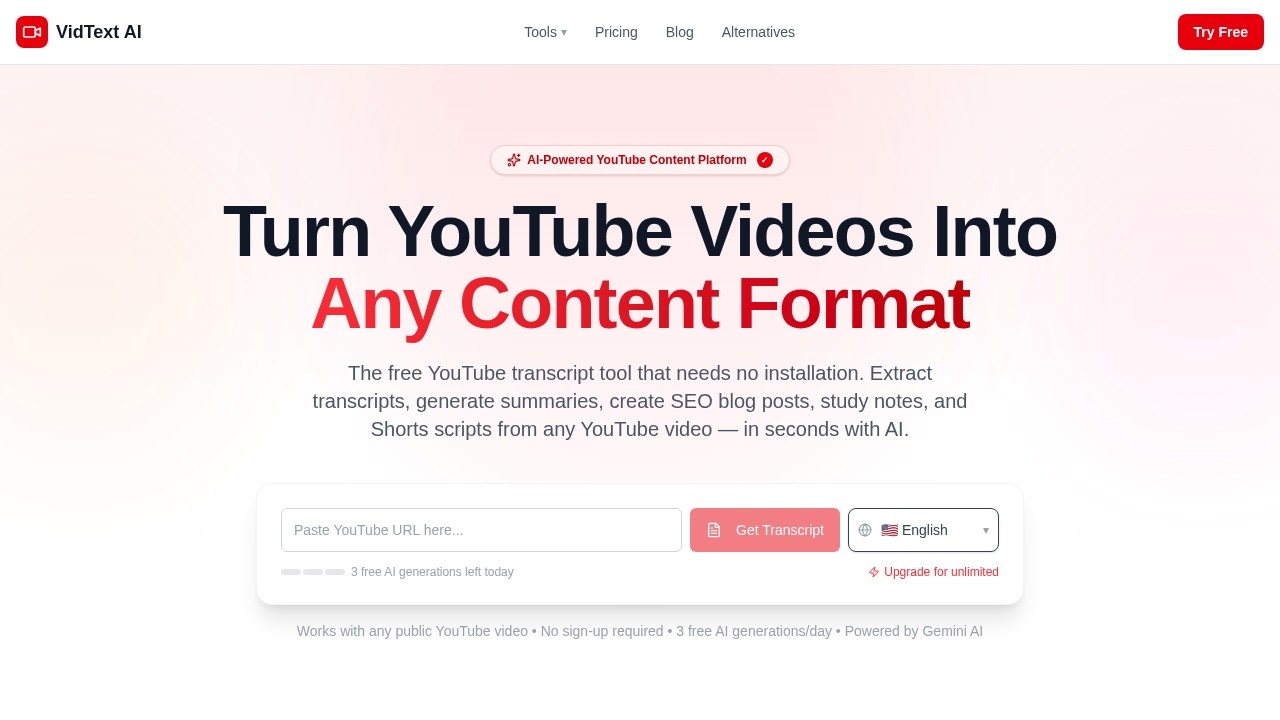
VidText AI is a free, browser-based YouTube transcript and AI content tool that requires no installation or sign-up. It extracts full timestamped transcripts from any public YouTube video in under 10 seconds and can generate AI-powered summaries, blog posts, study notes, and Shorts scripts. The tool runs directly on vidtextai.com, works with any browser, and uses Google Gemini AI (free tier: Gemini 2.0 Flash; Pro tier: Gemini 2.5 Flash). Over 500,000 transcripts have been generated, with average processing time under 30 seconds.
Application scenarios
Content repurposing
Convert any YouTube video into SEO blog posts, Shorts scripts, or study notes in seconds.
Student research
Extract structured study notes and key concepts from educational videos without manual transcription.
Multilingual content creation
Generate transcripts and AI content in 10+ output languages including Chinese, Japanese, Spanish, French, and Arabic.
Quick video summarization
Get AI summaries of long videos instantly—no need to watch the entire clip.
No-installation transcription
Extract downloadable, searchable transcripts from any public YouTube video on any device without a Chrome extension or app.
Short-form video scripting
Generate Shorts scripts directly from YouTube video content for social media repurposing.
Core Features
Timestamped transcript extraction
Get full transcripts from any public YouTube video in under 10 seconds with timestamps.
AI content generation
Convert transcripts into five formats: summary, blog post, study notes, and Shorts scripts.
Multi-language support
Output transcripts and AI content in 10+ languages including English, Chinese, Japanese, Korean, Spanish, French, German, Portuguese, Russian, and Arabic.
No sign-up required
Use the tool immediately without creating an account or logging in.
No installation needed
Works in any browser—no Chrome extension, app download, or software setup.
Downloadable outputs
Transcripts and AI-generated content can be downloaded and searched.
Powered by Google Gemini
Free tier uses Gemini 2.0 Flash; Pro tier upgrades to Gemini 2.5 Flash for better performance.
3 free AI generations per day
Access AI features daily without paying, with unlimited transcript extraction.
Fast processing
Average processing time is under 30 seconds per video.
Target users
Students who need quick study notes from educational videos, content creators repurposing YouTube videos into blog posts or Shorts scripts, researchers requiring downloadable transcripts, and anyone who wants a free, no-installation YouTube transcript tool. The tool is also ideal for multilingual users needing transcripts in languages beyond English.
How to use VidText AI?
- Go to vidtextai.com in any browser—no sign-up or installation required.
- Paste any public YouTube video URL into the input field.
- Click "Get Transcript" to extract a full timestamped transcript (under 10 seconds).
- Choose an AI output format: Summary, Blog Post, Study Notes, or Shorts Script.
- Download or copy the generated content. You get 3 free AI generations per day; unlimited transcripts are always free.
Pricing and free trial
VidText AI is free with 3 AI generations per day and unlimited transcript extraction. For unlimited AI generations, the Pro plan costs $9.90/month, which also upgrades the AI model from Gemini 2.0 Flash to Gemini 2.5 Flash.
Effect review
VidText AI delivers exactly what it promises: fast, no-fuss YouTube transcripts and AI content generation without any account barrier. The 500,000+ transcripts generated and sub-30-second processing time suggest solid real-world reliability. For a free tool, the inclusion of five AI output formats—especially blog posts and Shorts scripts—sets it apart from competitors like Tactiq or Glasp, which require extensions or logins. The 3 daily AI generations are generous for casual use, and the $9.90/month Pro tier offers a clear upgrade path for heavy users. If you need a quick transcript or want to repurpose YouTube content without installing anything, this is a straightforward, effective choice.
Frequently Asked Questions
What is VidText AI?
Do I need to sign up to use VidText AI?
What can I generate besides transcripts?
Is VidText AI completely free?
How do I use VidText AI?
VidText AI - AI Tool Detail
VidText AI is a free YouTube transcript tool by an independent developer. Instantly generate complete transcripts from any YouTube URL, plus AI-powered summaries, blog posts, and study notes—no sign-u
Category:AI Writing
Visit Link:https://www.vidtextai.com/
Tags:youtube transcript generator、ai summary tool、free video to text