
Transcribe Video AI
Transcribe Video AI is a free online tool for quickly and accurately converting video to text, generating transcripts, subtitles, and summaries.
What is Transcribe Video AI?
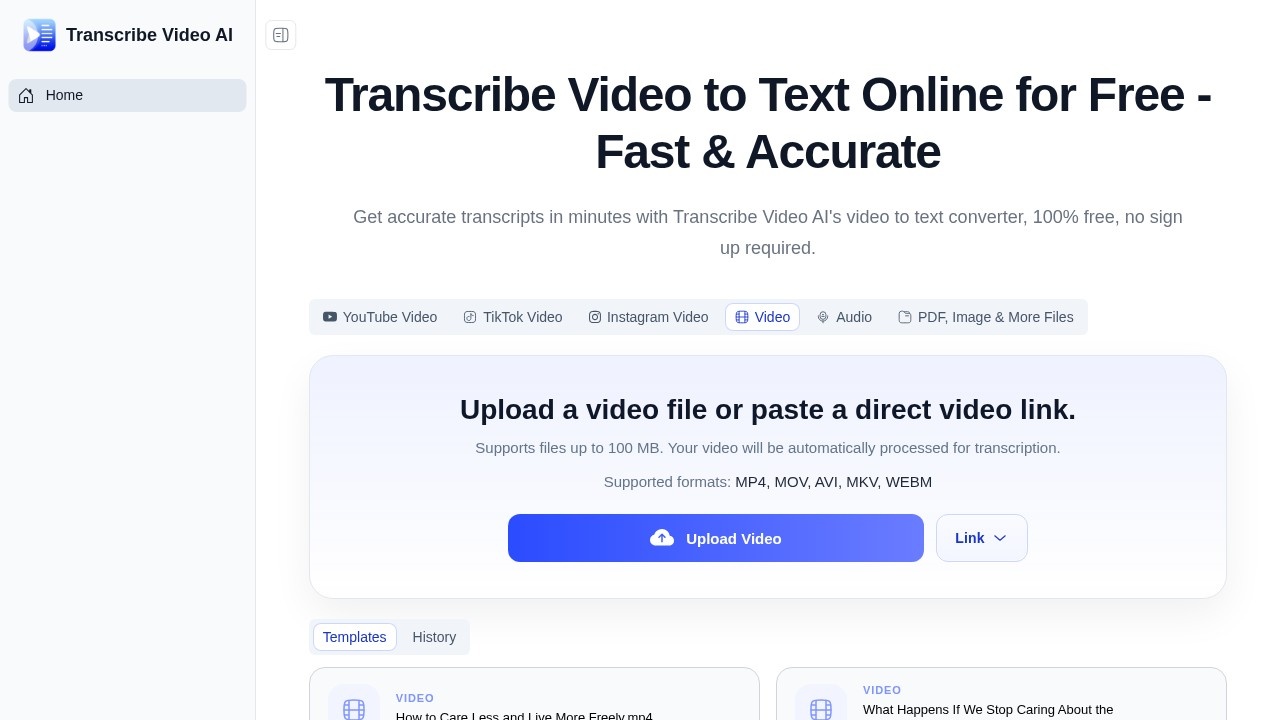
Transcribe Video AI is a free online tool that converts video to text with high accuracy. It combines transcription, subtitle generation, and summarization into one platform. Users can upload video files or paste links from YouTube, TikTok, Instagram, and other sources. The tool supports over 100 languages and claims up to 98.64% accuracy, making it suitable for studying, meetings, and content creation. No sign-up is required to start using it.Application scenarios
Academic research
Transcribe lecture recordings or seminar videos into text for note-taking and study.
Content creation
Generate subtitles and summaries for YouTube videos, social media clips, or podcasts.
Business meetings
Convert Zoom or meeting recordings into searchable transcripts and structured summaries.
Language learning
Get multilingual transcripts with translation support to improve comprehension of foreign-language videos.
Accessibility
Add captions to videos for hearing-impaired audiences or non-native speakers.
Media archiving
Create text backups of video content for search and reference.
Core Features
100% free with no sign-up
You can upload videos or paste links without creating an account or paying anything.
Multi-format and platform support
Accepts MP4, MOV, AVI, MKV, WEBM files, plus direct links from YouTube, TikTok, Instagram, and other platforms.
High accuracy transcription
Claims up to 98.64% accuracy, even with accents or unclear pronunciation, across 100+ languages.
Automatic subtitle generation
Creates subtitles with timestamps for your videos.
Content summarization
Automatically generates clear, structured summaries from long videos.
Large file support
Processes videos up to 1 GB in size, with no long queues or delays.
Multiple export formats
Offers several export options for transcripts and subtitles.
Translation capability
Transcribed text can be translated into multiple languages for multilingual use.
Target users
- Students and researchers who need to transcribe lectures or academic videos.
- Content creators and YouTubers looking for fast subtitles and summaries.
- Business professionals who want meeting notes from recorded calls or Zoom sessions.
- Language learners seeking accurate multilingual transcripts and translations.
- Accessibility specialists adding captions to video content for wider audiences.
How to use Transcribe Video AI?
- Go to the Transcribe Video AI website (no sign-up required).
- Upload a video file (up to 100 MB) or paste a direct video link from YouTube, TikTok, Instagram, or other platforms.
- The tool automatically processes your video for transcription.
- After processing, you can view the transcript, generate subtitles with timestamps, or get a content summary.
- Export your transcript, subtitles, or summary in your preferred format.
Pricing and free trial
Transcribe Video AI is completely free to use with no sign-up required. There is no mention of paid plans or free trials on the website.Effect review
Transcribe Video AI delivers a genuinely useful free service that combines transcription, subtitles, and summarization in one tool. The high accuracy claims (up to 98.64%) and support for 100+ languages make it competitive with paid alternatives, especially for users who need quick results without account creation. The ability to process large files (up to 1 GB) and accept links from major platforms adds real convenience. User ratings on Capterra (4.7), G2 (4.9), and Product Hunt (4.8) suggest strong real-world satisfaction. For anyone needing fast, free video-to-text conversion, this tool is a solid choice.Frequently Asked Questions
What is Transcribe Video AI?
Is Transcribe Video AI free to use?
What file formats does Transcribe Video AI support?
How accurate is the transcription?
Can I generate subtitles for my videos?
How long does it take to transcribe a video?
Transcribe Video AI - AI Tool Detail
Transcribe Video AI is a free online tool for quickly and accurately converting video to text, generating transcripts, subtitles, and summaries.
Category:Speech synthesis
Visit Link:https://transcribe-video.ai/
Tags:video transcription、AI subtitles、video to text、transcript generator、AI summary