
AI Video Background Remover
Remove video backgrounds instantly with AI, no green screen needed. A professional tool for content creators on YouTube, TikTok, and more, offering real-time preview and seamless background removal.
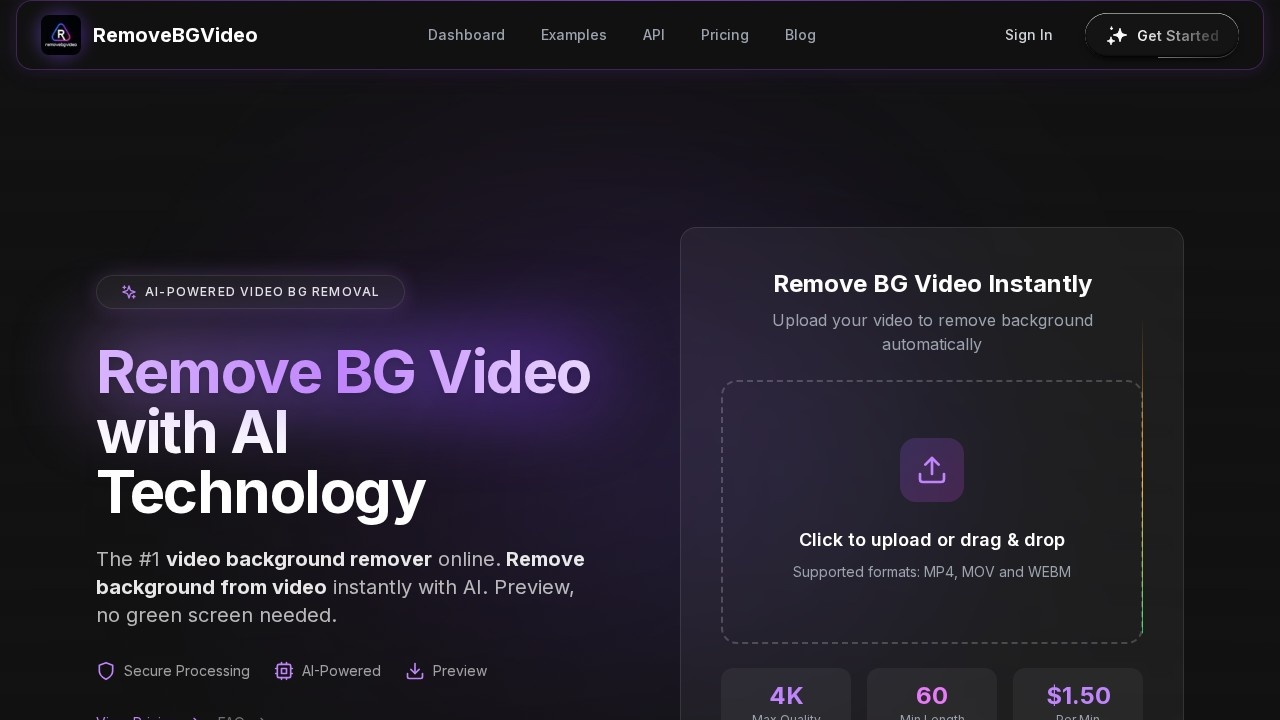
What is AI Video Background Remover?
AI Video Background Remover is an online tool that instantly removes video backgrounds using AI technology, with no green screen required. It automatically detects subjects like people, pets, and products, then removes the background with precision. Users can preview results in real time and export in HD quality up to 4K. The tool supports MP4, MOV, and WebM formats, and processes most videos in under 5 minutes.
Application scenarios
Influencer content creation
Remove backgrounds from videos for clean, professional-looking social media posts on YouTube, TikTok, and Instagram.
Jewelry design
Isolate product footage against a transparent or custom background for e-commerce listings.
Nail design
Showcase nail art or tutorials without distracting backgrounds.
Personal branding videos
Create polished headshots or talking-head clips for personal websites or LinkedIn.
Content creator videos
Streamline editing workflows by removing backgrounds in seconds, no technical skills required.
AI-generated spaceships
Combine AI-generated footage with custom backgrounds for sci-fi or creative projects.
Core Features
AI-powered background removal
The AI automatically detects subjects and removes backgrounds with precision, handling people, pets, and products without a green screen.
Real-time preview
See the final result before exporting with a video background remover preview that shows exactly what the output will look like.
Multiple format support
Accepts MP4, MOV, and WebM files, and exports with transparent or custom backgrounds.
Lightning-fast processing
Powered by cutting-edge GPU technology, most videos process in under 5 minutes, not hours.
HD quality output
Exports in full HD up to 4K while maintaining the original video quality after background removal.
Flexible background options
After removal, choose from solid colors, transparent backgrounds, or upload custom images to change the video background to anything you want.
Secure processing
All video uploads are processed securely online.
No green screen needed
Works with any footage, acting as an AI video green screen remover for all content types.
Target users
Content creators on YouTube, TikTok, and Instagram who need fast, professional background removal without technical skills. Also suits e-commerce sellers (jewelry, nail design), personal branding professionals, and anyone producing video content that requires clean subject isolation.
How to use AI Video Background Remover?
- Go to the website and click "Remove BG Video Instantly" or drag & drop your file.
- Upload a video in MP4, MOV, or WebM format (up to 4K quality, minimum 60 seconds length).
- The AI automatically removes the background and shows a before/after preview.
- Choose a background option: solid color, transparent, or custom image.
- Export the processed video in your desired format.
Pricing and free trial
Pricing is listed at $1.50 per minute of video processed. The site does not mention a free trial. Payments are processed securely by Creem.
Effect review
The tool delivers exactly what it promises: instant, AI-driven background removal without a green screen, with results that can be previewed before export. The before/after examples on the site show clean subject isolation across diverse use cases like influencer content, jewelry, and nail design. Processing speeds under 5 minutes for most videos make it practical for time-sensitive projects. While the $1.50-per-minute pricing adds up for longer clips, the combination of 4K export, multiple format support, and real-time preview gives it strong value for creators who need reliable, no-fuss background removal. The shutdown of competitor Unscreen further positions this as a go-to alternative for the same workflow.
Frequently Asked Questions
How does the AI Video Background Remover work?
Do I need a green screen to use this tool?
Can I preview the background removal before exporting?
Is the tool suitable for YouTube and TikTok content creators?
What video formats are supported?
AI Video Background Remover - AI Tool Detail
Remove video backgrounds instantly with AI, no green screen needed. A professional tool for content creators on YouTube, TikTok, and more, offering real-time preview and seamless background removal.
Category:Video editing
Visit Link:https://removebgvideo.com/
Tags:video background removal、AI video editor、content creator tool、no green screen、real-time preview