
Cutout.Pro
Cutout.Pro is an all-in-one visual design platform by Cutout.Pro, offering AI tools for automatic background removal, image and video editing, text-to-speech, and content generation to transform ideas
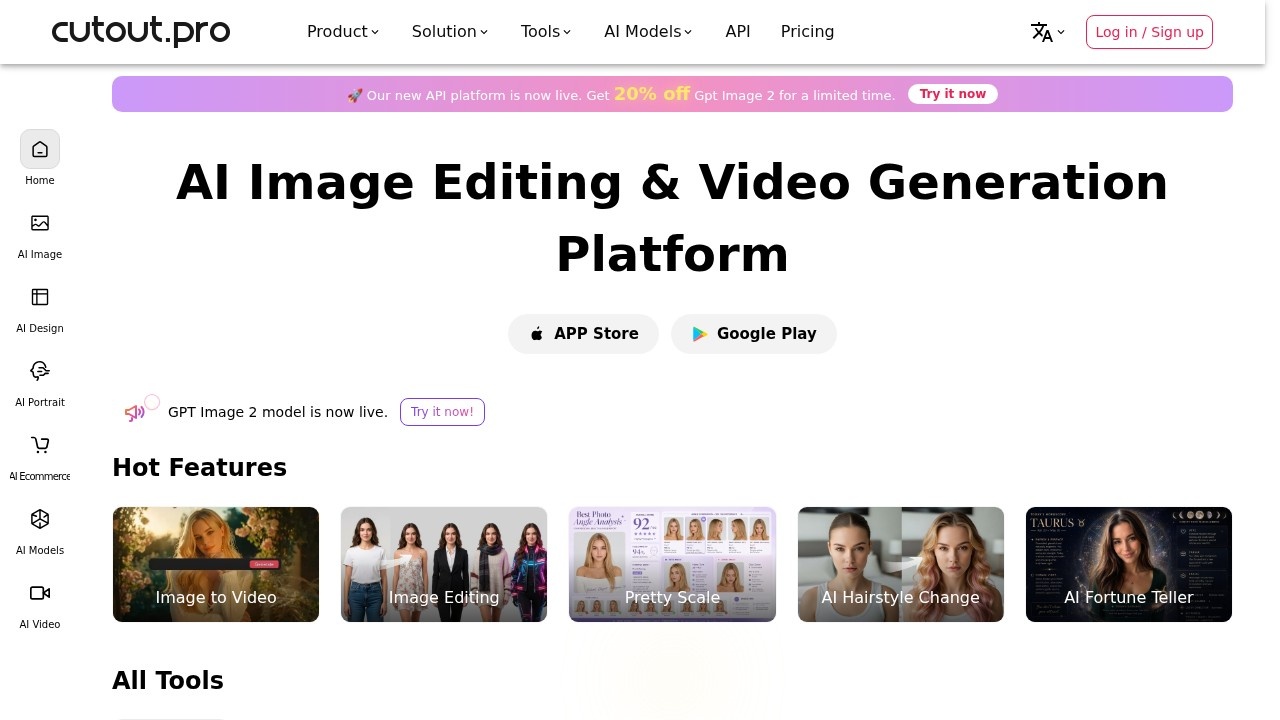
Cutout.Pro Review
What is Cutout.Pro?
Cutout.Pro is an all-in-one visual design platform that bundles AI tools for automatic background removal, image and video editing, text-to-speech, and content generation. Users can remove backgrounds, retouch photos, upscale images, generate AI art, and create videos from a single interface. The platform also offers a dedicated API for developers to integrate these AI capabilities into their own applications. It’s designed to transform creative ideas into finished visuals without jumping between multiple tools.Application scenarios
Image editing
Remove backgrounds, retouch objects, enhance photo quality, and colorize black-and-white photos.
Video creation
Generate videos from text or images using models like Sora 2.0, Veo 3.0, and Seedance 2.0.
Ecommerce
Automatically produce product images with clean backgrounds and professional polish.
Portrait photography
Apply AI hairstyle changes, create passport photos, and generate portrait art.
Marketing and design
Produce greeting cards, wall art, wallpaper, embroidery patterns, and coloring pages.
Creative experimentation
Use AI fortune telling and “Pretty Scale” for fun, shareable visual effects.
Developer integration
Process massive amounts of images and videos via Cutout.Pro APIs with a few lines of code.
Core Features
Image background remover
Automatically cut out subjects from any photo with one click.
Face cutout
Isolate faces from images for compositing or further editing.
Photo enhancer & upscaler
Improve resolution and clarity of low-quality images.
Retouch – remove objects
Erase unwanted elements from photos seamlessly.
Photo colorizer
Add realistic color to black-and-white or faded photographs.
Blur background & background diffusion
Apply depth-of-field effects or creative background replacements.
Image-to-video
Convert static images into animated video clips using AI models.
AI portrait art generator
Transform portraits into artistic styles (sketches, paintings, etc.).
Passport photo maker
Automatically crop, resize, and format photos to official passport standards.
AI greeting card & wall art generator
Create personalized cards and printable art from text prompts.
API integration
Access all AI tools programmatically for bulk processing in custom applications.
Target users
Cutout.Pro is built for designers, ecommerce sellers, social media marketers, content creators, and developers who need fast, automated visual editing. It’s equally useful for photographers who want quick retouching and for hobbyists exploring AI-generated art. The API option makes it a fit for engineering teams embedding visual AI into their own products.How to use Cutout.Pro?
- Visit cutout.pro and click “Get Started For Free” to create an account.
- Choose a tool from the “All Tools” menu – for example, “Image Background Remover” or “Photo Enhancer.”
- Upload your image or video file, or enter a text prompt for AI generation tools.
- Adjust settings if available (e.g., blur strength, output format).
- Preview the result and download the final file. For bulk or automated workflows, use the API with your own code.
Effect review
Cutout.Pro delivers a comprehensive suite of AI editing tools that cover almost every common visual task – from background removal to video generation. The platform’s strength lies in its breadth: you can colorize a photo, upscale it, remove objects, and turn it into a video without leaving the site. The inclusion of multiple AI models (like Sora 2.0, Veo 3.0, and Seedance) suggests competitive output quality for video generation. While the website doesn’t provide user testimonials or performance benchmarks, the sheer number of ready-to-use features makes it a practical choice for anyone who needs quick, reliable visual edits. The free trial lowers the barrier to testing, though heavy users will likely need to evaluate the API pricing for volume work.Frequently Asked Questions
What is Cutout.Pro?
How does Cutout.Pro's background removal work?
Can I edit videos with Cutout.Pro?
Does Cutout.Pro offer text-to-speech?
Is Cutout.Pro free to use?
What types of content can I generate with Cutout.Pro?
Cutout.Pro - AI Tool Detail
Cutout.Pro is an all-in-one visual design platform by Cutout.Pro, offering AI tools for automatic background removal, image and video editing, text-to-speech, and content generation to transform ideas
Category:Image editing
Visit Link:https://cutout.pro/
Tags:AI background removal、video editing、text-to-speech、content generation