
REAPER
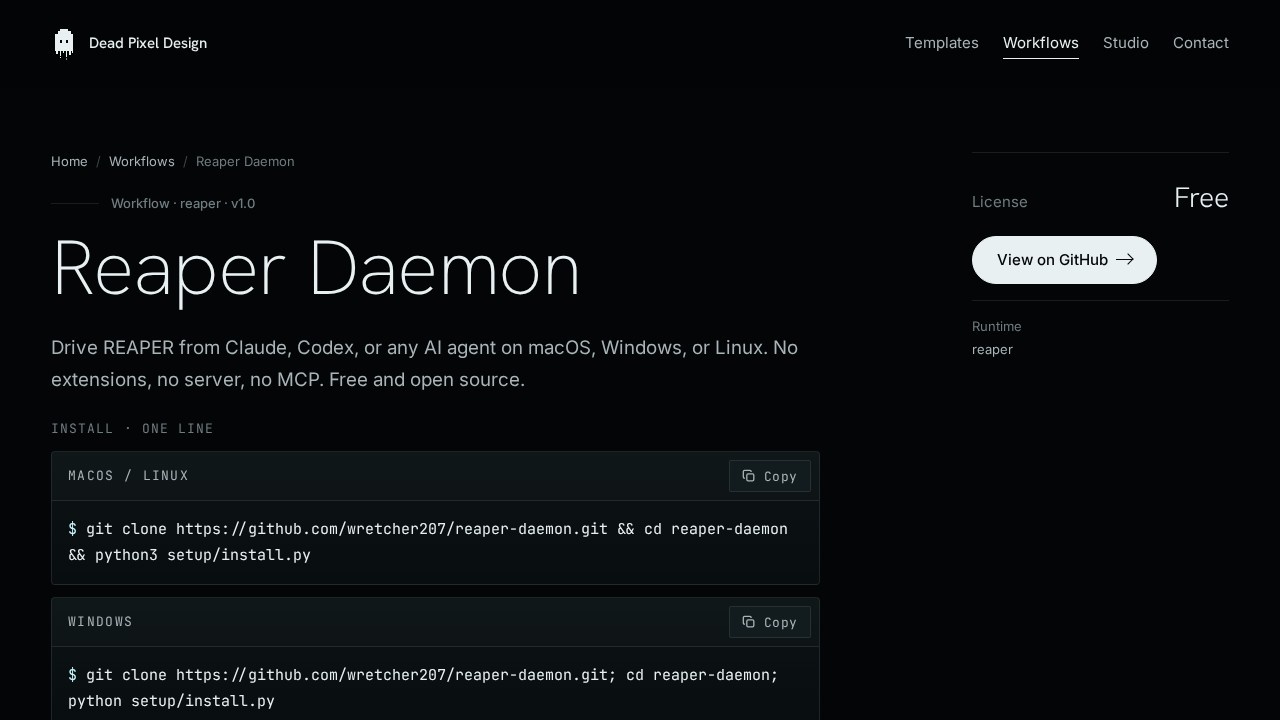
Deadpixel Design’s open-source tool for controlling REAPER from Claude, Codex, or any AI agent on macOS, Windows, or Linux. No extensions, servers, or MCP needed.
What is REAPER?
REAPER is an open-source, MIT-licensed tool from Deadpixel Design that lets AI agents like Claude or Codex control the REAPER digital audio workstation directly. It works as a local file bridge—no network, no socket, no MCP server required. The agent drops JSON command files into a folder, and a Lua script inside REAPER executes them, writing JSON results back. This design allows producers to automate transport, tracks, FX, markers, MIDI, and more without maintaining any server or extension.Application scenarios
Project control
Automate transport, tempo, cursor, time selection, and rendering from an AI agent.
Track management
Add, delete, rename, select, adjust volume/pan, mute, solo, arm, or color tracks programmatically.
FX automation
Add, remove, bypass, reorder FX, set parameters, and write automation envelopes via AI commands.
MIDI insertion
Insert and audition MIDI files directly from an agent.
Discovery and scanning
Use `scan_fx` to dump every FX and parameter in a project, so the agent learns what's available.
Recipe replay
Save a command sequence and replay it on any project for repeatable workflows.
Undo-safe automation
Every mutating command runs inside a REAPER undo block, so Cmd+Z reverts it like any manual action.
Core Features
File-based bridge
The Lua script polls an inbox folder, executes one command per tick, writes results to an outbox, and drops a heartbeat file—no network or socket needed.
Atomic JSON writes
Every JSON write is atomic, so a reader never sees a half-written file, ensuring reliable communication.
Plugin-agnostic design
The bridge ships with no knowledge of any specific synth, amp sim, or instrument; the agent learns project contents via `scan_fx` and acts on tracks, FX, and parameters by name.
One-line installer
A single command clones the repo and runs `setup/install.py`, which detects your OS and wires the bridge into REAPER's startup script.
AI-assisted setup
Paste the repo's `INSTALL.md` into Claude Code or Codex, and it will clone, wire startup, pause for restart, and run a smoke test to confirm the bridge is live.
Cross-platform support
Works on macOS, Windows, or Linux—just REAPER plus Python 3, with about thirty seconds to install.
Undo block integration
All mutating commands run inside a REAPER undo block, making them reversible with standard undo.
Heartbeat monitoring
The bridge writes a heartbeat file you can check to confirm it's running continuously.
Target users
- Producers who already run a coding agent on their Mac and want it to touch their session, not just talk about it.
- Anyone building tools on top of REAPER who does not want to maintain a socket server or an extension.
- People who want their drum, MIDI, or FX automation generated and inserted in one move.
How to use REAPER?
- Clone and install: Copy the one-line installer from the site and paste it into your terminal. It clones the repo and runs
setup/install.py, which finds REAPER and wires the bridge into its startup script. - Restart REAPER: Quit and reopen REAPER so the startup script loads the bridge. It then runs forever in the background and writes a heartbeat file you can check.
- Point your agent at the folder: Tell Claude Code, Codex, or your agent of choice where the inbox/outbox folders are, and start issuing JSON commands.
Pricing and free trial
Free and open source, MIT licensed. No pricing or free trial information is mentioned on the website.Effect review
REAPER Daemon delivers exactly what it promises: a dead-simple, file-based bridge that lets AI agents control REAPER without any network complexity. The design is refreshingly minimal—no servers, no extensions, just JSON files and a Lua script—making it trivial to set up and debug. For producers already using coding agents, this tool eliminates the friction of manual automation and opens up repeatable, scriptable workflows for transport, FX, MIDI, and more. The undo block integration and atomic writes show thoughtful attention to reliability, while the plugin-agnostic approach keeps it flexible for any project. It's a pragmatic, well-engineered solution for anyone who wants their AI agent to actually touch their DAW session.Frequently Asked Questions
What is REAPER?
Do I need to install any extensions or servers to use REAPER?
Which operating systems does REAPER support?
Can I use REAPER with any AI agent?
Is REAPER free to use?
REAPER - AI Tool Detail
Deadpixel Design’s open-source tool for controlling REAPER from Claude, Codex, or any AI agent on macOS, Windows, or Linux. No extensions, servers, or MCP needed.
Category:Automation
Visit Link:https://deadpixeldesign.com/workflows/reaper-daemon/
Tags:AI control、DAW automation、open-source、cross-platform、agent integration