
Craft Agents
An open-source desktop app by Craft for working with AI agents. Connect any API or MCP server, multitask naturally, and customize workflows.
What is Craft Agents?
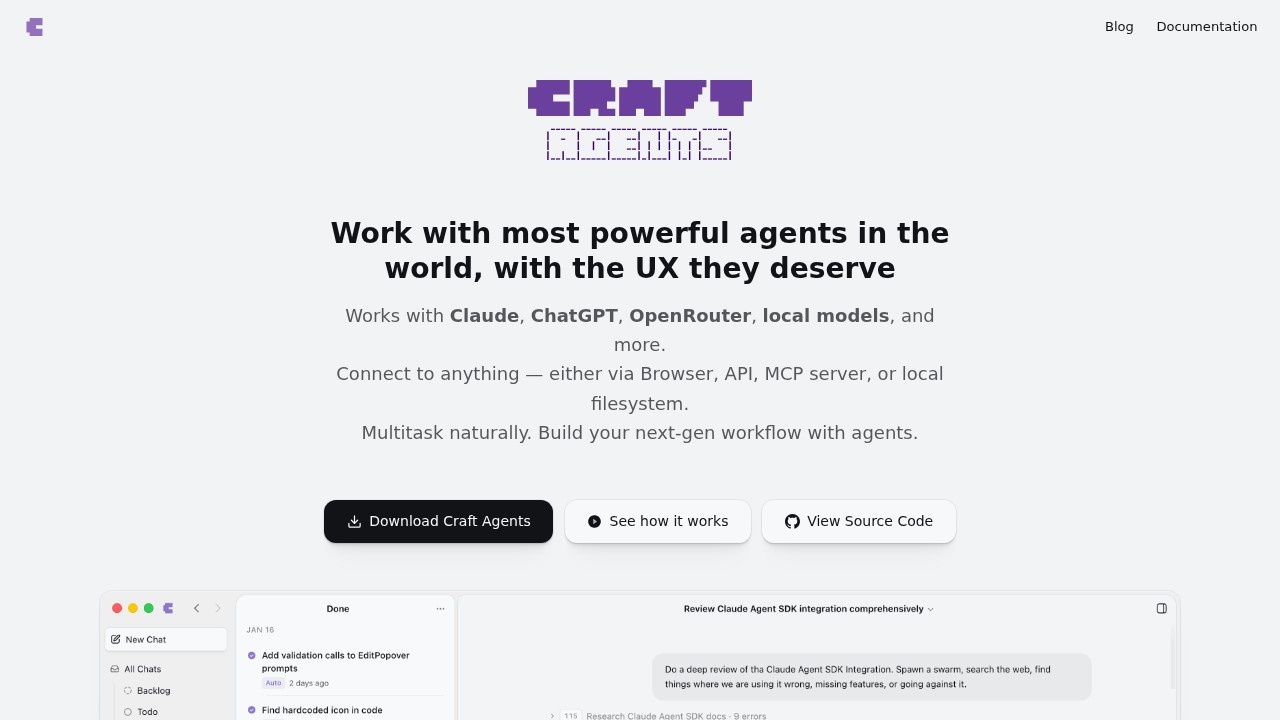
Craft Agents is an open-source desktop application that lets you work with AI agents across multiple models—including Claude, ChatGPT, OpenRouter, and local models via Ollama or LM Studio. It connects to any external service through APIs, MCP servers, a built-in browser, or your local filesystem. The core idea is agent-native software: you describe what you want, and the agent figures out how to do it—whether that means calling an API, running code, or browsing a website. It's built by Craft and designed for multitasking and building next-generation workflows.
Application scenarios
Connecting to SaaS tools
Tell the agent to "add Linear as a source," and it finds public APIs, reads documentation, fetches credentials, and sets everything up instantly.
Using existing MCP configurations
Paste your MCP config JSON, and the agent handles the rest—no manual setup required.
Running local MCP servers
Stdio-based MCP servers run as local subprocesses on your machine, supporting npx commands, Python scripts, or any local binary.
Integrating custom APIs
Paste an OpenAPI spec, endpoint URLs, or even screenshots of documentation—the agent figures it out and guides you through the rest.
Browsing websites without an API
The built-in Chromium browser lets the agent navigate pages, fill forms, click buttons, extract data, and take screenshots—even signing into services autonomously.
Creating custom skills
Describe what a skill should do and give it context; the agent writes the code and makes it available instantly.
Multitasking across models
Switch between Claude, ChatGPT, OpenRouter (400+ models), or offline local models—your workflow stays the same.
Core Features
Multi-model support
Works with Claude (via direct API key or Max subscription), ChatGPT Plus, OpenRouter for 400+ models, and fully offline models via Ollama or LM Studio.
Universal connectivity
Connect to anything—APIs, MCP servers, local filesystems, or a built-in browser—all from one interface.
Natural language setup
Just tell the agent what source to add (e.g., "add Linear as a source"), and it finds APIs, reads docs, fetches credentials, and configures everything without config files or setup wizards.
Custom API integration
Paste OpenAPI specs, endpoint URLs, or screenshots of documentation; the agent reads them and guides you through integration.
Built-in browser
A full Chromium browser inside the app lets the agent navigate, fill forms, click buttons, extract data, and take screenshots autonomously or with manual sign-in.
Instant skill creation
Ask the agent to create a new skill—describe what it should do, and the agent writes it immediately, no app restart needed.
@-mention system
Reference skills or sources mid-conversation using @ mentions, even while chatting.
Local MCP support
Stdio-based MCP servers run as local subprocesses, supporting npx, Python scripts, or any local binary.
No config file hassle
Existing MCP config JSON can be pasted directly; the agent handles the rest.
Target users
Craft Agents is built for developers, power users, and anyone who needs to connect AI agents to multiple external services—whether that's SaaS tools like Linear, Gmail, or Slack, custom APIs, or local databases. It's ideal for teams building next-generation workflows that involve multitasking across different AI models and data sources, without manual configuration.
How to use Craft Agents?
Download the open-source desktop app from the official website. Once installed, start by describing what you want the agent to do—for example, "add Linear as a source." The agent automatically finds public APIs, reads documentation, fetches credentials, and configures everything. You can also paste existing MCP config JSON, or provide OpenAPI specs, endpoint URLs, or screenshots for custom APIs. Use @ mentions to reference skills or sources mid-conversation. Switch between AI models (Claude, ChatGPT, OpenRouter, local models) at any time without losing your workflow.
Effect review
Craft Agents delivers on its promise of "agent-native software" by making complex integrations feel conversational. The ability to connect to anything—APIs, MCP servers, local filesystems, or a browser—without writing config files is a genuine time-saver. The built-in Chromium browser is a standout feature, letting the agent handle websites that lack APIs entirely. While the open-source nature means you'll need to bring your own API keys for cloud models, the flexibility to switch between Claude, ChatGPT, OpenRouter, and local models is a major plus. For anyone tired of manually wiring up AI agents to their tools, this app makes the process feel like a conversation—and that's a good use of tokens.
Frequently Asked Questions
What is Craft Agents?
Is Craft Agents free to use?
Can I connect my own APIs to Craft Agents?
Does Craft Agents support multitasking?
Can I customize workflows in Craft Agents?
Craft Agents - AI Tool Detail
An open-source desktop app by Craft for working with AI agents. Connect any API or MCP server, multitask naturally, and customize workflows.
Category:Agents
Visit Link:https://agents.craft.do/
Tags:open-source、AI agents、desktop app、MCP server、workflow automation