
OpenYak
OpenYak by its developers is an open-source, local-first AI agent that runs on your machine. Point it at a folder to generate files, reports, and tables via tool calls, supporting BYOK, 100+ models, M
What is OpenYak?
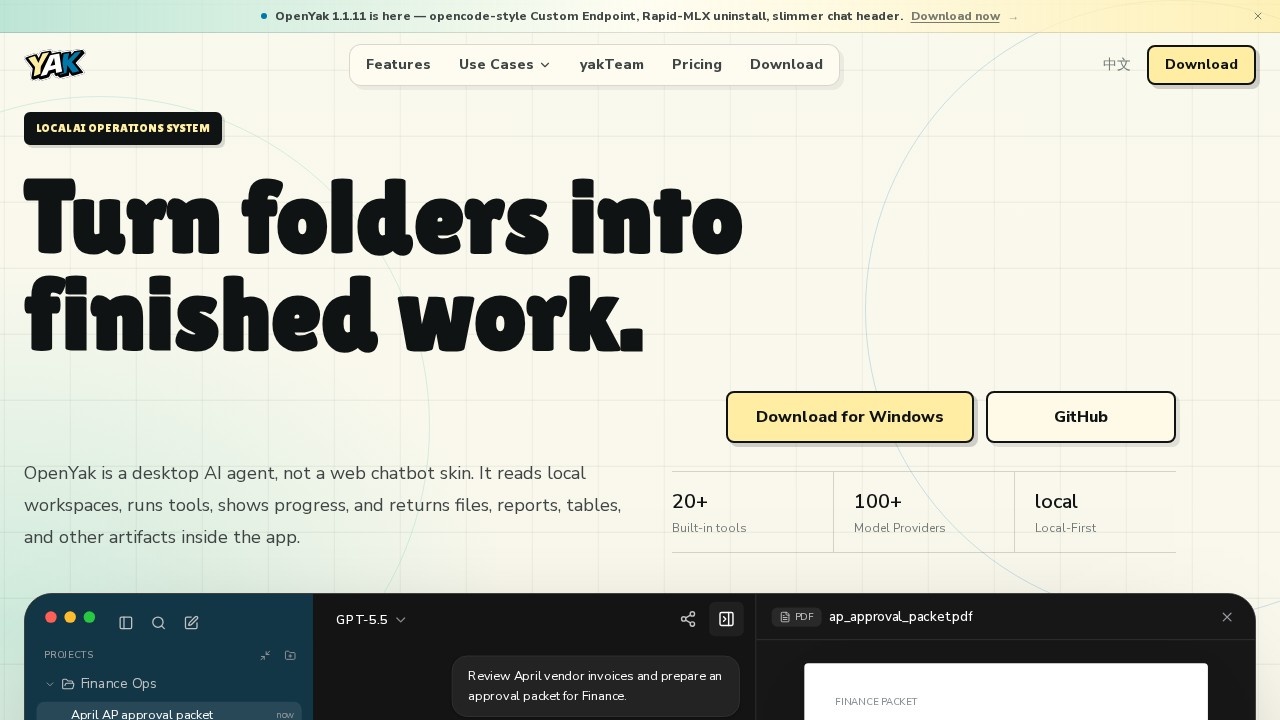
OpenYak is a desktop AI agent that operates locally on your machine, not a web chatbot. It reads local workspaces, runs built-in tools, shows progress, and returns concrete outputs like files, reports, and tables directly inside the app. Users point it at a folder and describe the result they want—Yak handles the rest with tool calls. It's designed for local-first teams that prioritize control and traceability over cloud dependency.Application scenarios
Office Automation
Rename, organize, and clean up files across folders with auditable logs, eliminating manual sorting.
Data Analysis
Parse XLSX, CSV, and document data locally to spot anomalies, track trends, and export summaries without uploading files.
Team Operations
Merge notes from PDFs, DOCX, and CSVs into structured briefs, extracting action items and assigning owners automatically.
Content & Writing
Draft internal notices, policy updates, and professional communications from bullet points in a consistent company tone.
Remote Workflows
Expose your local AI over a secure tunnel, scan a QR code, and resume work from any device, anywhere.
IM & Communication
Connect WhatsApp, Telegram, or other messaging platforms to the agent for automated responses or data processing.
Core Features
Local workspace
Point Yak at a folder and keep all work near your files—the source of truth stays visible on your machine.
Tool execution
File edits, shell tasks, parsing, browsing, memory, and artifact generation run in a single loop with visible progress.
Model choice
Use cloud providers (OpenAI, Anthropic, Google, DeepSeek, MiniMax, Qwen, Meta, Mistral, NVIDIA), local Ollama models, bring your own key (BYOK), or your own subscription—over 100 model providers supported.
Private by default
Designed for local-first teams that care about control and traceability; no data leaves your workspace unless you explicitly expose it.
Artifact outputs
Reports, tables, documents, logs, and rollback notes come back as concrete, reviewable outputs inside the app.
Built-in tools
Over 20 built-in tools handle file editing, shell commands, parsing, browsing, memory, and more.
Desktop workflows
Chat input, workspace scope, visible tool progress, settings panels, and concrete artifact outputs—the site treats OpenYak like the desktop product it is.
Target users
This tool is for professionals and teams who need an AI agent that works on local files without uploading to the cloud. Ideal users include office administrators handling file organization, data analysts parsing local spreadsheets and documents, team operations leads merging notes into structured briefs, content writers drafting consistent communications, and remote workers who want to access their local AI from any device. It also suits IT teams that require private, traceable AI operations.How to use OpenYak?
Download the app for Windows from the official site or clone the GitHub repository. Open the app, choose a local folder, project, or downloads directory as your workspace. Describe the result you want in the chat input—Yak plans, calls tools, parses files, and shows progress like a real desktop app. Review the artifact outputs (reports, tables, documents, logs) and rollback notes as needed. For remote access, expose your local AI over a secure tunnel and scan a QR code to pick up from any device.Effect review
OpenYak delivers a genuinely local-first AI agent experience that feels like a real desktop application, not a web chatbot skin. The ability to point it at a folder and get concrete outputs like approval packets, file reorganizations, or data summaries with visible tool calls is practical for daily workflows. The support for over 100 model providers and BYOK gives users flexibility without vendor lock-in. While no user feedback or awards are mentioned on the site, the feature set—especially the local execution and artifact generation—makes it a strong option for teams needing private, traceable AI operations on their own files.Frequently Asked Questions
What is OpenYak?
Does OpenYak support custom AI models?
Is OpenYak free to use?
Can OpenYak work offline?
What kind of files can OpenYak generate?
Is my data safe with OpenYak?
OpenYak - AI Tool Detail
OpenYak by its developers is an open-source, local-first AI agent that runs on your machine. Point it at a folder to generate files, reports, and tables via tool calls, supporting BYOK, 100+ models, M
Category:Agents
Visit Link:https://open-yak.com/
Tags:open-source、local-first、AI agent、file generation、BYOK