
OpenOwl
OpenOwl by OpenOwl is a computer-using agent that enables AI assistants to see your screen, click, type, and automate desktop or browser tasks. Compatible with Claude, Codex, and MCP-based AIs.
What is OpenOwl?
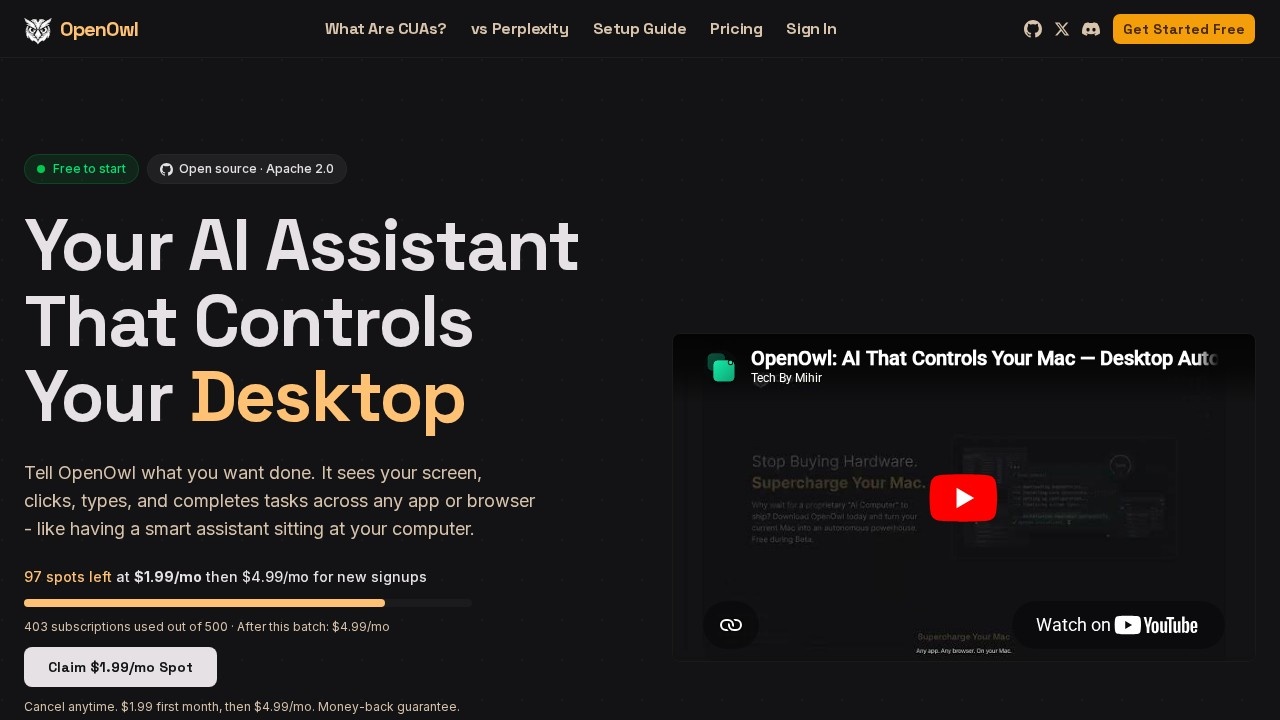
OpenOwl is a computer-using agent that lets AI assistants see your screen, click, type, and automate tasks across any desktop or browser application. It works with Claude, Codex, and any MCP-compatible AI, turning natural language commands into automated workflows. Users describe what they want done in plain English, and OpenOwl handles the rest—opening apps, filling forms, navigating pages, and delivering results. It runs locally on your machine, meaning every screenshot, keystroke, and action stays on your computer.Application scenarios
Influencer Outreach
Find influencers, draft personalized outreach, and manage negotiations on social platforms.
UGC Creator Management
Find UGC creators, negotiate terms, and close deals by navigating desktop social tools.
Investor Discovery
Scan Crunchbase and LinkedIn for investors, pull contact info, and draft outreach messages.
Daily Task Automation
Automate data entry, CRM updates, and multi-app workflows that normally take hours.
Go-To-Market Execution
Launch across Reddit, Product Hunt, and IndieHackers simultaneously.
Lead Gen & Outreach
Navigate LinkedIn, identify leads, and draft personalized emails in a desktop mail client.
Competitive Intel
Monitor competitor pricing and sentiment with automated screen-scraping to local CSVs.
Data Collection
Pull data from legacy dashboards without APIs and aggregate it into modern reporting tools.
Core Features
Screen-aware automation
OpenOwl sees your screen and interacts with any app or browser—clicking, typing, and navigating just like a human.
Natural language commands
Describe tasks in plain language (e.g., "Find 50 leads on LinkedIn and save them to a spreadsheet") without writing scripts or code.
Multi-AI compatibility
Works with Claude, Codex, and any MCP-compatible AI assistant.
One-command install
Install with `npm i -g openowl` and connect it to your AI assistant in a single step.
Local mode
Every screenshot, keystroke, and action stays on your machine—nothing leaves your screen.
Error handling
OpenOwl works through each step, handles errors automatically, and delivers a summary when the task is complete.
Cross-app workflows
Automate tasks that span multiple desktop apps, browsers, and web platforms simultaneously.
Real-time progress tracking
See each step as it happens (e.g., "Opened Instagram," "Found 34 creators," "Saved to Google Sheet").
Target users
OpenOwl is built for engineers, QA engineers, growth leads, freelance developers, and teams who need to automate repetitive desktop workflows. It's especially useful for marketing ops, content teams, founders, sales ops, analysts, and researchers who want to offload multi-app tasks like lead generation, data collection, competitive intelligence, and go-to-market execution.How to use OpenOwl?
- Install OpenOwl with one command:
npm i -g openowl(no coding required). - Connect it to your AI assistant—Claude, Codex, or any MCP-compatible AI.
- Describe your task in plain language (e.g., "Find UGC creators on Instagram who post about skincare, save their profiles to a Google Sheet").
- Watch it work—OpenOwl sees your screen, opens apps, clicks buttons, fills forms, and navigates pages. It handles errors and delivers a summary when done.
Pricing and free trial
OpenOwl is free to start. A limited-time launch pricing is available: $1.99 for the first month, then $4.99/month for new signups (97 spots left at this rate). After the batch of 500 subscriptions is used, the price becomes $4.99/month. Cancel anytime with a money-back guarantee.Effect review
User testimonials on the site highlight real-world results: a QA engineer uses OpenOwl to automate desktop app testing and catch visual regressions that unit tests miss; a growth lead scrapes competitive pricing from 12 sites daily, cutting a 3-hour task to 15 minutes with Claude + OpenOwl; a freelance developer chose OpenOwl over cloud alternatives specifically because it runs entirely on his machine. The combination of local privacy, natural-language control, and multi-app automation makes it practical for teams that need to eliminate repetitive screen-based work without writing custom scripts. For developers and non-coders alike, it delivers on the promise of a "smart assistant sitting at your computer."Frequently Asked Questions
What is OpenOwl?
Which AI assistants are compatible with OpenOwl?
What kind of tasks can OpenOwl automate?
Does OpenOwl require coding knowledge to use?
Is OpenOwl safe to use with sensitive data?
How can I get started with OpenOwl?
OpenOwl - AI Tool Detail
OpenOwl by OpenOwl is a computer-using agent that enables AI assistants to see your screen, click, type, and automate desktop or browser tasks. Compatible with Claude, Codex, and MCP-based AIs.
Category:Automation
Visit Link:https://openowl.dev/
Tags:Computer-using agent、desktop automation、browser automation、AI assistant integration、MCP-based AI