
NoMac
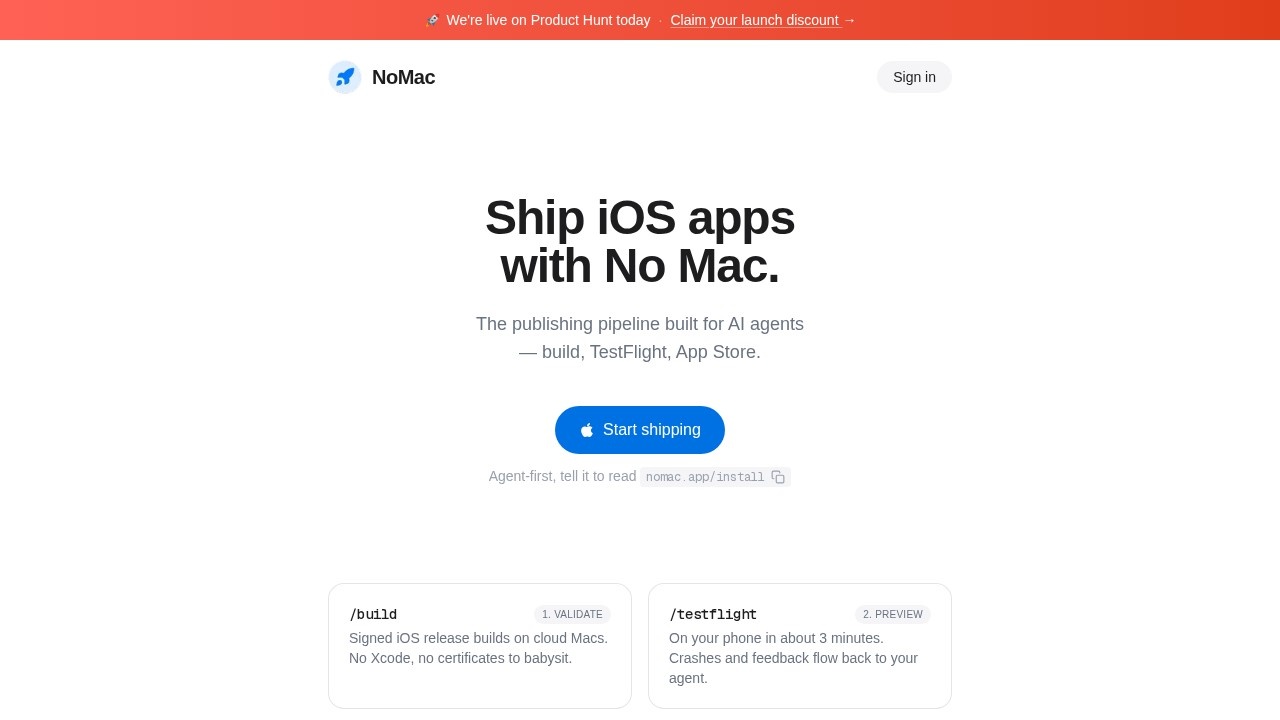
NoMac by the NoMac team enables AI agents to build signed iOS releases, push to TestFlight, and submit to the App Store without a Mac or Xcode.
What is NoMac?
NoMac is a cloud-based iOS publishing pipeline designed for AI agents. It enables users to build, sign, and submit iOS apps to TestFlight and the App Store without needing a Mac or Xcode. The entire process runs on cloud Macs, with certificates, provisioning, and signing handled automatically. Users or their AI agents drive the workflow through a CLI, API, or MCP (Model Context Protocol).Application scenarios
AI-driven app development
AI agents like Claude Code, Codex, or Cursor can build and ship iOS releases autonomously.
Rapid prototyping
Developers can push a signed build to TestFlight in about 3 minutes for quick previews on their iPhone.
Continuous deployment
Teams can automate App Store submissions, including metadata, screenshots, and review checks.
No-Mac freelance work
Freelancers without a Mac can still produce signed iOS builds and submit to the App Store.
Agent-first workflows
Agents can handle the entire pipeline—build, TestFlight, and submission—while the human handles one-time setup like Apple Developer account and API key.
Feedback loops
Crashes and tester feedback flow back to the agent for iterative improvements.
Core Features
Cloud-Mac builds
Builds run on cloud Macs, producing signed iOS release builds without Xcode or certificate management.
TestFlight upload in ~3 minutes
After setup, a build lands on your iPhone via TestFlight quickly, with crashes and feedback routed to your agent.
App Store submission
Handles metadata, screenshots, review-readiness checks, and the actual submission to the App Store.
Agent-driven interface
Works with any agent that supports MCP or CLI—Claude Code, Codex, Cursor, and others.
Automated certificates & provisioning
Certificates, provisioning profiles, and signing are managed automatically after initial setup.
Cloud simulators (coming next)
Future feature will let agents drive cloud simulators directly; currently, the human acts as the simulator.
Setup wizard
A guided wizard walks through Apple Developer account creation, App Store Connect API key setup, App Privacy questions, and TestFlight installation—verifying each step live.
Target users
- AI agent developers who want to automate iOS app publishing without manual Mac-based workflows.
- Solo developers who lack a Mac but need to ship iOS apps to the App Store.
- Small teams looking to integrate continuous iOS deployment into their agent-driven pipelines.
- Freelancers who want to offer iOS development services without owning a Mac.
How to use NoMac?
Sign in with Apple and choose a plan. Then tell your AI agent to readnomac.app/install or run npx @nomac/cli login in your app's folder. The setup wizard guides you through one-time steps: an Apple Developer account ($99/yr, paid to Apple), an App Store Connect API key, App Privacy questions, and installing TestFlight on your iPhone. After that, your agent handles builds, TestFlight uploads, and App Store submissions.Pricing and free trial
- Starter: $5/mo — 1 app, 50 builds/month, TestFlight + App Store submission.
- Pro: $20/mo — unlimited apps, 300 builds/month, TestFlight + App Store submission.
- Requires an Apple Developer account ($99/yr, paid to Apple). No free trial is mentioned.
Effect review
NoMac delivers exactly what it promises: a no-Mac iOS publishing pipeline driven by AI agents. The setup wizard and automated certificate management remove the typical friction of iOS development, while the CLI/MCP interface makes it agent-friendly. The 3-minute TestFlight turnaround is genuinely fast for a cloud-based build system. However, the human still must handle one-time Apple account setup, and cloud simulators are not yet available. For developers already using AI agents like Claude Code or Cursor, NoMac is a practical shortcut to shipping iOS apps without a Mac.Frequently Asked Questions
What is NoMac?
How does NoMac work?
Can I use NoMac for manual app submissions?
Do I need an Apple Developer account?
Is NoMac free?
What types of apps can NoMac build?
NoMac - AI Tool Detail
NoMac by the NoMac team enables AI agents to build signed iOS releases, push to TestFlight, and submit to the App Store without a Mac or Xcode.
Category:Code generation
Visit Link:https://nomac.app/
Tags:AI app deployment、iOS CI/CD、no Mac required、TestFlight automation、App Store submission