MoDev
MoDev provides a complete mobile development environment integrating Claude AI, GitHub, Vercel, and Supabase, enabling coding, deployment, and project management directly from your phone without a lap
What is MoDev?
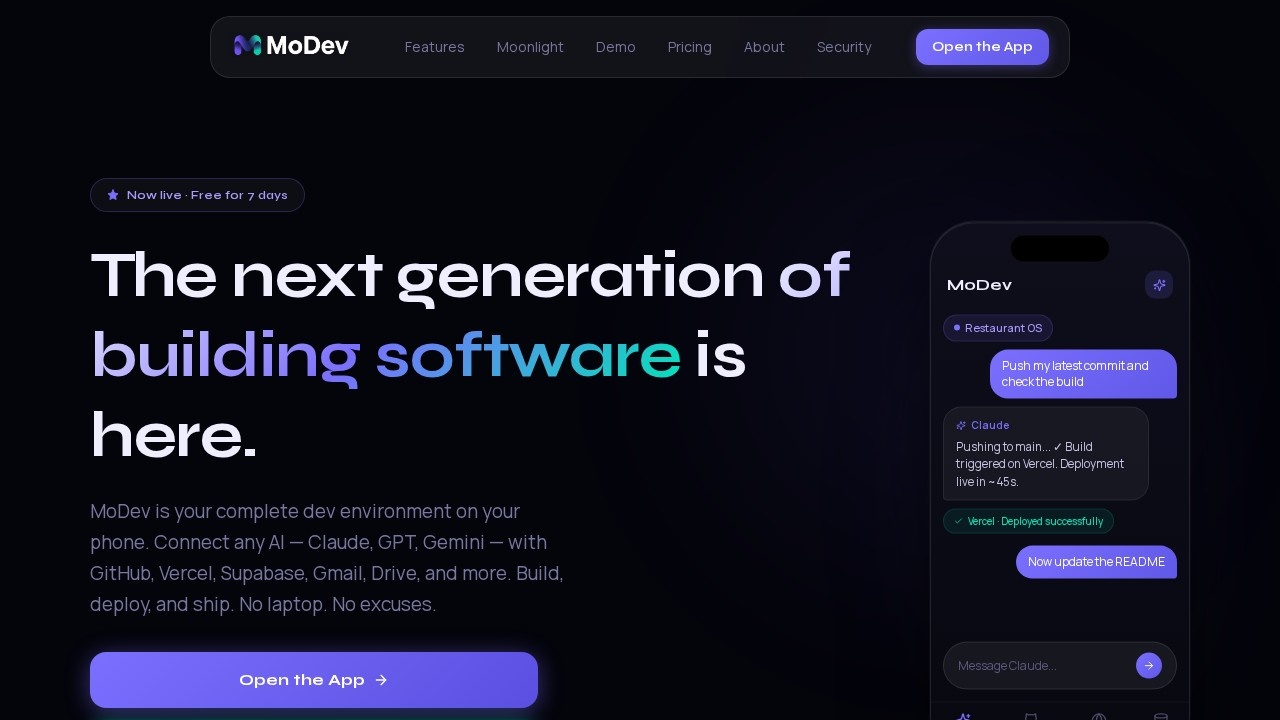
MoDev is a mobile-first development environment that lets you build, deploy, and manage software projects entirely from your phone. It integrates AI models like Claude, GPT, and Gemini with developer tools such as GitHub, Vercel, and Supabase, plus productivity apps like Gmail, Drive, and Calendar. Users can code, commit, deploy, and manage databases—all without needing a laptop. The app also includes a non-developer assistant plan (Moonlight) for managing email, calendar, and files through AI.Application scenarios
Mobile coding and deployment
Push commits to GitHub, trigger Vercel builds, and deploy live updates directly from your phone.
AI-assisted development
Switch between Claude, GPT-4o, or Gemini mid-project to generate code, write commit messages, or query databases.
Database management
Browse tables, run SQL queries, and manage auth users in Supabase from chat.
Git operations
Browse repos, edit files, commit, branch, and open PRs—AI commits directly without a terminal.
Non-developer productivity
Connect Gmail, Calendar, and Drive to let AI triage inbox, schedule events, and find files.
API integration
Bring any API key (Notion, Linear, Slack, Stripe) and control your entire stack from one chat interface.
Core Features
Multi-AI support
Connect Claude, GPT-4o, or Gemini and switch models during a project—your own API keys and credits.
GitHub integration
Browse repos, edit files, commit, branch, and open PRs with AI handling commits directly.
Vercel deployment
One-tap deploys with live build logs streamed to your phone; AI can trigger deployments.
Supabase database
Browse tables, run SQL, manage auth users, and let AI query your database from chat.
BYOK (Bring Your Own Key)
Add any API key and layer tools like Notion, Linear, Slack, or Stripe into the chat interface.
Moonlight assistant
Claude included with no API key needed—manage Gmail, Calendar, Drive, and more via natural language.
Scheduled automations (coming soon)
Set recurring tasks that run daily without manual intervention.
Photo AI (coming soon)
Upload photos and let AI tag, search, and organize them by content.
Target users
Independent developers who want to ship fast from their phone, and non-developers who need an AI-powered assistant for email, calendar, and file management. The Solo plan is built for solo developers, while Moonlight targets users with no technical skills.How to use MoDev?
Open the app (available now) and sign up for a free 7-day trial—no credit card required. Developers connect their own API keys for AI models (Anthropic, OpenAI) and link GitHub, Vercel, and Supabase accounts. Non-developers on the Moonlight plan can start by connecting Gmail, Calendar, and Drive, then use natural language to manage tasks. The interactive demo is available on the website.Pricing and free trial
- Moonlight Plan: $15/month — includes Claude AI, 1 seat, 1 workspace, 500 AI credits, 5 spaces (work, family, personal). No API key needed.
- Solo Plan: $30/month — bring your own API key, 1 seat, 1 workspace, 10 projects, GitHub/Vercel/Supabase integration.
- Free trial: 7-day beta for both plans — no credit card required.
Effect review
MoDev delivers on its promise of a complete mobile development environment by integrating the most essential tools developers need—GitHub, Vercel, Supabase, and multiple AI models—into a single chat-driven interface. The ability to switch between Claude, GPT, and Gemini mid-project gives real flexibility, and the live build logs from Vercel make remote deployment practical. For non-developers, the Moonlight plan offers genuine utility with AI-powered email triage, calendar management, and file search. While some features like scheduled automations and photo AI are still pending, the current feature set is already functional and well-integrated. The pricing is transparent and reasonable, especially with the free 7-day trial and BYOK option for developers.Frequently Asked Questions
What is MoDev?
Can I use MoDev without a laptop?
What tools does MoDev integrate?
Is MoDev free to use?
Do I need coding experience to use MoDev?
Can I deploy apps directly from MoDev?
MoDev - AI Tool Detail
MoDev provides a complete mobile development environment integrating Claude AI, GitHub, Vercel, and Supabase, enabling coding, deployment, and project management directly from your phone without a lap
Category:Programming Assistant
Visit Link:https://modev.app/
Tags:mobile development、Claude AI、no-code deployment、GitHub integration、Supabase