
Lucidchart
Lucidchart by Lucid Software is a web-based diagramming tool for creating flowcharts, wireframes, and visual collaboration in real time.
What is Lucidchart?
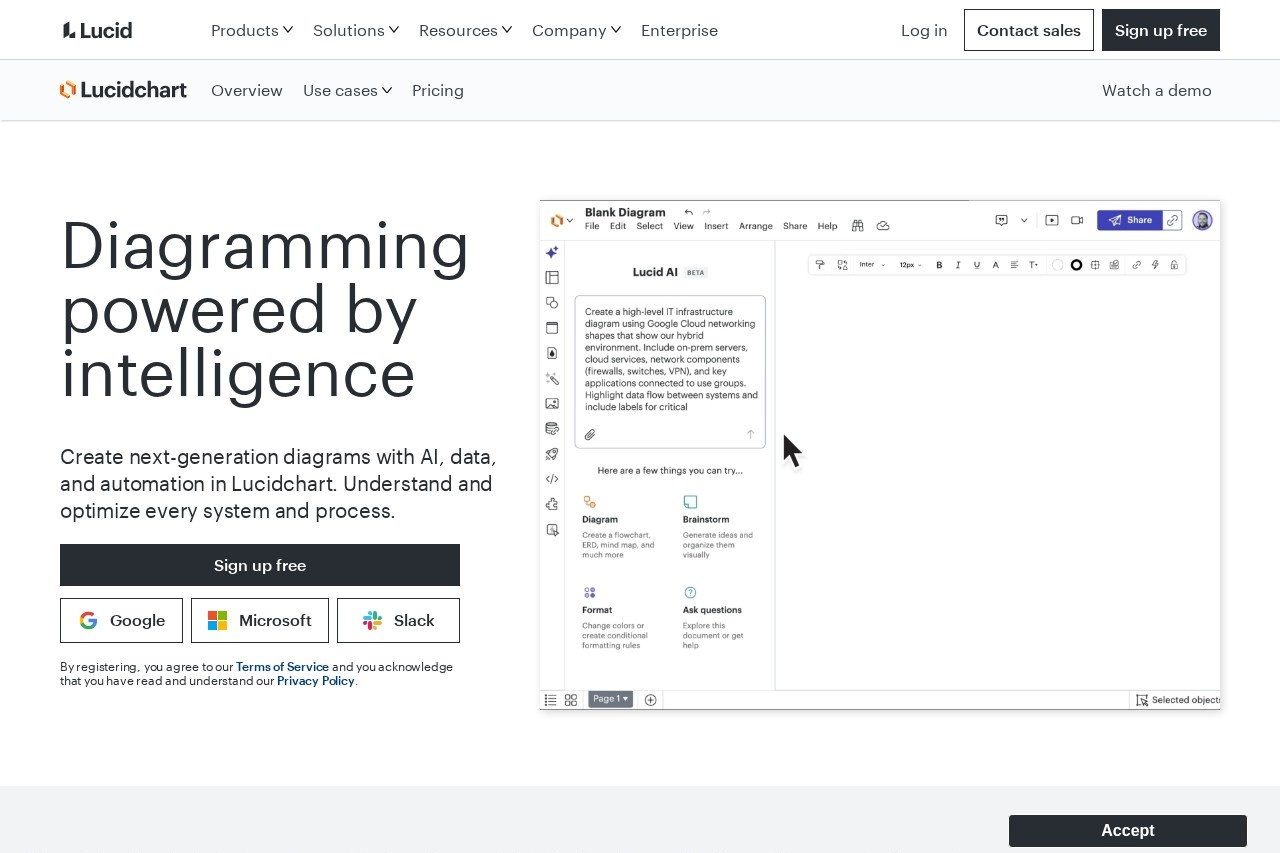
Lucidchart is a web-based diagramming tool powered by AI, data, and automation. Users create flowcharts, wireframes, and various technical diagrams for visual collaboration. Its core purpose is to help teams understand, visualize, and optimize systems and processes. The platform enables real-time collaboration to build a shared understanding through visual documentation.Application scenarios
Process mapping and optimization
Establishing a single source of truth for business processes.
AI-generated diagramming
Saving time by having AI create and summarize diagrams.
Organization and team planning
Building dynamic org charts to visualize people and workloads.
Technical documentation
Creating clear and efficient visuals like ERDs and system architecture diagrams.
Systems and infrastructure visualization
Building a central communication hub for technical infrastructure.
Project and product planning
Utilizing templates for roadmaps, Scrum boards, and customer journey maps.
Core Features
AI-powered generation
Automatically generate visuals using AI prompts and data imports.
Real-time collaboration
Multiple users can work on the same diagram simultaneously.
Intuitive diagramming tools
Build custom diagrams using dedicated tools.
Diagram as code
Create diagrams from code-based inputs.
Quick diagramming
Features designed for rapid visual creation.
Lucid AI
A dedicated AI assistant for diagramming and summarization.
Data imports and linking
Populate diagrams like org charts directly from data sources.
Conditional formatting and layers
Enhance technical diagrams with visual rules and organization.
AI Prompt Flow and cloud shape libraries
Specialized tools and assets for systems architecture diagrams.
Extensive template library
Jumpstart projects with pre-built templates for flowcharts, org charts, roadmaps, UML diagrams, and more.
Target users
The tool serves teams and professionals who need to document, plan, and communicate complex information visually. This includes process managers, system architects, software developers, technical writers, product managers, HR teams for org planning, and project teams using methodologies like Scrum.How to use Lucidchart?
You can start by signing up for a free account directly on the website, with options to sign in using Google, Microsoft, or Slack credentials. Once logged in, you can either select a template from the extensive library or begin a new diagram. You can build diagrams manually using the intuitive tools or leverage AI features by providing a prompt to generate a diagram automatically. The platform supports real-time collaboration, allowing teams to work on diagrams together.Effect review
Lucidchart positions itself as an intelligent diagramming solution that moves teams from visualization to action. By integrating AI generation, real-time collaboration, and data connectivity, it aims to reduce the manual effort of diagram creation and improve data visibility for decision-making. The breadth of specialized features for technical, architectural, and planning use cases suggests a tool designed for professional, cross-functional team adoption. The focus on creating a "shared understanding" and a "single source of truth" indicates its utility as a central tool for documenting and optimizing business and technical processes.Frequently Asked Questions
What is Lucidchart?
Is Lucidchart free to use?
What types of diagrams can I create with Lucidchart?
Does Lucidchart support real-time collaboration?
Can I integrate Lucidchart with other tools?
Is Lucidchart available offline?
Lucidchart - AI Tool Detail
Lucidchart by Lucid Software is a web-based diagramming tool for creating flowcharts, wireframes, and visual collaboration in real time.
Category:Project Management
Visit Link:https://lucidchart.com/
Tags:diagramming、flowcharts、wireframes、collaboration、visual design