
GitMind
GitMind is a free AI-powered mind mapping and brainstorming app for creating online mind maps, project plans, notes, flowcharts, org charts, and UML diagrams with real-time collaboration.
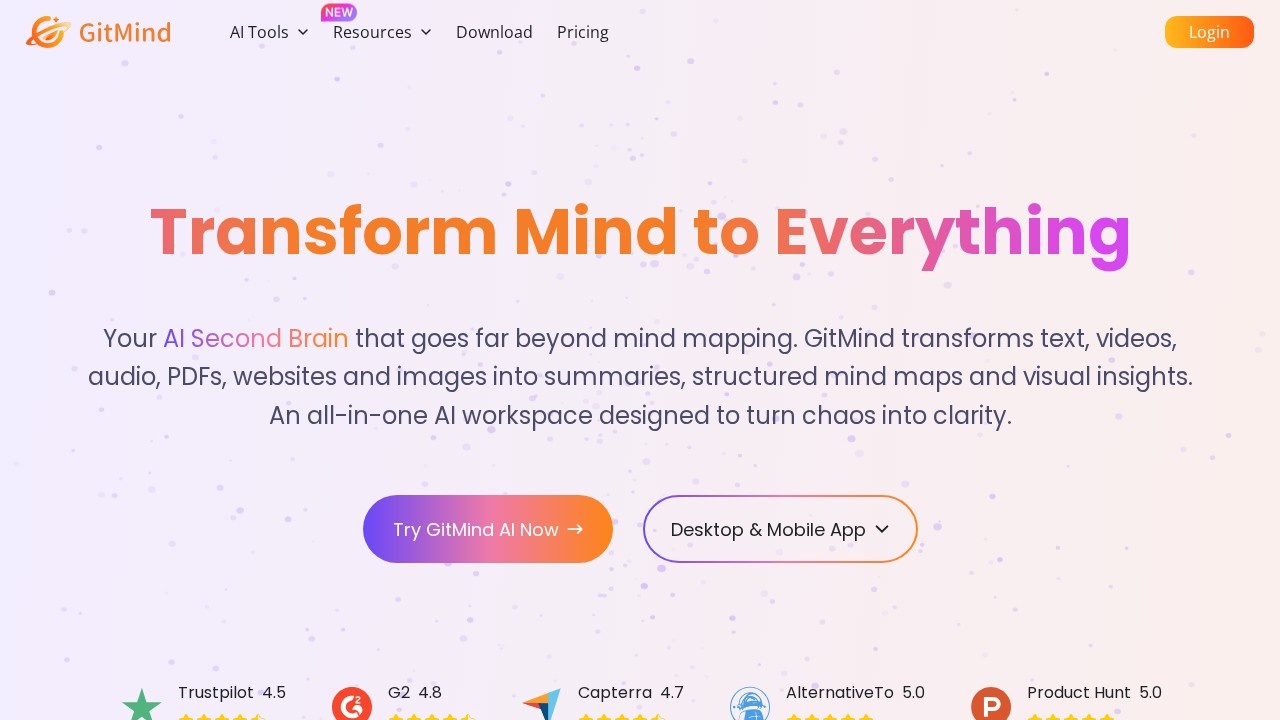
What is GitMind?
GitMind is an AI-powered mind mapping and brainstorming app that acts as a "second brain" for transforming various content types—text, videos, audio, PDFs, websites, and images—into summaries, structured mind maps, and visual insights. It's an all-in-one AI workspace designed to simplify workflows by turning chaos into clarity. Users leverage it for creating online mind maps, project plans, notes, flowcharts, org charts, and UML diagrams, with real-time collaboration support.
Application scenarios
Education
Students summarize videos and class materials, convert photos of handouts into text, and organize notes efficiently.
Teaching
Teachers convert long articles into clear mind maps using the Article Summarizer, and use Presentation Mode for dynamic lessons.
Marketing
Marketing specialists map campaign ideas visually in just a few clicks, saving time on planning.
Document processing
Turn reports, presentations, spreadsheets, ebooks, and texts into structured mind maps or concise summaries for studying or reviewing.
Media analysis
Extract key insights from YouTube, podcasts, and audio recordings in minutes by converting videos and audio into text and summaries.
Image processing
Extract text from images with OCR to create summaries and mind maps, or turn long documents into infographics.
Diagram generation
Automatically create flowcharts, UML diagrams, class diagrams, ERDs, and infographics with AI assistance.
Core Features
AI-powered mind mapping
Generate mind maps from a single topic automatically, summarizing articles and documents.
Video and audio conversion
Convert videos and audio into text and summaries, extracting key insights from YouTube, podcasts, and recordings.
Document summarization
Turn reports, presentations, spreadsheets, ebooks, and texts into structured mind maps or concise summaries.
Image OCR and processing
Extract text from images with OCR to create summaries and mind maps, or convert text into AI-generated images.
Automatic diagram generation
Create professional diagrams like flowcharts, UML diagrams, class diagrams, ERDs, and infographics with AI assistance.
Article summarizer
Convert long articles into clear mind maps, ideal for studying or teaching.
Presentation Mode
Make lessons more dynamic and easy to understand with visual mind map presentations.
AI Chatbot
Answer questions quickly using an integrated AI chatbot.
Real-time collaboration
Create and edit mind maps, project plans, notes, and diagrams with others in real time.
Cross-platform access
Available as a desktop and mobile app (Windows, Mac, iOS, iPad OS, Android), plus a Chrome extension.
Target users
GitMind is designed for students, teachers, marketing specialists, and professionals across industries who need to organize information visually. It's particularly useful for university students studying complex materials, history teachers creating dynamic lessons, and marketing teams planning campaigns efficiently. The broad user base (10M+ users, 20M+ app downloads) indicates it appeals to anyone managing research, project planning, or content summarization.
How to use GitMind?
- Visit the GitMind website or download the desktop/mobile app (Windows, Mac, iOS, iPad OS, Android) or install the Chrome extension.
- Sign up or log in to access the AI workspace.
- Enter a topic, upload a document, paste a URL, or import a video/audio file to start generating mind maps or summaries.
- Use AI tools like Article Summarizer, OCR image processing, or automatic diagram generation to refine your output.
- Export or share your mind maps, diagrams, or summaries, or use Presentation Mode for live sessions.
Effect review
GitMind delivers on its promise of turning chaos into clarity, with user feedback highlighting significant time savings and improved organization. Students report that summarizing videos perfectly saves hours of review time, while teachers find the Article Summarizer and Presentation Mode invaluable for dynamic lessons. Marketing specialists praise the ability to map campaign ideas visually in just a few clicks, streamlining planning. With strong ratings (4.5 on Trustpilot, 4.8 on Capterra, and 5.0 on Product Hunt) and over 15 million tasks completed, GitMind proves to be a reliable, versatile tool for anyone needing to transform content into actionable visual insights.
Frequently Asked Questions
What is GitMind?
Is GitMind free to use?
Can I collaborate with others in real-time?
What types of diagrams can I create with GitMind?
Is GitMind available online or offline?
Does GitMind use AI for brainstorming?
GitMind - AI Tool Detail
GitMind is a free AI-powered mind mapping and brainstorming app for creating online mind maps, project plans, notes, flowcharts, org charts, and UML diagrams with real-time collaboration.
Category:Document processing
Visit Link:https://gitmind.com/
Tags:mind mapping、AI brainstorming、real-time collaboration、diagram creation、project planning