
GPT Image2
AI image generator by GPT Image2 for creating high-quality visuals from text prompts, offering adjustable aspect ratios, online generation, and transparent credit-based pricing for flexible downloads.
What is GPT Image2?
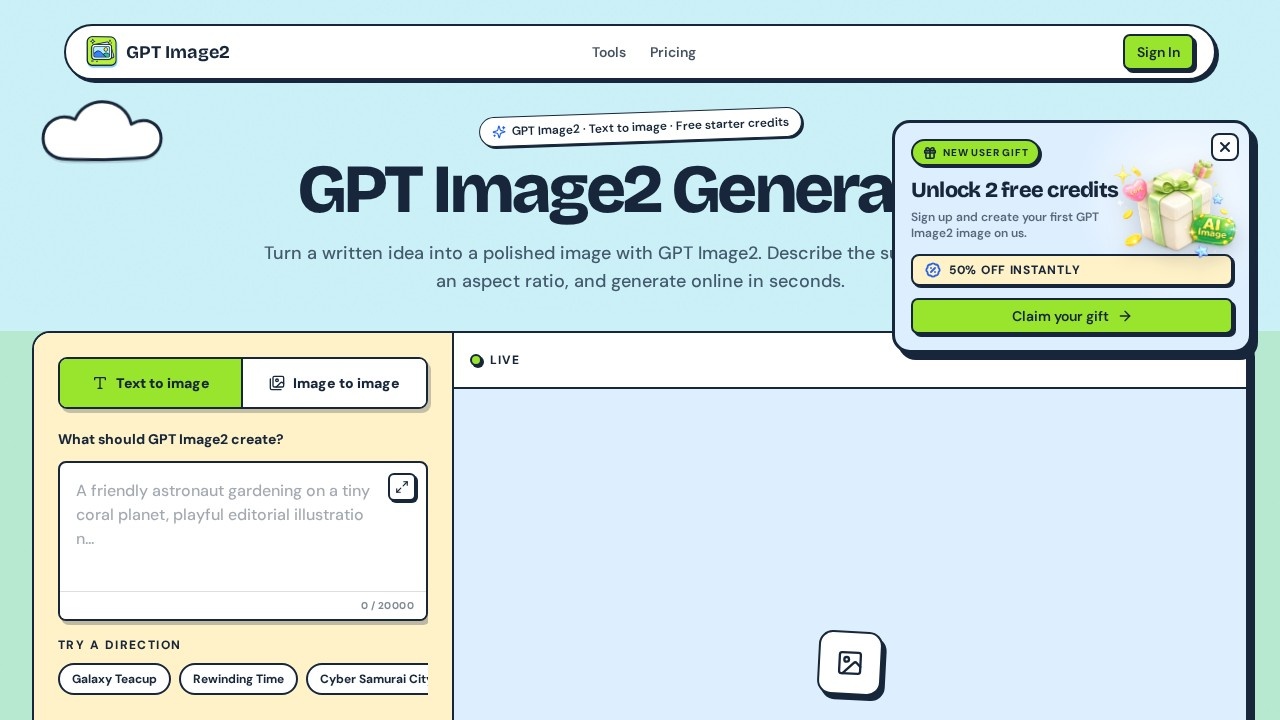
GPT Image2 is an AI image generator that turns written prompts into polished, ready-to-use visuals. You describe a subject in natural language, pick an aspect ratio, and the tool generates an image online in seconds. It supports both text-to-image and image-to-image workflows, making it a flexible option for creative production. The service emphasizes speed and simplicity—no design software setup, no asset hunting, and no long queues. Users can generate, download, and reuse images directly from the browser.
Application scenarios
Campaign testing
Quickly generate visual directions for marketing campaigns while the idea is still fresh.
Mockups and storyboards
Create publish-ready images for presentations, storyboards, or product content.
Editorial and poster design
Produce stylized visuals like posters, portraits, and concept art from text descriptions.
Product content
Generate images for product pages, social media, or CMS workflows.
Creative exploration
Experiment with styles, lighting, and composition without a full design tool stack.
API-driven workflows
Connect generation to a CMS or product flow through the API for automated image delivery.
Core Features
Text-to-image generation
Write a scene in natural language, add style, lighting, palette, or mood details, and get a rendered image.
Image-to-image editing
Provide an existing image and use GPT Image2 to transform or refine it.
Adjustable aspect ratios
Choose from presets like 1:1, 16:9, 4:3, 3:2, 9:16, and more, or use a custom ratio.
Prompt suggestions
Try built-in directions like "Galaxy Teacup," "Cyber Samurai City," or "Winter Street Editorial" for quick inspiration.
Asynchronous rendering
The agent submits the right parameters and monitors the job while you stay on the page.
Download and reuse
Download results, reuse the image URL, or connect generation to external systems via API.
Privacy by default
Your prompts are not published, and generated assets stay attached to your own account and task history.
No sign-up required for free use
Enter a prompt and start generating without creating an account or providing a credit card.
Target users
GPT Image2 suits creators, marketers, and product teams who need fast visual output without a heavyweight design stack. It works for campaign managers testing directions, content teams producing social or editorial visuals, and developers who want to integrate image generation into their own workflows. Anyone who needs quick, repeatable image creation—from concept art to product content—will find the tool useful.
How to use GPT Image2?
- Open the site: Go to GPT Image2 and start with the free tier—no sign-up or credit card required.
- Describe the scene: Enter a prompt in natural language, adding details like style, lighting, palette, or mood.
- Choose an aspect ratio: Pick from presets like 1:1, 16:9, or 9:16, or select a custom ratio.
- Generate: Let the agent submit the right parameters and monitor the async job.
- Download and publish: Once the image appears in the studio, download it for campaigns, mockups, storyboards, or product content—or reuse the URL directly.
Pricing and free trial
GPT Image2 offers free starter credits with no sign-up or credit card required. For ongoing use, you can run a monthly plan for steady output or choose a credit pack for bursts. The price and credit count stay visible before you buy, so you know exactly what you're paying for.
Effect review
GPT Image2 focuses on getting you from a blank page to a usable visual in seconds, which is a real advantage for fast-moving creative teams. The tool's understanding of composition, lighting, and style means the first render is often closer to publishable than typical AI generators. The transparent credit system and free starter tier lower the barrier to testing, while the API option gives developers a clean path to automation. For users who want to skip the design software maze and produce campaign-ready images quickly, GPT Image2 delivers a straightforward, repeatable workflow.
Frequently Asked Questions
What is GPT Image2?
Can I adjust the aspect ratio of generated images?
How does the credit-based pricing work?
Do I need to install any software to use GPT Image2?
What types of visuals can I create with GPT Image2?
Is there a free trial available?
GPT Image2 - AI Tool Detail
AI image generator by GPT Image2 for creating high-quality visuals from text prompts, offering adjustable aspect ratios, online generation, and transparent credit-based pricing for flexible downloads.
Category:Image generation
Visit Link:https://gpt-image2.im/
Tags:AI image generator、text-to-image、image creation、online AI tool、GPT Image2