
Gemini Omni
Gemini Omni by its developer is a unified omni-model for crafting cinematic AI videos, enabling generation, editing, and remixing of clips in native 4K with built-in audio and Director’s Mode.
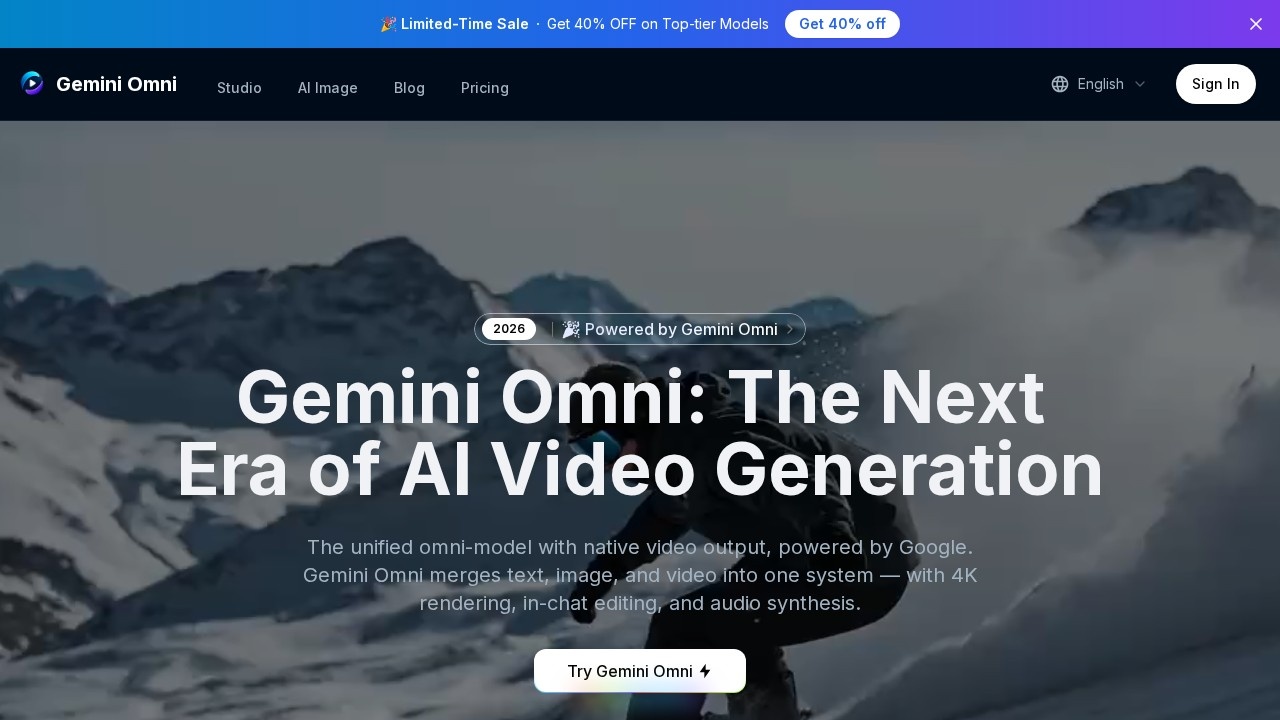
What is Gemini Omni?
Gemini Omni is a unified omni-model for AI video generation, powered by Google. It merges text, image, and video into one system, enabling users to generate, edit, and remix clips in native 4K resolution. The tool also includes built-in audio synthesis and a conversational interface for in-chat editing. Users can create cinematic videos from prompts, images, or existing footage without switching between separate tools.Application scenarios
Cinematic video creation
Generate short films or clips using text prompts with shot composition, lens focus, and camera motion instructions.
Image-to-video conversion
Turn static portraits, product shots, or storyboard frames into moving video while preserving facial geometry and object details.
Video reframing
Change the aspect ratio of any uploaded video up to 30 seconds long, with options like 1:1, 16:9, 9:16, and 4:3.
In-chat video editing
Remix clips, swap objects, remove watermarks, and rewrite entire scenes through natural language instructions.
Marketing content production
Generate product demos or promotional clips with consistent character and environment memory across scenes.
Educational storytelling
Create visual narratives with persistent world-state memory for characters, environments, and props.
Core Features
Unified omni-model
Consolidates text, image, and video generation under one architecture, allowing you to switch between modalities mid-conversation.
Native 4K at up to 120fps
Outputs true 4K resolution (3840×2160) with optional 120fps for ultra-smooth motion, preserving fine details like skin pores and fabric textures.
In-chat video editing
Remix clips, swap objects, remove watermarks, and rewrite entire scenes directly in the chat interface without external software.
Multiple generation modes
Supports text-to-video, image-to-video, and video-to-video generation from a single interface.
Persistent world-state memory
Characters, environments, and props stay visually consistent across generated frames, even through dramatic camera moves.
Video reframe tool
Change the aspect ratio of any uploaded video up to 30 seconds long (max 100MB) with target ratios including 1:1, 16:9, 9:16, 4:3, 3:4, 21:9, and 9:21.
Prompting tips built-in
Offers strategies for shot composition, lens and focus, genre and style, and camera motion to improve video output quality.
Audio synthesis
Built-in audio generation capabilities are integrated into the omni-model.
Target users
Content creators, filmmakers, video editors, marketers, and storytellers who need a single tool for generating, editing, and remixing cinematic AI videos. The persistent world-state memory also benefits anyone producing multi-scene narratives with consistent characters and environments.How to use Gemini Omni?
- Log in or sign up: Visit the Gemini Omni website and log in (free trial available after login).
- Upload visual references: Drop in portraits, product shots, or storyboard frames for consistent character and object detail.
- Describe your vision: Enter a text prompt using recommended strategies (shot composition, lens, genre, camera motion).
- Generate with Gemini Omni: Select a generation mode (text-to-video, image-to-video, or video-to-video), choose resolution (480p, 720p, or 4K) and video length (5s, 10s, or 15s).
- Edit or reframe: Use in-chat editing to remix clips, swap objects, or change aspect ratio using the reframe tool.
- Download: Export your final video in true 4K resolution.
Pricing and free trial
The website text states "Please login to try for FREE ✨" for both video generation and video reframe features. No specific pricing tiers or paid plans are mentioned.Effect review
Gemini Omni presents a compelling all-in-one approach to AI video production, combining generation, editing, and reframing in a single interface. The native 4K output at up to 120fps and persistent world-state memory are standout capabilities for maintaining visual consistency across scenes. The built-in prompting tips and multiple aspect ratio options make it practical for both beginners and experienced creators. However, the tool's real-world performance depends on the quality of the underlying Gemini Omni model, which is not detailed in the provided text. For users seeking a unified workflow without juggling separate tools, this offers a promising solution.Frequently Asked Questions
What is Gemini Omni?
What is Director’s Mode?
Can Gemini Omni generate videos in 4K resolution?
Does Gemini Omni include audio capabilities?
Can I remix existing video clips with Gemini Omni?
Gemini Omni - AI Tool Detail
Gemini Omni by its developer is a unified omni-model for crafting cinematic AI videos, enabling generation, editing, and remixing of clips in native 4K with built-in audio and Director’s Mode.
Category:Video generation
Visit Link:https://geminiomni.co/
Tags:AI video generation、4K video editing、cinematic AI、video remixing、Director’s Mode