
Cushion
Cushion is a local-first markdown workspace by an independent developer, featuring an integrated AI chat for writing, organizing, and thinking all in one place.
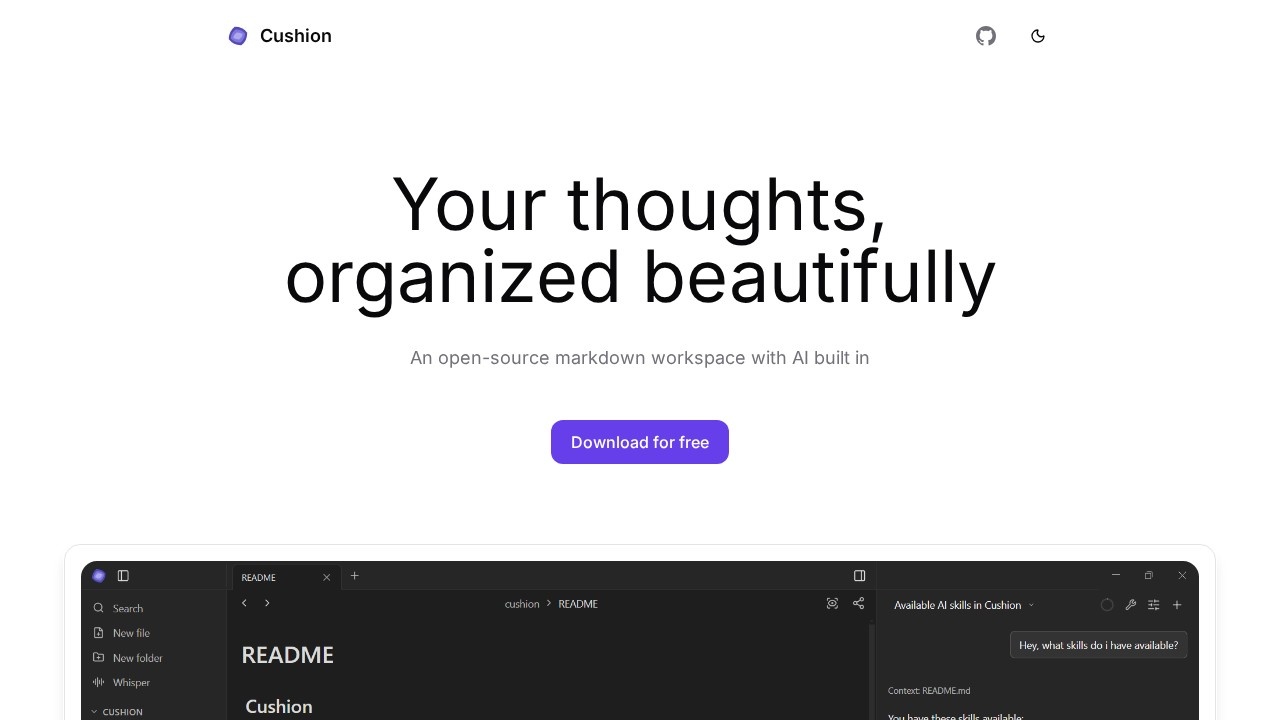
What is Cushion?
Cushion is an open-source markdown workspace that integrates an AI chat directly into your writing and note-taking environment. It is built by an independent developer and designed to be local-first, meaning your data stays on your machine. Users rely on Cushion to write, organize their thoughts, and think through ideas in a single, unified space.
Application scenarios
Academic research
Read, highlight, and annotate PDFs, then ask AI to summarize or explain the content without leaving your workspace.
Technical writing
Draft markdown documents while using AI to suggest edits, review diffs, and accept or reject changes inline.
Brainstorming and ideation
Use the integrated AI chat to generate diagrams, flowcharts, or architecture plans from a simple text prompt.
Voice dictation
Dictate notes with local speech-to-text, keeping voice data private and available offline.
Workflow automation
Extend the AI with custom tools and MCP servers to connect to external services and build tailored workflows.
Core Features
PDF Viewer
Read, highlight, and annotate PDFs directly inside your workspace, and ask the AI to provide summaries, explanations, or insights about the content.
Diagrams
Create diagrams using Excalidraw embedded in your notes, and let AI generate flowcharts, architectures, and other visuals from a simple prompt.
Tools
Extend the AI with skills and MCP servers to connect to external services, run custom tools, and build workflows that match your working style.
Whisper
Dictate your thoughts using local speech-to-text powered by Sherpa ONNX, keeping your voice data on your machine for fast, private, offline use.
AI Review
Let the AI suggest edits directly in your notes, review the changes as inline diffs, and accept or reject them without leaving the editor.
Target users
Cushion is ideal for independent researchers, technical writers, students, and knowledge workers who want a private, local-first workspace. It also suits developers and power users who need to extend AI capabilities with custom tools and MCP servers.
How to use Cushion?
To get started, visit the official website at cushionmd.com and download or open the application. Once inside, you can create or import markdown notes, open PDFs for reading and annotation, and use the integrated AI chat to ask questions, generate diagrams, or review your writing. For voice dictation, enable the Whisper feature to start speaking directly into your notes. To extend functionality, configure tools and MCP servers from the settings.
Effect review
Cushion delivers a focused, all-in-one workspace that combines markdown editing with a capable AI assistant. The integrated PDF viewer and diagram tools eliminate the need to switch between apps, while the local-first design ensures privacy and offline access. The AI review feature is practical for polishing drafts, and the ability to extend the AI with custom tools adds flexibility for advanced users. For anyone who values a clean, private writing environment with smart AI support, Cushion is a solid choice.
Frequently Asked Questions
What is Cushion?
Is Cushion free to use?
How does the AI chat work in Cushion?
Is my data stored locally with Cushion?
Can I export my markdown files from Cushion?
Cushion - AI Tool Detail
Cushion is a local-first markdown workspace by an independent developer, featuring an integrated AI chat for writing, organizing, and thinking all in one place.
Category:AI Writing
Visit Link:https://cushionmd.com/
Tags:markdown workspace、AI writing assistant、local-first、knowledge management、productivity tool