
Claude Cowork
AI assistant by Anthropic for collaborative work, offering chat, writing, and analysis to enhance team productivity and streamline project workflows.
What is Claude Cowork?
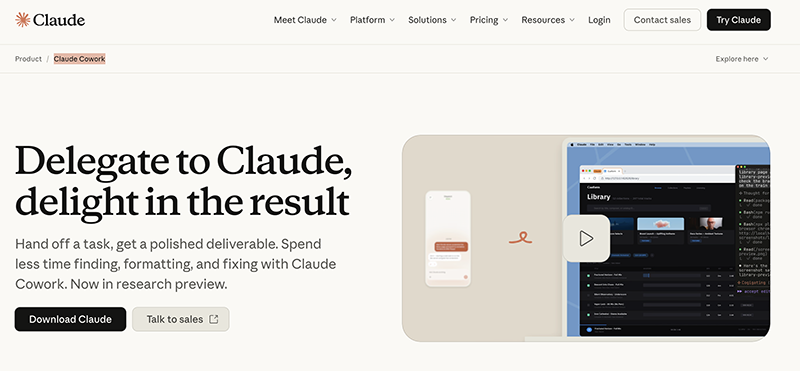
Claude Cowork is an AI assistant from Anthropic designed for collaborative work. It operates as a persistent agent that can handle tasks autonomously, moving beyond simple chat to complete work on its own. Users delegate tasks by describing the desired outcome and cadence, and Claude takes action, keeps them informed, and delivers a polished result. It is built to help teams enhance productivity and streamline project workflows by automating tedious processes.Application scenarios
File and folder organization
Automatically sorting, categorizing, and renaming files in cluttered directories like a Downloads folder.
Data extraction and formatting
Turning unstructured data from sources like receipts, invoices, and screenshots into organized, formatted spreadsheets.
Report generation and maintenance
Preparing branded reports, documents, and presentations by combining templates with source materials, and scheduling regular updates.
Routine metric aggregation
Automating the weekly or daily pull of metrics from analytics dashboards into predefined report templates.
Content synthesis
Drafting documents like product updates by pulling information and synthesizing content from various source materials such as meeting notes.
Core Features
Autonomous task execution
Describe a task and its schedule, and Claude will complete the work independently, providing updates and the final deliverable.
Cross-device continuity
Maintain a single conversation with Claude that follows you from your phone to your desktop computer.
Computer interaction
Claude can use your computer to perform actions, a capability available in the Cowork and Code offerings.
Context memory
The assistant remembers context across different sessions, allowing for ongoing, coherent project work.
Scheduled tasks
Set up recurring tasks once (e.g., checking email every morning, running a weekly Slack digest), and Claude handles them on the defined cadence.
File system management
Point Claude at a folder to scan contents, propose an organization plan, and execute sorting and renaming after approval.
Data processing from images
Hand Claude piles of screenshots or documents to extract data and populate a structured spreadsheet.
Template-based document creation
Combine company templates with source materials to produce polished, branded docs, decks, or reports that follow specific formatting conventions.
Task preview and approval
For operations like file organization, Claude can propose a detailed plan and only proceed after receiving user approval.
Target users
Claude Cowork is built for professionals and teams burdened by repetitive, time-consuming administrative and analytical tasks. It particularly benefits roles like project managers, analysts, and operations personnel who need to organize data, generate regular reports, and maintain orderly digital workspaces. Teams looking to automate workflow steps and ensure consistent, polished deliverables will find its scheduled and autonomous capabilities valuable.How to use Claude?
The product is currently in a research preview. Based on the website, the primary workflow involves downloading the Claude application. Once installed, you can delegate tasks by providing a prompt that describes the desired outcome and, for recurring work, the cadence. For tasks involving your files or computer, you would point Claude to the relevant resources (like a folder path or document). For scheduled tasks, you define the parameters once. Claude then operates autonomously, can present plans for approval, and keeps you informed until the task is complete.Effect review
The feature set presented for Claude Cowork positions it as a significant shift from reactive chat assistants to a proactive, autonomous work agent. The ability to schedule recurring tasks like report generation and inbox checking promises to eliminate repetitive manual work. Crucially, features like requesting a plan before executing file changes show an understanding of the need for user oversight in automated processes. By focusing on outcomes like polished deliverables and cleaned-up folders, it targets tangible pain points in daily work, suggesting a practical tool for reclaiming time spent on formatting, finding, and fixing.Frequently Asked Questions
What is Claude Cowork?
What can Claude help with?
Is Claude Cowork free to use?
How does Claude ensure data privacy?
Can Claude integrate with other tools?
What makes Claude different from other AI assistants?
Claude Cowork - AI Tool Detail
AI assistant by Anthropic for collaborative work, offering chat, writing, and analysis to enhance team productivity and streamline project workflows.
Category:Claw Product
Visit Link:https://claude.com/product/cowork/
Tags:AI assistant、team collaboration、productivity tool、writing assistant、project management