CleanAI
CleanAI by GetCleanAI helps iPhone users free up storage by automatically finding duplicates, similar shots, blurry photos, screenshots, text images, and large videos—saving you from endless manual sc
What is CleanAI?
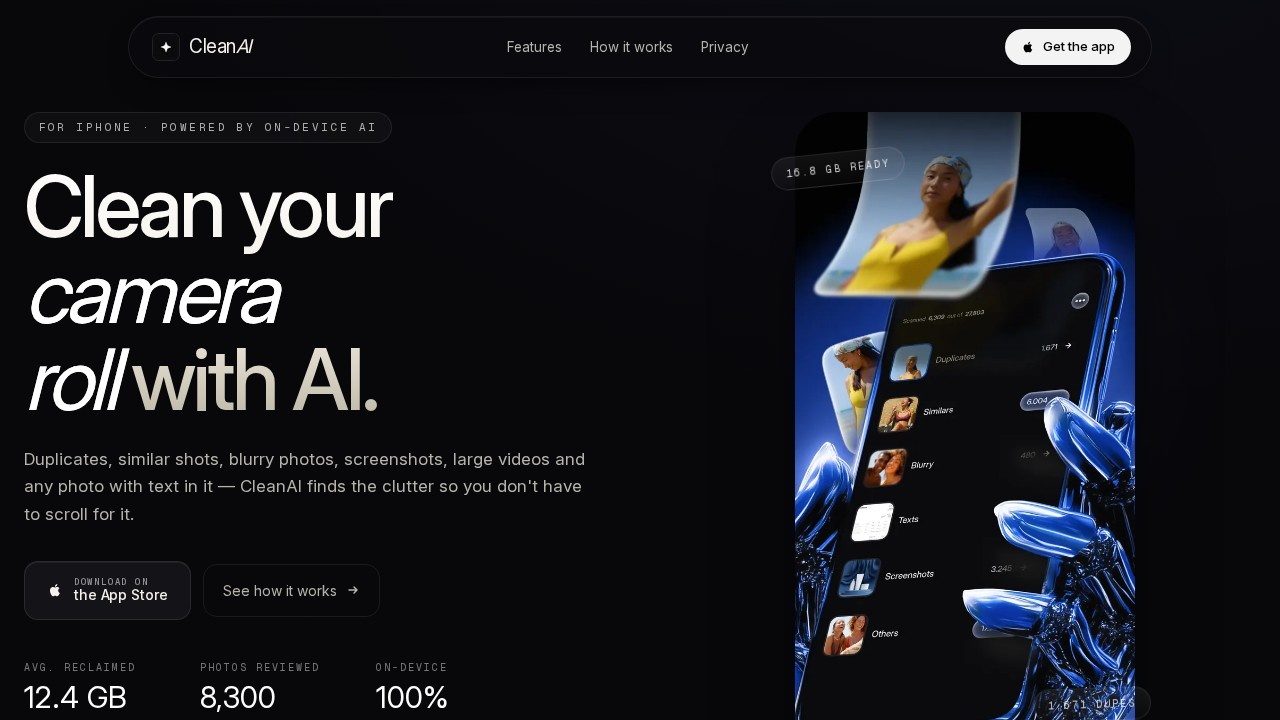
CleanAI is an iPhone app that uses on-device AI to clean up your camera roll. It automatically finds duplicates, similar shots, blurry photos, screenshots, large videos, and any photo containing text. The app organizes this clutter into review groups so you can decide what to delete in minutes instead of hours. It is engineered for iOS 17+ and uses the Photos framework, Core ML, and Vision—all processing stays on your device.Application scenarios
Duplicate cleanup
Remove exact and near-duplicate photos that pile up over time.
Similar photo sorting
Group look-alike shots (photos, screenshots, and text shots) so you can keep only the best one.
Blurry photo removal
Flag photos that didn't focus properly and delete them in one pass.
Screenshot decluttering
Gather years of forgotten screenshots into a single album for a quick sweep.
Text photo management
Collect handwritten notes, receipts, and IDs into one album for easy review.
Large video cleanup
Sort videos by file size so the biggest storage hogs (e.g., 612 MB clips) surface first.
Core Features
AI Duplicate Finder
Finds exact and near-duplicate photos by content, not filename.
Similar Detection
Groups look-alikes into three flavors—photos, screenshots, and text shots—so you keep the best one.
Blur Detection
Flags photos that didn't focus, making them easy to drop.
Screenshot Cleaner
Gathers all forgotten screenshots into one album for a single-sweep review.
Text Photo Finder
Rounds up every shot with writing—handwritten notes, receipts, IDs—into one album, with look-alikes grouped.
Large Video Finder
Sorts videos by size, surfacing the half-gig files first.
On-device scanning
Indexes your entire library on the phone; nothing is uploaded.
User confirmation
Nothing leaves your gallery until you tap delete—keep, delete, or review is your call every time.
Six-tool workflow
Duplicates, similars, blurry, texts, screenshots, and large videos are split into six albums with review groups.
Target users
CleanAI is built for iPhone users who have accumulated thousands of photos and videos and want to reclaim storage without manual scrolling. It suits anyone who feels overwhelmed by their camera roll—casual shooters with years of screenshots, travelers with large video clips, or professionals who need to quickly find and remove duplicate or blurry images. The app's privacy-first design also appeals to users who refuse to upload personal photos to the cloud for cleanup.How to use CleanAI?
Download the app from the App Store—no account creation is required. The flow is straightforward: run an on-device scan of your entire library, review the six auto-generated albums (duplicates, similars, blurry, texts, screenshots, large videos), then tick what to delete. Nothing is removed until you tap confirm. The website shows a typical session: scanning 14,250 photos, sorting into piles, and freeing 12.4 GB after your approval.Effect review
CleanAI's core promise is speed: what takes hours by hand, the app handles in minutes—the site claims it's 2× faster. The sample metrics are compelling: an average of 12.4 GB reclaimed, 8,300 photos reviewed, and 1,671 duplicate photos removed in one example. The on-device processing is a genuine differentiator for privacy-conscious users, and the six-tool approach covers the most common storage hogs comprehensively. The "you confirm everything" design respects user control, which is critical for a deletion tool. While the site doesn't cite independent reviews or awards, the feature set directly addresses a universal pain point for iPhone owners, and the before/after numbers suggest meaningful real-world impact.Frequently Asked Questions
What is CleanAI?
How does CleanAI detect unnecessary files?
Is CleanAI safe to use? Will it delete my photos automatically?
Does CleanAI work with iCloud Photo Library?
Is CleanAI free to use?
Will CleanAI help me save battery and improve iPhone performance?
CleanAI - AI Tool Detail
CleanAI by GetCleanAI helps iPhone users free up storage by automatically finding duplicates, similar shots, blurry photos, screenshots, text images, and large videos—saving you from endless manual sc
Category:Image editing
Visit Link:https://www.getcleanai.app/
Tags:iPhone storage cleaner、AI photo organizer、duplicate photo remover、iOS storage optimization、photo cleanup app