
AnyDrop
AnyDrop by its developer offers a free, secure, peer-to-peer file transfer service. Instantly send files, photos, and text between Mac, Windows, iOS, and Android browsers with no size limits.
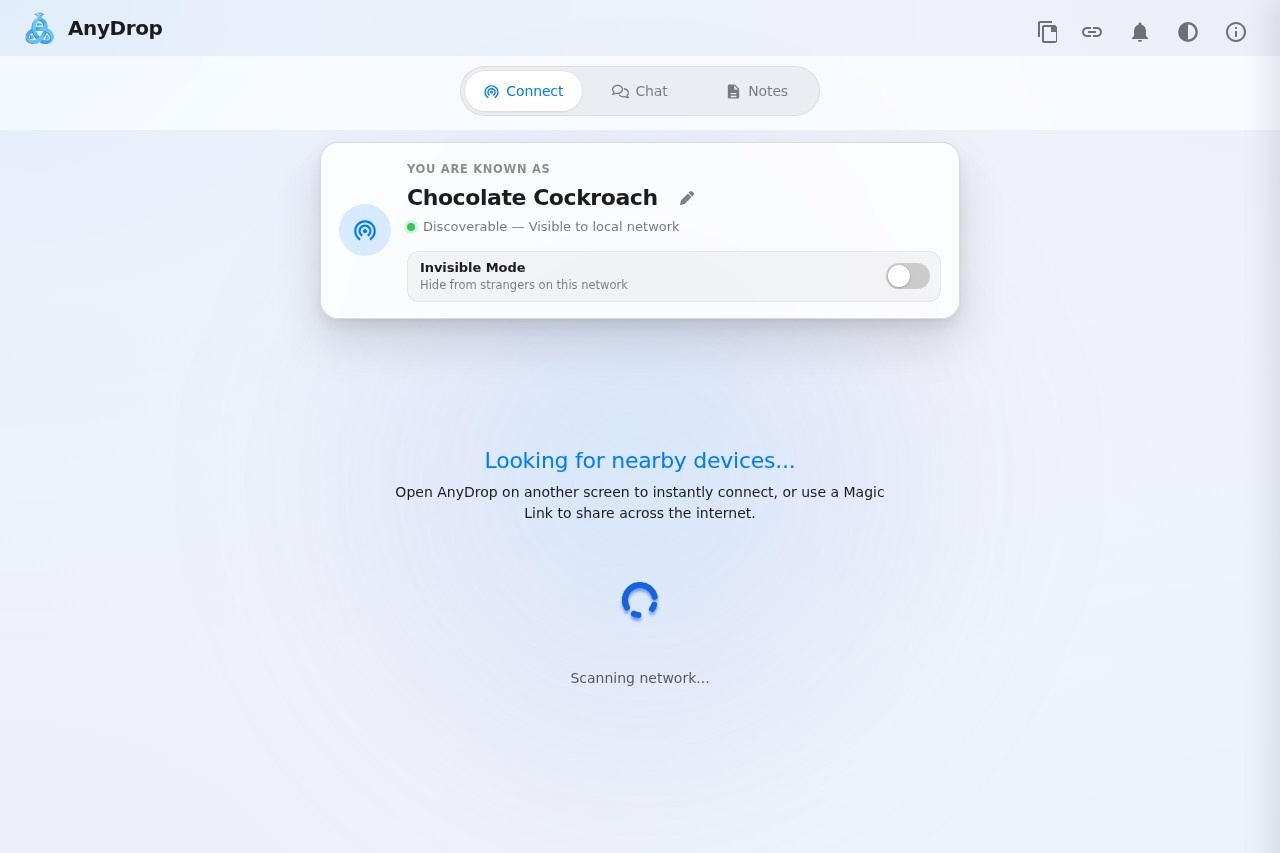
AnyDrop: Free Cross-Platform File Transfer and Local Network Chat
What is AnyDrop?
AnyDrop is a free, secure, peer-to-peer file transfer service that works across Mac, Windows, iOS, and Android browsers with no size limits. It lets you send files, photos, and text instantly between devices on the same local network or over the internet using Magic Links. The service also includes end-to-end encrypted chat, clipboard staging, and collaborative notes. No setup or account creation is required—just open AnyDrop on two devices and they discover each other automatically.Application scenarios
Local file sharing
Send large files between a laptop and phone on the same Wi-Fi without cloud uploads.
Remote collaboration
Use Magic Links or QR codes to pair devices across the internet for quick file handoffs.
Team notes
Write collaborative notes that sync live between connected devices during a session.
Clipboard management
Stage links, notes, and text snippets for review before sharing or copying.
Voice notes
Send quick voice recordings using the microphone icon in chat threads.
Cross-platform chat
Communicate securely with end-to-end encrypted messaging between any supported device.
Core Features
Instant local discovery
Devices on the same Wi-Fi network appear automatically without manual setup.
Magic Links
Generate a secure link or QR code to pair devices over the internet for remote transfers.
End-to-end encrypted chat
Tap any discovered device to open a private chat thread for text and file exchange.
File transfer with progress
Send files using the paperclip icon; both sides see synchronized real-time transfer progress.
Clipboard Staging (Paste Anywhere)
Paste text or URLs anywhere in the app (Ctrl+V or Cmd+V) to capture them into staged snippets for later review or sharing.
Shared Notes
Write collaborative notes that sync live between connected devices in the same session—ideal for temporary checklists or quick handoff text.
Voice notes
Record and send voice messages directly within chat threads using the microphone icon.
Invisible Mode
Choose to be discoverable only by paired contacts, hiding from other devices on the network.
Target users
AnyDrop is designed for anyone who needs to transfer files or communicate across devices without cloud storage or account setup. It benefits remote workers, students sharing notes, creative professionals moving large assets between machines, and teams needing quick, secure peer-to-peer chat and file exchange on local or remote networks.How to use AnyDrop?
Open AnyDrop on two devices (they can be on the same Wi-Fi or connected via Magic Link). On the same local network, devices discover each other automatically. Tap a discovered device to open an encrypted chat thread, then use the paperclip icon to send files or the microphone icon for voice notes. For remote connections, tap the Share icon in the top menu to generate a Magic Link or QR code to pair over the internet. Use the Clipboard Staging area by pasting text anywhere in the app, and open the Notes tab for live collaborative notes.Pricing and free trial
AnyDrop is described as "free" on the website. No pricing tiers, subscription plans, or trial periods are mentioned. The service appears to be entirely free to use with no size limits on file transfers.Effect review
AnyDrop delivers exactly what it promises: a frictionless, no-signup file transfer and chat service that works across platforms. The combination of local network discovery, Magic Links for remote pairing, and end-to-end encryption makes it a practical alternative to cloud-based tools like WeTransfer or Dropbox for quick exchanges. The clipboard staging and collaborative notes add useful extras for workflow continuity. While the website doesn't include user testimonials or performance benchmarks, the feature set is straightforward and well-documented, suggesting a reliable tool for everyday cross-device sharing. For users who value privacy and speed over cloud storage, AnyDrop is a solid choice.Frequently Asked Questions
What is AnyDrop?
Is AnyDrop free to use?
How does AnyDrop ensure security?
Are there any file size limits?
What platforms does AnyDrop support?
Can I send text messages with AnyDrop?
AnyDrop - AI Tool Detail
AnyDrop by its developer offers a free, secure, peer-to-peer file transfer service. Instantly send files, photos, and text between Mac, Windows, iOS, and Android browsers with no size limits.
Category:Automation
Visit Link:https://anydrop.org/
Tags:file transfer、peer-to-peer、cross-platform、secure sharing、free tool