onlinclipboard
Online clipboard by onlinclipboard for sharing text, images, files, and PDFs across devices without login. Features secure, self-destructing links for temporary sharing.
What is onlinclipboard?
Onlinclipboard is a free, web-based clipboard tool for instant cross-device sharing. Users share text, images, files, and PDFs by generating a temporary link without needing to log in. The service automatically deletes shared content after 24 hours or immediately after the first retrieval, providing a simple method for secure, temporary transfers.Application scenarios
Cross-device copy-paste
Sync clipboard content like text or links from a PC to a phone instantly.
Secure file transfer
Send a confidential document with the assurance it will self-destruct after being viewed.
Quick media sharing
Share an image or PDF with someone without using email or cloud storage accounts.
Anonymous collaboration
Pass information or files to a team member or contact without requiring registration from either party.
Temporary backups
Create a short-term, accessible backup of a text snippet or file accessible from any device with a link.
Core Features
Multi-format support
Share text, images, files, and PDFs through a single interface.
No registration required
Use the service completely anonymously without creating an account.
Self-destructing links
Shared content is automatically deleted after the first retrieval.
Time-based expiration
All shared content is automatically deleted after 24 hours as a backup cleanup measure.
Passcode protection
Secure shares with an optional 4-digit or 6-digit passcode for an added layer of control.
Large file support
Upload and share files up to 300 MB in size.
Cross-device compatibility
Copy content on one device and retrieve it on another seamlessly.
Instant link generation
Generate a shareable link immediately after pasting text or uploading a file.
Target users
This tool benefits anyone needing quick, temporary data transfer. It's useful for individuals switching between devices, professionals sharing drafts or documents securely, teams requiring a simple, account-free way to pass files, and students or researchers exchanging notes or PDFs.How to use onlinclipboard?
- Navigate to the official website.
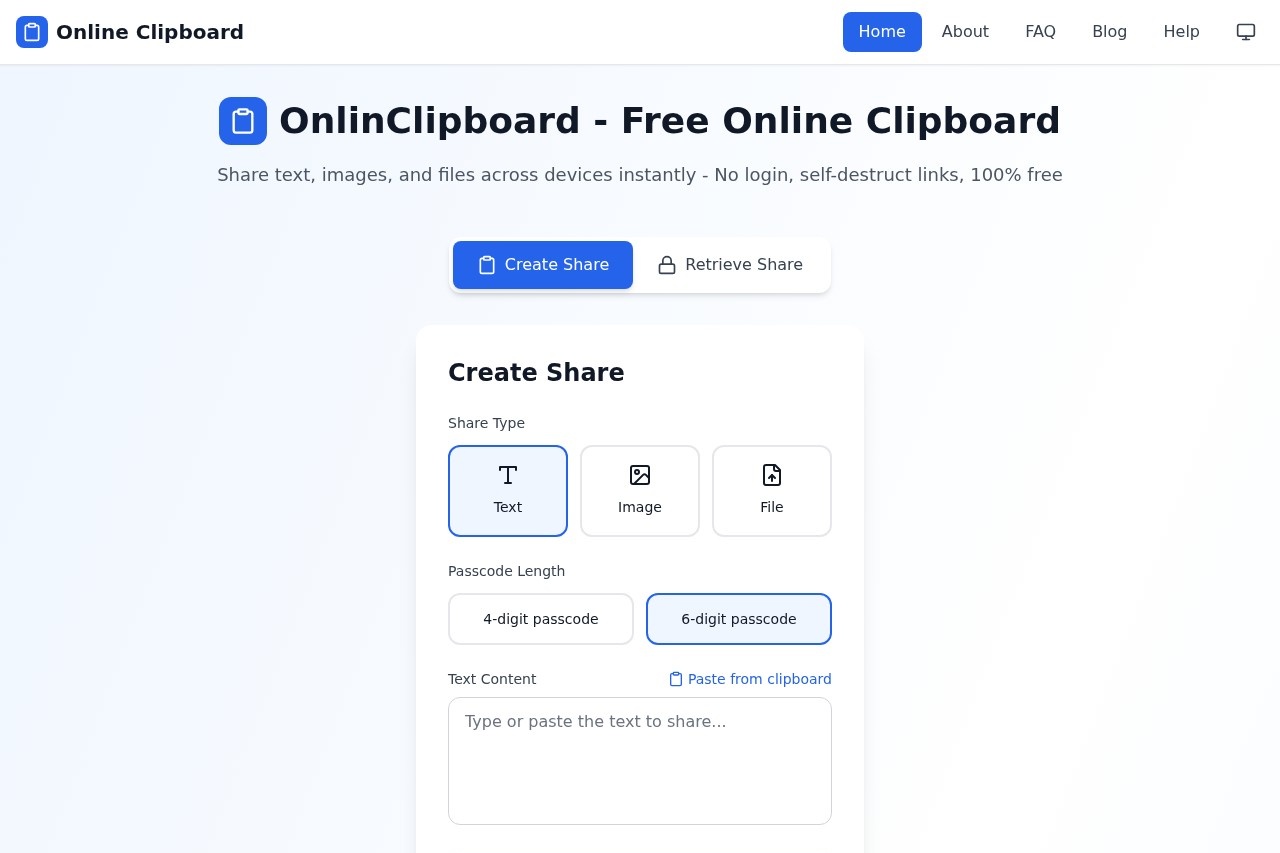
- Under "Create Share," select your content type: Text, Image, or File.
- Either paste your text or upload your file (up to 300MB).
- Select a passcode length (4 or 6 digits) for optional security.
- Click "Create Share" to generate an expiring link.
- Share this link. The recipient opens it, enters the passcode if one was set, and retrieves the content, which then self-destructs.
Effect review
The website presents a straightforward utility focused on solving a specific problem: frictionless, temporary sharing. The feature set of passcode protection, automatic deletion, and no login requirement directly addresses core needs for privacy and convenience. While the site lists a 4.9 rating based on 101 user reviews, no specific qualitative feedback is provided in the excerpt to detail user experiences. The tool's value is in its simplicity and clear promise of ephemeral, cross-device sharing, making it a practical choice for one-off transfers where permanence or account management is undesirable.Frequently Asked Questions
What is onlinclipboard?
How does onlinclipboard work?
Is onlinclipboard free to use?
What are self-destructing links?
What types of files can I share with onlinclipboard?
Is my data secure with onlinclipboard?
onlinclipboard - AI Tool Detail
Online clipboard by onlinclipboard for sharing text, images, files, and PDFs across devices without login. Features secure, self-destructing links for temporary sharing.
Category:Document processing
Visit Link:https://onlinclipboard.com/
Tags:clipboard tool、file sharing、secure sharing、self-destructing links、cross-platform sync