
AI Eyebrow Filter
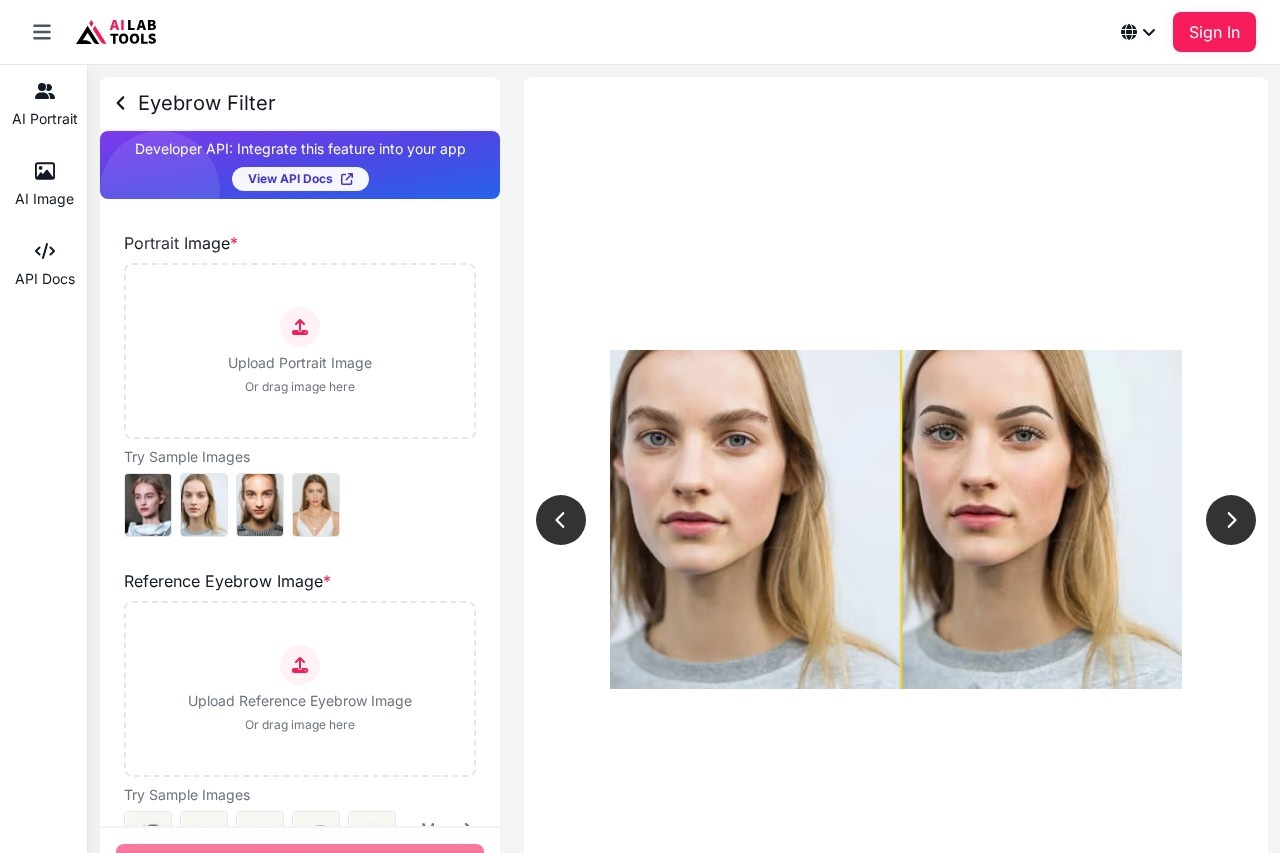
AI Eyebrow Filter by AILabTools lets you upload a portrait to instantly generate natural-looking eyebrows. Try soft, volume, and cat-eye styles for quick beauty edits and social media content.
What is AI Eyebrow Filter?
AI Eyebrow Filter by AILabTools is a web-based tool that generates natural-looking eyebrows on uploaded portrait photos. Users can instantly create different eyebrow styles, from soft and natural to bold and dramatic. It is designed for quick beauty edits and the creation of social media content. The tool also offers a developer API for integrating its eyebrow generation capabilities into other applications.Application scenarios
Social media content creation
Generate stylish eyebrow looks for profile pictures and social publishing.
Beauty and retouching workflows
Create outputs for retouch references and client proposals.
Advertising and campaign testing
Quickly compare bold eyebrow styles for ads, thumbnails, and brand key visuals.
E-commerce production
Batch-generate consistent eyebrow style variants for product shoots.
Creative A/B testing
Test different eyebrow density, shape, and mood for visual direction.
Team-based content calendars
Standardize prompts to produce consistent styles across creators and channels.
Core Features
Portrait upload
Upload a clear portrait in JPG, PNG, or WEBP format with visible eye details.
Style description
Describe your desired eyebrow filter style and style direction for the AI to render.
Multiple style generation
Generate realistic eyebrow style variations, including natural, soft brow lift, wispy, cat-eye, mega volume, and dramatic curl extensions.
Realistic detail rendering
The AI preserves brow fibers, separation, catchlight balance, and enhances micro-texture and line clarity.
Natural blending
The pipeline reduces fake overlay artifacts, ensuring clean blending even in close-up crops.
Batch processing
Teams can standardize prompts and batch-generate consistent eyebrow style variants at scale.
Developer API
Integrate eyebrow filter and style generation into your own app with a production-ready API.
Secure file handling
Uploaded and generated files are automatically deleted within 24 hours.
Sample images
Use provided sample images to test the tool without an initial upload.
Target users
This tool benefits beauty content creators, social media managers, digital marketers, and advertising teams who need visual content. It is also practical for photographers and retouchers working on client portraits, as well as development teams looking to embed AI-powered beauty features into their own applications.How to use AI Eyebrow Filter?
- Go to the official website.
- Upload a clear portrait photo or drag an image into the designated area; you can also use the provided sample images.
- Optionally, upload a reference eyebrow image for style guidance.
- Describe your desired eyebrow filter style and style direction.
- Click the generate button to create realistic eyebrow variations.
- Download the result for use in retouching, client proposals, or sharing on social platforms.
Effect review
The tool emphasizes producing realistic results by preserving critical details like brow fibers, light reflections, and natural transitions. Its focus on reducing fake overlay artifacts and ensuring clean blending suggests it is engineered for professional use where a natural finish is required. The ability to generate everything from wearable, everyday looks to dramatic, bold styles makes it versatile for both personal beauty previews and commercial campaign testing. For teams, the promise of consistent, batch-processed outputs addresses a clear need for scalable content production without sacrificing visual quality.Frequently Asked Questions
What is AI Eyebrow Filter?
How do I use AI Eyebrow Filter?
What eyebrow styles are available?
Is AI Eyebrow Filter free to use?
Can I use AI Eyebrow Filter for social media content?
What types of photos work best with AI Eyebrow Filter?
AI Eyebrow Filter - AI Tool Detail
AI Eyebrow Filter by AILabTools lets you upload a portrait to instantly generate natural-looking eyebrows. Try soft, volume, and cat-eye styles for quick beauty edits and social media content.
Category:Image editing
Visit Link:https://www.ailabtools.com/eyebrow-filter
Tags:AI beauty tool、eyebrow generator、photo editing、portrait enhancement、social media filter