
Zush
Zush by its developer offers fast batch renaming for screenshots, PDFs, photos, and documents on Mac and Windows. It supports watch folders and provides free renaming of up to 50 files without signup.
What is Zush?
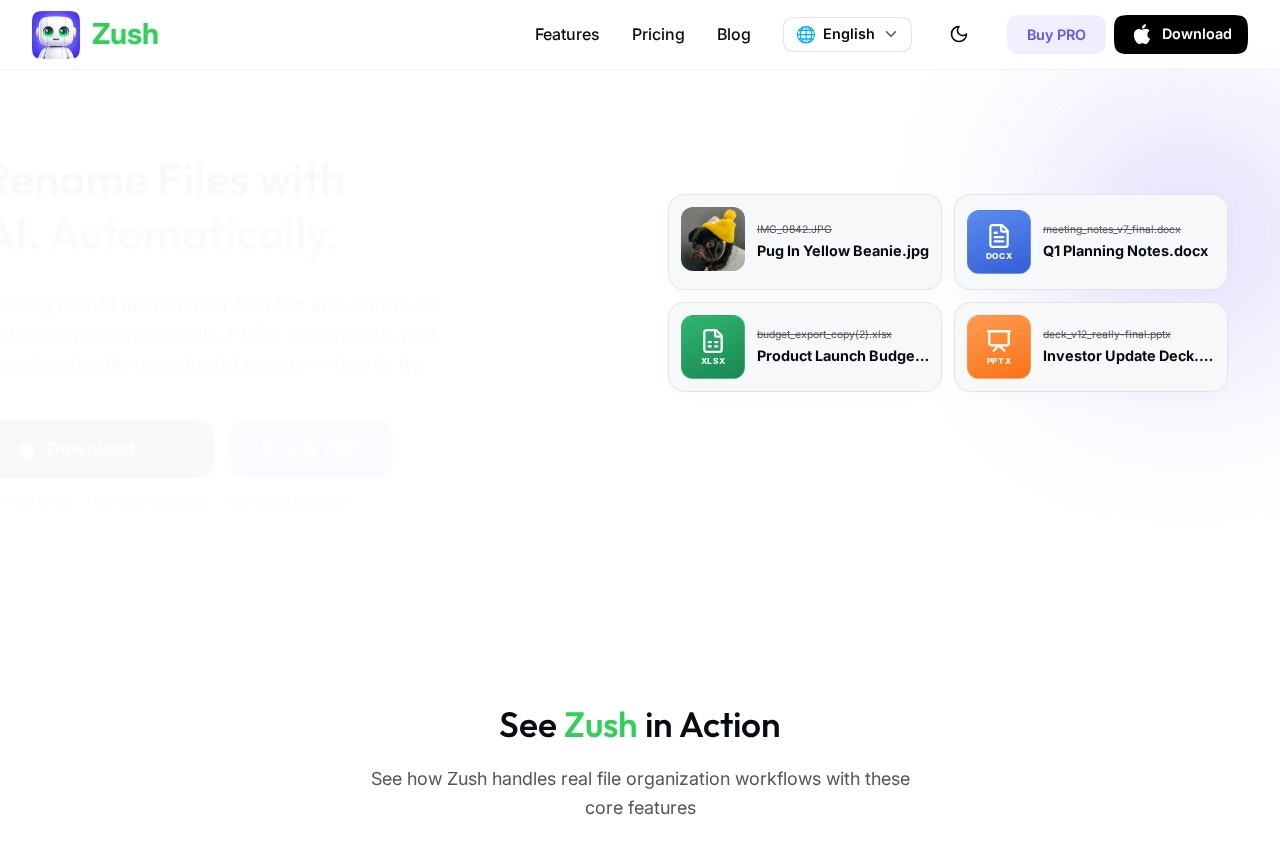
Zush is a blazing fast AI file renamer for Mac and Windows. It automatically renames screenshots, PDFs, documents, and downloads with meaningful, descriptive names. Users can batch rename files, monitor folders for new files, and apply custom naming patterns—all without needing a subscription or credit card to start. It’s a practical tool for anyone tired of manually sorting through generic filenames likeIMG_0842.JPG or meeting_notes_v7_final.docx.Application scenarios
Screenshot organization
Auto-rename cluttered screenshots (e.g., `Screenshot 2024-08-08 at 09.14.25.png` → `Technical Dashboard.png`).
Document management
Batch rename meeting notes, contracts, or reports (e.g., `meeting_notes_v7_final.docx` → `Q1 Planning Notes.docx`).
Design asset cleanup
Rename exported images and graphics with descriptive titles (e.g., `IMG_0842.JPG` → `Pug In Yellow Beanie.jpg`).
Presentation file sorting
Convert vague filenames like `deck_v12_really-final.pptx` into clear names like `Investor Update Deck.pptx`.
Spreadsheet organization
Rename budget exports or data files (e.g., `budget_export_copy(2).xlsx` → `Product Launch Budget.xlsx`).
PDF batch renaming
Replace scanned or generic PDF names with meaningful titles (e.g., `client-brief-scan.pdf` → `Client Creative Brief.pdf`).
Core Features
AI Analysis
Advanced AI analyzes images and supported documents (including PDFs) to generate meaningful, descriptive filenames automatically.
Batch Rename
Drag and drop multiple files at once; Zush analyzes and renames them all in seconds.
Folder Monitoring
Watch one or multiple folders; Zush runs in the background and processes new files automatically.
Custom Patterns
Set your own file naming pattern using variables like `{title}`, `{original}`, `{date}`, `{time}`, or `{category}`.
Smart Metadata
Automatically add Finder tags and Spotlight metadata, enabling natural search queries to find files instantly.
Rename History
Keep track of every change and rollback to the original filename with one click if you make a mistake.
Custom AI Prompts
Set rename, tagging, and metadata rules so the AI output follows your specific style and workflow.
Bring Your Own Key (PRO)
Connect your own API key from Gemini, Groq, OpenAI, or Claude for unlimited cloud renames; keys are stored locally in secure platform storage.
Offline AI Mode (PRO)
Use private local models via Ollama to process supported files offline without sending analysis content to Zush cloud or AI providers.
Target users
Zush is built for professionals who deal with high volumes of files daily—designers, project managers, developers, content creators, and administrative staff. Anyone who regularly renames screenshots, PDFs, documents, or downloads will find it useful. It’s also ideal for teams that need consistent file naming across shared folders.How to use Zush?
Download the free app for Mac or Windows from the official website. No signup is required to rename up to 50 files. Once installed, you can drag and drop files into the app, select a folder to monitor, or set custom naming patterns. For unlimited cloud renames, connect your own API key (Gemini, Groq, OpenAI, or Claude) in the PRO version, or enable offline mode with local models via Ollama.Pricing and free trial
Zush is free to try with no credit card required and no subscription. The free tier allows renaming up to 50 files without signup. A PRO version is available (pricing not specified on the site) that unlocks unlimited cloud renames via your own API key and offline AI mode using local models.Effect review
Zush delivers exactly what it promises: fast, AI-powered file renaming that actually works. The batch rename and folder monitoring features save significant time for anyone dealing with messy file dumps. The ability to set custom patterns and prompts gives users fine-grained control over naming conventions, while the rollback history provides a safety net. The free tier is generous enough to test thoroughly, and the Bring Your Own Key option keeps costs predictable for power users. For a tool that runs locally on both Mac and Windows, it’s a solid choice for streamlining file organization without cloud dependency.Frequently Asked Questions
What is Zush?
Is Zush free to use?
Does Zush support watch folders?
What file types can Zush rename?
Do I need to sign up to use Zush?
Is Zush available on both Mac and Windows?
Zush - AI Tool Detail
Zush by its developer offers fast batch renaming for screenshots, PDFs, photos, and documents on Mac and Windows. It supports watch folders and provides free renaming of up to 50 files without signup.
Category:Automation
Visit Link:https://zushapp.com/
Tags:batch renaming、file organization、productivity、document management、cross-platform