
Wondershare Filmora
Wondershare Filmora is a video editing tool by Wondershare for desktop and mobile. It offers intuitive tools, AI-powered features, and creative effects to help users easily produce professional-qualit
What is Wondershare Filmora?
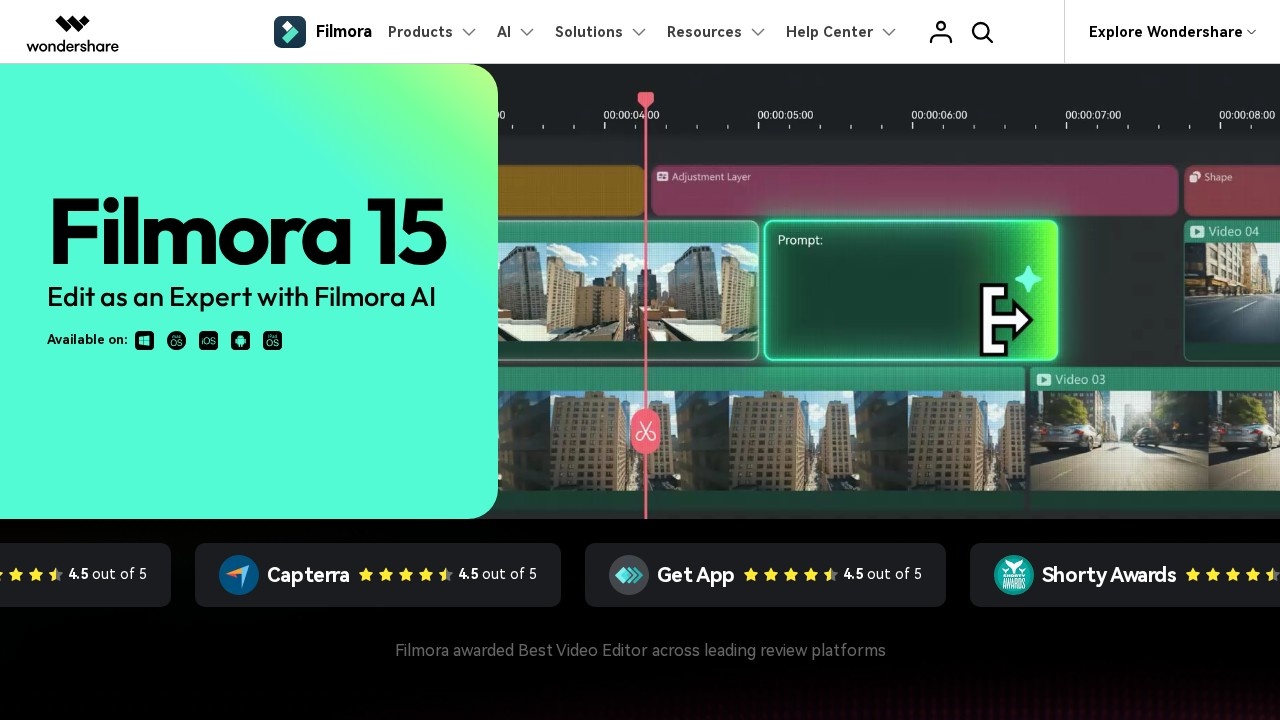
Wondershare Filmora is a video editing tool available on desktop and mobile, designed to help users produce professional-quality videos. It combines intuitive editing tools with AI-powered features and creative effects. Users can type, drop, or sketch ideas to turn them into motion, and access millions of royalty-free assets. The platform has been awarded "Best Video Editor" across leading review platforms, including G2 Crowd, Capterra, and Get App, all rating it 4.5 out of 5.Application scenarios
Video content creation
Edit and enhance videos for social media, marketing, or personal projects with AI-driven effects and precision tools.
Screen recording and marketing
Record the screen and create marketing videos with clarity and confidence, using animated charts to visualize data.
Professional editing workflows
Use dual-timeline editing, anchor and keyframes, and import subprojects for multi-camera projects and complex sequences.
Creative storytelling
Apply dynamic captions, AI voice enhancement, and motion paths with the Pen Tool to craft engaging narratives.
Asset management and inspiration
Access over 2.9 million creative assets, including templates, stock media, effects, music, plugins, filters, and stickers.
Core Features
AI Extend
Fill scenes with AI-driven effects, extend video content, and style your footage automatically.
Pen Tool
Draw motion paths, shape curves with speed control, and create smooth transitions for precise motion graphics.
Animated Charts
Drop data into animated charts to turn numbers into clear visuals for strategy presentations or results highlights.
Dynamic Captions
Add captions that follow your style, enhance voice with AI, and keep the audience engaged from start to end.
Dual-Timeline Editing
Edit across dual timelines to preview source and sequence together, compare, cut, and sync scenes with precision.
Anchor & Keyframes
Set anchors and keyframes to control every movement on screen, adjust timing, and build motion depth.
Import Subprojects
Import subprojects, match colors with AI, and mix shots from different cameras to create harmony in every frame.
Creative Assets Library
Access millions of royalty-free assets, including ready-to-use templates, stock media, effects, music, plugins, filters, and stickers.
Target users
Wondershare Filmora is for video creators, marketers, educators, and storytellers who want to produce professional-quality videos without a steep learning curve. It suits beginners needing intuitive tools and advanced users seeking AI-powered precision for multi-camera editing, motion graphics, and data visualization.How to use Wondershare Filmora?
To start, visit the official website and click "Get Started for Free" to download the desktop or mobile app. After installation, you can type, drop, or sketch ideas to begin editing. Use the timeline to apply AI Extend, Pen Tool, or dynamic captions, then export your video. For detailed steps, refer to the official site.Effect review
Wondershare Filmora delivers a solid, AI-enhanced editing experience that balances ease of use with professional-grade tools. The 4.5-star ratings across multiple platforms (G2 Crowd, Capterra, Get App) and its "Best Video Editor" award confirm its reliability for both beginners and experienced creators. Features like dual-timeline editing, animated charts, and the Pen Tool provide genuine utility for storytelling and marketing projects. The extensive library of over 2.9 million assets adds significant value, making it a versatile choice for anyone looking to produce polished videos quickly.Frequently Asked Questions
What AI features does Wondershare Filmora offer?
Is Wondershare Filmora free to use?
Can I use Filmora on both desktop and mobile?
What video formats does Filmora support?
Does Filmora have a keyframe animation feature?
Wondershare Filmora - AI Tool Detail
Wondershare Filmora is a video editing tool by Wondershare for desktop and mobile. It offers intuitive tools, AI-powered features, and creative effects to help users easily produce professional-qualit
Category:Video editing
Visit Link:https://filmora.wondershare.com/
Tags:video editing、AI-powered editing、creative effects、desktop and mobile、Wondershare