
Video Compress
Video compress by videocompress.ai is a fast, free online tool for reducing video file size without quality loss. Supports MP4, MOV, AVI, and more, with no watermark or usage limits.
What is Video Compress?
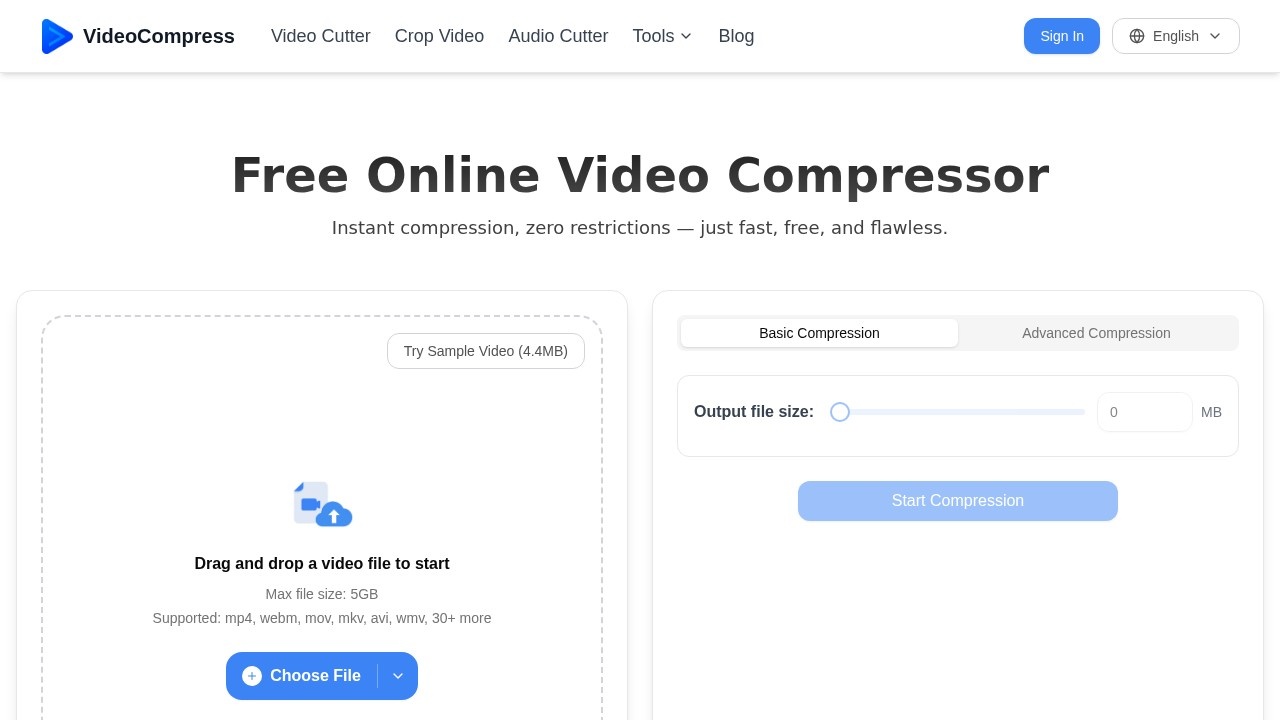
Video Compress by videocompress.ai is a fast, free online tool for reducing video file size without quality loss. It supports over 40 formats including MP4, MOV, AVI, and MKV, with no watermark or usage limits. Users can upload videos up to 5GB, choose basic or advanced compression settings, and download the compressed file instantly. The tool is built for speed and simplicity, making large videos easier to share, store, and manage.Application scenarios
Email attachments
Compress large video files to fit email size limits and send them as attachments without hassle.
Social media sharing
Reduce video size for faster uploads to platforms like Instagram, Twitter, or Facebook.
Cloud storage optimization
Shrink videos before uploading to Google Drive, Dropbox, or other cloud services to save space.
Video archiving
Compress old or large video files for long-term storage without losing quality.
Content creation workflows
Make raw footage smaller for quicker editing, previewing, or sharing with team members.
Business presentations
Compress demo videos or training clips to ensure smooth playback and easy distribution.
Core Features
Flexible compression settings
Choose between basic compression for quick results or advanced settings to control output quality, bitrate, and resolution.
Secure video processing
Files are protected during upload and automatically deleted from servers after a limited time to protect privacy.
Supports 40+ video formats
Compress MP4, AVI, MKV, MOV, WebM, WMV, and many more formats without needing to convert first.
Fast compression speed
Compress videos quickly online with no complicated steps, from large uploads to smaller, share-ready files.
Simple for everyone
Intuitive drag-and-drop workflow lets you compress videos in just a few clicks, built for speed and ease of use.
Cloud-based processing
Compress videos online with secure cloud processing—no downloads required and no heavy load on your device.
Max file size 5GB
Upload and compress large video files up to 5GB in size without restrictions.
No watermark or limits
Use the tool freely with no watermarks added to your videos and no usage caps.
Target users
Video Compress is designed for teams, creators, and businesses worldwide who need to make videos smaller for sharing, storage, or faster uploads. It's useful for marketers sending video attachments, content creators optimizing files for social media, educators sharing lecture recordings, and anyone who regularly handles large video files and wants a quick, secure, and free compression solution.How to use Video Compress?
- Upload your video: Drag and drop a video file into the compressor, upload from Google Drive or Dropbox, paste a video URL, or click to browse and select a file from your device.
- Select compression mode: Choose basic compression for a quick target size, or use advanced settings to fine-tune the balance between quality and compression.
- Download compressed video: After compression finishes, download the file instantly and use it right away—the final file is easier to handle, simpler to share, and more practical for everyday workflows.
Pricing and free trial
Video Compress is completely free to use with no usage limits or watermarks. The website explicitly states "Free Online Video Compressor" and "zero restrictions," with no mention of paid tiers or trial periods.Effect review
Video Compress delivers exactly what it promises: fast, free, and watermark-free video compression with support for a wide range of formats and file sizes up to 5GB. The flexible compression settings give users control over quality and file size, while the secure cloud processing and automatic file deletion address privacy concerns. The simple three-step workflow makes it accessible to anyone, from casual users to professionals. For a free tool with no usage limits, it offers impressive capability and reliability for everyday video compression needs.Frequently Asked Questions
What is Video Compress?
Is Video Compress free to use?
What video formats does Video Compress support?
Will video quality be reduced after compression?
How fast is the compression process?
Video Compress - AI Tool Detail
Video compress by videocompress.ai is a fast, free online tool for reducing video file size without quality loss. Supports MP4, MOV, AVI, and more, with no watermark or usage limits.
Category:Video editing
Visit Link:https://videocompress.ai/
Tags:video compressor、free online tool、no quality loss、no watermark、MP4 compression